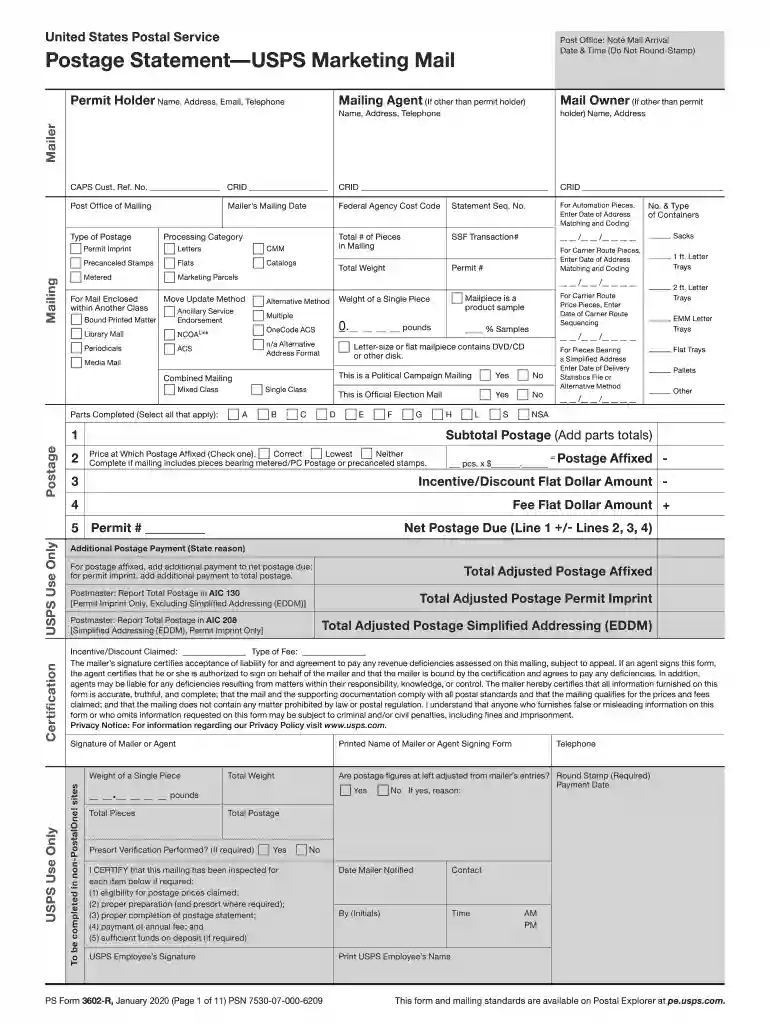
usps 3602 r Preview on Page 1

3602 r-2026

Here's how it works

  • 01. Edit your usps 3602 r online

    Type text, add images, blackout confidential details, add comments, highlights and more.

  • 02. Sign it in a few clicks

    Draw your signature, type it, upload its image, or use your mobile device as a signature pad.

  • 03. Share your form with others

    Send it via email, link, or fax. You can also download it, export it or print it out.

How to use or fill out 3602 r with our platform

Form edit decoration
9.5
Ease of Setup
DocHub User Ratings on G2
9.0
Ease of Use
DocHub User Ratings on G2
  1. Click ‘Get Form’ to open it in the editor.
  2. Begin by completing the Mailer and Mailing sections on page 1. Ensure that the Permit Holder, Mailing Agent (if applicable), and Mail Owner details are accurately filled out.
  3. Proceed to parts A through S based on your mailing type. Fill in the relevant sections for Letters, Flats, or Marketing Parcels as indicated.
  4. Add up the postage amounts from parts A through S. Round off to four decimal places for Permit Imprint mailings and three decimal places for Postage Affixed.
  5. Return to the Postage section on page 1. Check the boxes corresponding to the form parts used and enter the total postage amount.
  6. Complete any necessary adjustments in Lines 3 and 4 for discounts or fees applicable to your mailing.
  7. Calculate Line 5 Net Postage Due by adjusting for any previous entries and ensure all calculations are accurate before submission.
  8. Sign the Certification section, attach all completed parts, and submit with your mailing.

Start using our platform today for free to streamline your document editing and form completion!

See more usps 3602 r versions

We've got more versions of the usps 3602 r form. Select the right usps 3602 r version from the list and start editing it straight away!

VersionsForm popularityFillable & printable
20214.9 Satisfied (46 Votes)
20214.1 Satisfied (51 Votes)
20204.3 Satisfied (61 Votes)
20174.3 Satisfied (36 Votes)

be ready to get more

Complete this form in 5 minutes or less

Security and compliance

At DocHub, your data security is our priority. We follow HIPAA, SOC2, GDPR, and other standards, so you can work on your documents with confidence.

Related links

Release History

Release History. v4.42.0 (2026-02-20). Features - 4.42.0. Platform-dependent commands can now be specified using factor syntax without requiring the

Learn more
PS Form 3602-R - Postage Statement - Standard Mail

The mailers signature certifies acceptance of liability for and agreement to pay any revenue deficiencies assessed on this mailing, subject to appeal.Read more

Learn more
344 Postage Payment and Documentation

1.1. Postage Payment Options. The mailer is responsible for proper postage payment. Postage for Standard Mail must be paid with meter (604.4.0),Read more

Learn more
If you believe that this page should be taken down, please follow our DMCA take down process here