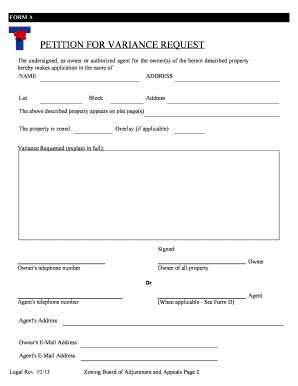
Understanding Online Forms: Definition & Meaning
Online forms are digital representations of paper-based forms, allowing users to input, modify, and submit data electronically. By leveraging these forms, organizations can streamline processes, ensure accuracy, and enhance data collection efficiency. Online forms come in various formats, such as surveys, applications, or feedback forms, catering to diverse needs across industries.
Importance of Online Forms
- Enhanced accessibility for users from any location
- Instant data collection and analysis capabilities
- Cost savings from reduced paper usage and storage needs
How to Use an Online Form
Navigating online forms is a straightforward process designed for ease of use. Users typically encounter text fields, checkboxes, and dropdown menus to input information. The intuitive design guides users through each section, ensuring all required data is collected before submission.
Steps to Use
- Access the Form: Visit the designated platform or website.
- Complete Required Fields: Fill in all mandatory fields marked with an asterisk.
- Review and Edit: Double-check information for accuracy.
- Submit: Click the submit button to finalize the process, after which confirmation is typically provided.
Steps to Complete an Online Form
Completing an online form involves a structured approach to ensure all necessary data is captured. Each step is designed to guide users efficiently through the form-filling process.
Detailed Steps
- Start by Accessing the Form: Log in to the platform hosting the form.
- Fill in Basic Information: Enter personal or organizational details, such as name, address, and contact information.
- Input Specific Data: Provide detailed responses to specialized questions related to the form's purpose.
- Attach Required Documents: Upload any necessary files, such as identification documents or additional verification materials.
- Consent and Agreement: Acknowledge terms and conditions or privacy policies if prompted.
- Submit and Confirm: Click the submit button and await a confirmation email or message to ensure successful submission.
Why You Should Form Online
There are several compelling reasons to adopt online forms for both personal and business purposes. These include convenience, efficiency, and reliability, coupled with technological advancements that improve user experience.
Benefits of Online Forms
- Quick Turnaround: Instant submission and processing reduce waiting times.
- Environmentally Friendly: Lower reliance on paper reduces carbon footprint.
- Data Accuracy: Automated error checks minimize data entry mistakes.
Who Typically Uses Online Forms
Online forms are widely used across various demographics and industries. Their adaptability and user-friendly design make them suitable for multiple applications.
Common Users
- Businesses: For customer feedback, order forms, and service requests.
- Educational Institutions: For admissions, registrations, and surveys.
- Government Agencies: For tax filing, applications, and data collection.
- Healthcare Providers: For patient intake and appointment scheduling.


Key Elements of an Online Form
A well-designed online form includes several key components that ensure user-friendliness and accuracy. These elements are crucial in achieving the form's intended purpose.
Essential Elements
- User Interface: Intuitive design with clear instructions and visual cues.
- Validation Features: Error-checking and real-time guidance to prevent mistakes.
- Security Measures: SSL encryption and authentication protocols for data protection.
Legal Use of Online Forms
Online forms must adhere to legal standards to ensure compliance and protect user data. This includes following privacy laws and maintaining data integrity.
Legal Considerations
- Privacy Regulations: Compliance with laws such as GDPR and CCPA.
- Electronic Signatures: Use of e-sign laws like ESIGN Act for legally binding agreements.
- Data Protection: Secure storage and processing of sensitive information.
Examples of Using Online Forms
Online forms serve multiple purposes across various sectors, offering practical solutions for everyday tasks.
Application Examples
- Financial Industry: Loan applications and account openings.
- Retail: Customer satisfaction surveys and order forms.
- Government: Tax returns and permit applications.
- Education: Enrollment forms and feedback surveys.
Software Compatibility and Integration
Ensuring compatibility with various software solutions is vital for the seamless functioning of online forms. Integration capabilities can enhance user experience and operational efficiency.
Compatible Software
- Google Workspace: Direct import of data and document sharing.
- CRM Systems: Integration with Salesforce or HubSpot for customer data management.
- Accounting Software: Compatibility with QuickBooks or FreshBooks for financial transactions.
Penalties and Compliance: The Importance of Accuracy
Failure to comply with regulations when using online forms can result in penalties or legal issues. Ensuring accuracy and adherence to guidelines is critical.
Potential Penalties
- Fines: Financial penalties for non-compliance with legal standards.
- Data Breaches: Legal repercussions for insufficient data protection.
- Operational Setbacks: Loss of credibility and operational inefficiencies.
By understanding the nuances and applications of online forms, users and organizations can optimize their document workflow, ensuring both efficiency and compliance.