




01. Edit your form online
Type text, add images, blackout confidential details, add comments, highlights and more.

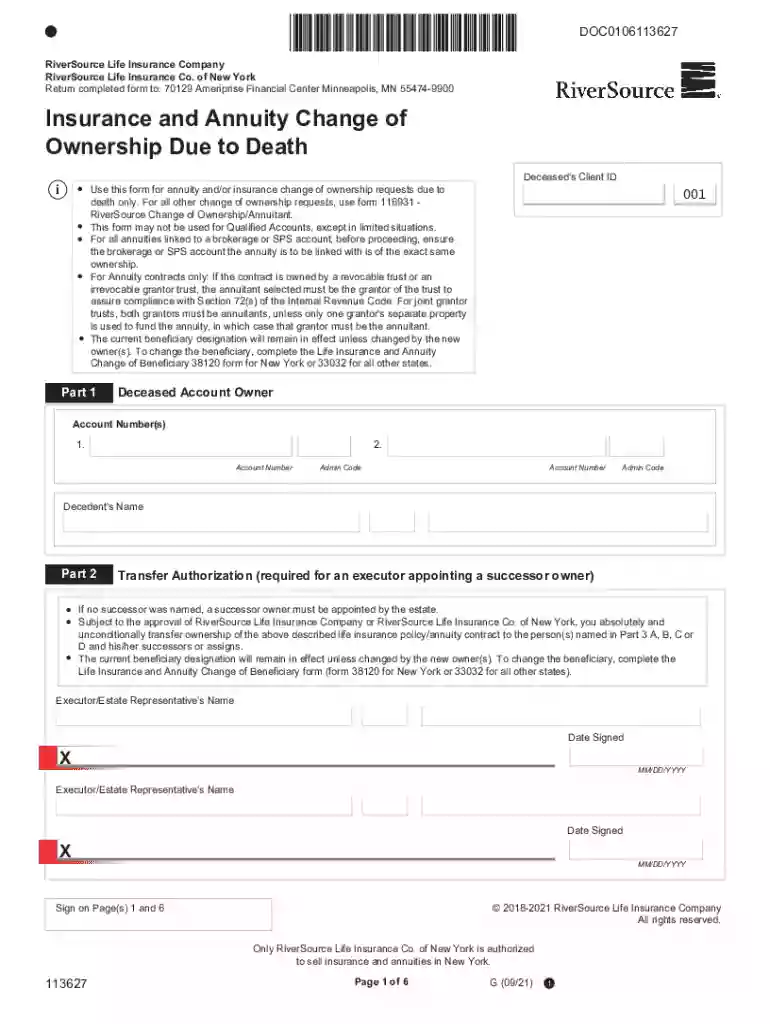
Type text, add images, blackout confidential details, add comments, highlights and more.

Draw your signature, type it, upload its image, or use your mobile device as a signature pad.

Send it via email, link, or fax. You can also download it, export it or print it out.
The term "form online" refers to digital documents that can be accessed, completed, and submitted through an internet-connected device. These forms are designed to collect standardized information from users efficiently and can range from simple registries to complex legal applications. Utilizing online forms minimizes paperwork, streamlines data processing, and enhances accessibility, making them integral to modern workflow management. Users can generally complete these forms on both desktop and mobile platforms, ensuring versatility in various environments.
Completing a form online typically involves several straightforward steps:
Access the Form: Locate the form on the relevant website or platform. Ensure you have a stable internet connection for smooth access.
Review Instructions: Before filling out the form, carefully read any instructions or guidelines to understand the requirements and necessary fields.
Input Information: Enter the required data into each designated field. Pay close attention to mandatory sections marked with an asterisk (*) to avoid submission errors.
Attach Documents: If the form requires supplementary documents, such as identification or financial statements, upload these files where specified.
Verify Details: Double-check all entered information and attached documents for accuracy and completeness.
Submit the Form: Once everything is verified, submit the form by clicking the relevant button. Most online forms will provide a confirmation message or email upon successful submission.
Opting to complete forms online provides several advantages:
Efficiency: Online forms often streamline processes that traditionally required significant time and manual labor. Performance improvements include quicker submission and faster processing times.
Accessibility: Forms are available 24/7 and can be accessed from anywhere with an internet connection, allowing users to complete them at their convenience.
Cost Savings: Reducing the need for paper and postage lowers operational costs and contributes to environmental sustainability.
Data Management: Online systems facilitate easier data organization, storage, and retrieval, reducing the risk of lost paperwork and errors.
Every online form contains crucial components that ensure effective data collection:
User Input Fields: These include text boxes, checkboxes, radio buttons, and dropdown menus to capture various types of data.
Mandatory Fields: Indicated by asterisks, these fields require completion to proceed with form submission.
Navigation Buttons: Options such as "Next," "Back," and "Submit" guide users through the form completion process.
Progress Indicators: These show the user how much of the form has been completed, which is especially useful for longer forms.
Security Protocols: Encryption and security measures protect sensitive information submitted through the form.
The legal application of online forms is subject to certain guidelines and regulations:
Compliance: Organizations must comply with data protection laws such as GDPR or CCPA, ensuring user information is handled responsibly and securely.
Electronic Signatures: Many online forms require e-signatures, which are legally binding under acts like the ESIGN Act and are recognized in court.
Authorization: Online forms often include consent sections that users must agree to, legally authorizing data usage per outlined terms.
Various real-world applications demonstrate the utility of online forms:
Job Applications: Many companies use online forms to streamline their recruitment process, allowing candidates to submit applications digitally.
Tax Filing: The IRS provides forms online for tax filing, making it easier for taxpayers to file returns accurately.
Healthcare Surveys: Hospitals often use online forms to collect patient feedback, aiding in quality and service improvement initiatives.
When completing an online form, certain documents might be necessary:
Identification Proof: This includes government-issued IDs such as a driver's license or passport.
Financial Documents: Depending on the form's purpose, financial statements or tax returns might be required.
Supporting Documentation: For specialized forms, like insurance claims, supporting evidence such as medical reports or contracts may be needed.
Online forms are often designed for compatibility with various software systems to enhance user experience:
PDF Editors: Platforms like DocHub allow users to fill out forms directly in PDF format without needing additional software.
Integration with Cloud Services: Compatibility with Google Drive or Dropbox enables easy document management and storage.
Accounting Software: For tax-related forms, integration with tools like TurboTax streamlines data entry and ensures compliance with filing requirements.
We've got more versions of the Insurance and Annuity Change of Ownership Due to Death form. Select the right Insurance and Annuity Change of Ownership Due to Death version from the list and start editing it straight away!
At DocHub, your data security is our priority. We follow HIPAA, SOC2, GDPR, and other standards, so you can work on your documents with confidence.
If a change is needed, a person should ask their insurance company to send a change of beneficiary form to fill out and return or complete the form online. TheRead more
May 29, 2024 Upon the death of an accountholder, the FDIC will insure the deceased owners accounts as if he or she were still alive for six months after hisRead more


