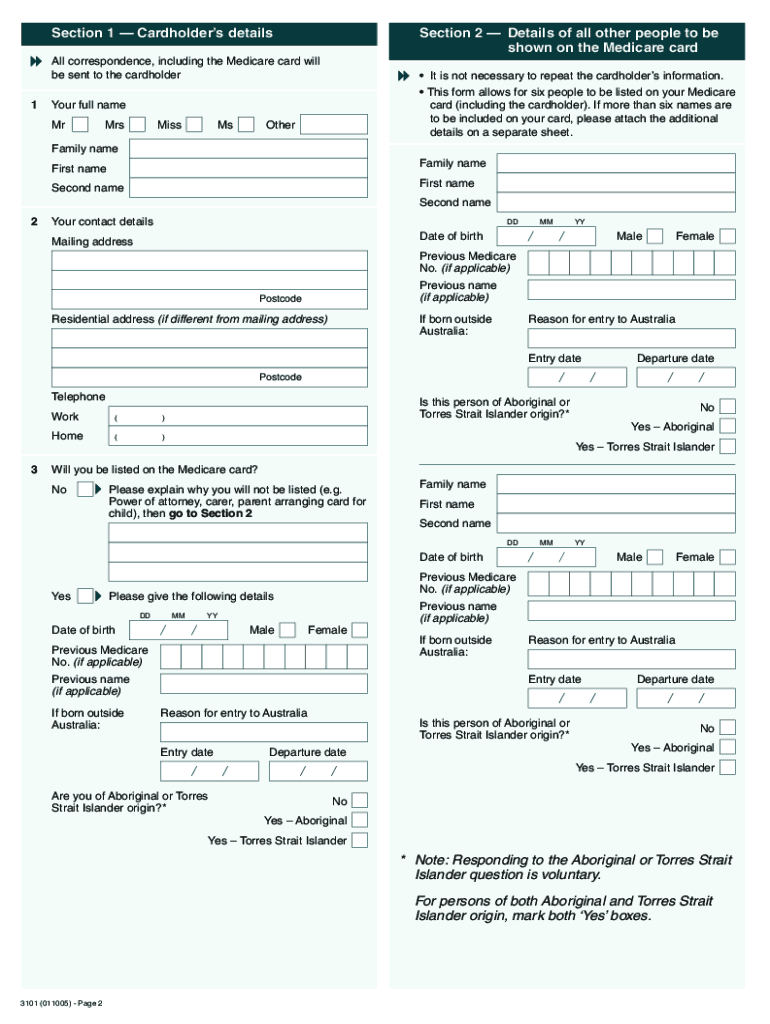
Medicare card application 2026

Get Form
medicare form Preview on Page 1

Here's how it works

01. Edit your medicare form online
Type text, add images, blackout confidential details, add comments, highlights and more.
02. Sign it in a few clicks
Draw your signature, type it, upload its image, or use your mobile device as a signature pad.
03. Share your form with others
Send medicare card form via email, link, or fax. You can also download it, export it or print it out.

How to use or fill out medicare card application with DocHub

Form edit decoration
9.5
Ease of Setup
DocHub User Ratings on G2
9.0
Ease of Use
DocHub User Ratings on G2
  1. Click ‘Get Form’ to open the Medicare card application in our platform's editor.
  2. Begin by collecting the necessary documents. You will need one eligibility document and two residency documents from the provided lists.
  3. Fill out Section 1 with the cardholder’s details, including full name, date of birth, and contact information. Ensure accuracy as this information is crucial for your Medicare card.
  4. In Section 2, list all other individuals who will be included on the Medicare card. If there are more than six people, attach additional details separately.
  5. Complete Section 3 if you require a duplicate card for any listed individuals. Provide their details as needed.
  6. Finally, review your entries in Section 4 and sign the declaration to confirm that all information is correct before lodging your application.

Start using our platform today to easily complete your Medicare card application online for free!

See more medicare card application versions

We've got more versions of the medicare card application form. Select the right medicare card application version from the list and start editing it straight away!
Versions Form popularity Fillable & printable
2013 4 Satisfied (46 Votes)
2005 4.8 Satisfied (231 Votes)
be ready to get more

Complete this form in 5 minutes or less

Get form

Got questions?

We have answers to the most popular questions from our customers. If you can't find an answer to your question, please contact us.
Contact us

According to eSignature laws, documents signed digitally have the same validity as traditionally approved ones. You can eSign almost any business and private paperwork. Four types of documents still call for handwritten signatures only - wills and testamentary trusts, court orders and other court papers, state statutes governing divorce, adoption, or other family law, and notice of cancellation of utility services. If you adhere to the rules and utilize a trustworthy and compliant software solution, like DocHub, you can eSign your my medicare registration form without printing it.

Using a swift editing platform like DocHub, you do not require anything but a web browser and connection to the internet to edit your application for medicare card on the internet quickly. Upload your document or find the appropriate form in DocHub’s catalog, open our editor with a single click, and finish it digitally. To revise your forms anytime, register a free account with DocHub.

You should automatically receive your Medicare card three months before your 65th birthday. You will automatically be enrolled in Medicare after 24 months and should receive your Medicare card in the 25th month.
What do you need to bring when applying for Medicare? Birth certificate. ... Proof of U.S. citizenship or legal residency. ... Your Social Security card (if already receiving SSA benefits) ... Health insurance information. ... Tax information. ... Military documents. ... Part B enrollment application.
All permanent residents of Australia are entitled to a Medicare card, except for those who are deemed to be not residing in Australia. Citizenship is not necessary to be eligible for a Medicare card.

Security and compliance

At DocHub, your data security is our priority. We follow HIPAA, SOC2, GDPR, and other standards, so you can work on your documents with confidence.

Learn more

People also ask

Once Medicare starts mailing cards to your state, it can take up to a month to receive the card. If the government has finished mailing the cards to your state, and you did not receive a card, contact Medicare right away at 1-800-MEDICARE (633-4227) or 1-877-486-2048 for TTY users.
You automatically get Medicare because you're getting benefits from Social Security (or the Railroad Retirement Board). Part B covers certain doctors' services, outpatient care, medical supplies, and preventive services.
You'll receive your card within about 3 weeks from the date you apply for Medicare. You should carry your card with you whenever you're away from home. You can sign in to your MyMedicare.gov account if you need to print a replacement card.

medicare transfer form