




01. Edit your monthly fuel summary online
Type text, add images, blackout confidential details, add comments, highlights and more.

Type text, add images, blackout confidential details, add comments, highlights and more.

Draw your signature, type it, upload its image, or use your mobile device as a signature pad.

Send it via email, link, or fax. You can also download it, export it or print it out.
"Form online" refers to digital documents that individuals or businesses can complete and submit over the internet to facilitate various administrative processes. These forms can range from tax filings to employment applications, and their online availability enhances convenience and efficiency. Unlike their paper counterparts, online forms are designed to be easily accessible and user-friendly, ensuring that users can complete necessary tasks from any location with internet access.
Online forms streamline data collection by allowing input directly through a digital interface. This eliminates the need for manual data entry, reducing errors and speeding up processing times. Many platforms, like DocHub, support the use of online forms by allowing users to edit, send, and sign these documents securely.
Accessing the Form: Start by locating the specific form you need. This might involve visiting a government or organization's website offering online form services. Alternatively, use platforms like DocHub to import the form from cloud storage services such as Google Drive or Dropbox.
Filling Out Required Information: Carefully fill out the form fields, which may include text boxes, dropdown menus, or checkboxes. Use platforms that provide real-time validation to ensure all necessary fields are completed accurately.
Uploading Supplemental Documents: If additional documentation is required—such as identification proofs or financial statements—ensure you upload them in the requested format. DocHub and similar services often support various file types, eliminating conversion hassles.
Reviewing the Information: Before submission, review all entered data for accuracy. Platforms like DocHub offer features that facilitate document review and annotation, helping ensure all information is correct and complete.
Submitting the Form: Use the platform's submit function to electronically transmit the form to the concerned authority. Many systems provide a confirmation once the form is successfully submitted, including tracking capabilities to follow the document’s progress.
Saving a Copy: Save a copy of the submitted form for your records. Services like DocHub allow you to store the completed document in your associated cloud account, ensuring easy access for future reference.
Filling out forms online offers several advantages over traditional paper methods. The primary benefit is convenience, as users can complete and submit forms from any location with internet access. This eliminates the need for physical travel and reduces the time spent on form completion and submission.
Another benefit is improved accuracy and efficiency. Online forms often include features such as auto-fill options and real-time validation, which help ensure data accuracy and reduce the possibility of human error. Additionally, digital submissions significantly speed up processing times, leading to faster responses or approvals.
Security is another reason to choose online forms. Document platforms like DocHub use advanced encryption protocols to protect user data both during transfer and while at rest. Password protection and audit trails add further layers of security, making online forms a safer option for sensitive information.
Various individuals and organizations benefit from using forms online. Businesses, for example, often use them for processes such as employee onboarding, client intake, or financial reporting. These forms streamline workflows and integrate seamlessly with business operations, particularly when stored or shared via platforms like DocHub.
Government agencies also utilize online forms to facilitate citizen services like tax filing or permit applications. Offering forms online helps these bodies improve service efficiency and reach a broader audience without geographical limitations.
Educational institutions use online forms for enrollment, feedback, and administrative tasks, promoting environmentally friendly paperless processes. Ultimately, anyone needing to submit structured data can benefit from using forms online, thanks to their flexibility and accessibility.


Online forms are legally recognized means for submitting and processing various official transactions. For instance, electronic tax filings using online forms comply with IRS requirements and hold the same validity as paper submissions. This is enabled by regulations defining e-signatures and other digital processes as legally binding.
Platforms like DocHub ensure legal compliance by adhering to standards such as the ESIGN Act, which validates electronic signatures. Users should, however, ensure that the platform they choose for online forms complies with applicable legal requirements, particularly concerning data security and privacy.
When working with forms online, certain key elements enhance functionality and user experience. These include:
Interactive Fields: Interactive text boxes, checkboxes, and dropdown menus streamline data input.
Security Features: Encryption protocols and authentication measures safeguard sensitive data.
Digital Signature Capability: Platforms like DocHub offer legally binding electronic signature options.
Collaboration Tools: Features that allow document sharing and real-time edits significantly benefit team-based tasks.
Accessibility Options: Support for various devices and file formats ensures that users can complete forms without compatibility issues.
Compatibility with other software systems, such as Google Workspace or accounting tools like QuickBooks, greatly enhances the functionality of online forms. For example, platforms like DocHub integrate seamlessly with Google Drive and Gmail, allowing users to import, edit, and save documents directly within the Google ecosystem without downloading or re-uploading files.
This level of integration promotes a fluid workflow, reducing administrative burdens related to document handling and ensuring that business processes remain uninterrupted. It's crucial for users to select online form solutions that align with their existing software ecosystems to maximize efficiency.
While online forms offer a standardized approach to document submission, users must be aware of state-specific regulations that might influence how forms should be filled or submitted. These differences can arise in contexts like tax filings, where individual states may have unique requirements regarding data reporting or submission methods.
For instance, some states might require specific supporting documents or unique identification numbers to accompany form submissions. Therefore, when using online forms for state-governed processes, it is vital to verify that all pertinent regulations are adhered to, ensuring compliance and preventing filing errors.
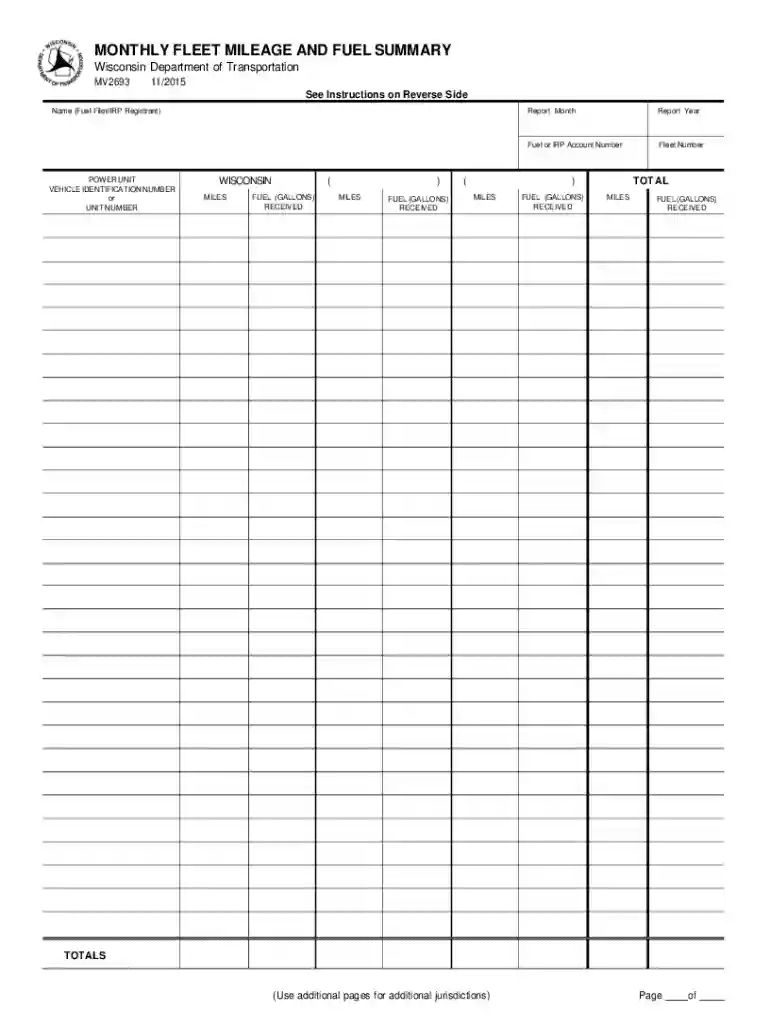
We've got more versions of the monthly fuel summary form. Select the right monthly fuel summary version from the list and start editing it straight away!
At DocHub, your data security is our priority. We follow HIPAA, SOC2, GDPR, and other standards, so you can work on your documents with confidence.
A Monthly Fleet Mileage and Fuel Summary must account for all gallons of fuel received and all miles traveled. INSTRUCTIONS. 1. Name - enterRead more
The company serves more than 429,000 electric and 311,000 natural gas customers within an 11,000-square-mile, 20-county service territory. 877-444-0888
Sep 29, 2017 Monthly mileage reporting is required for leased, assigned and work-shared state vehicles. Reimbursement for any personal miles must be includedRead more


