



01. Edit your form online
Type text, add images, blackout confidential details, add comments, highlights and more.

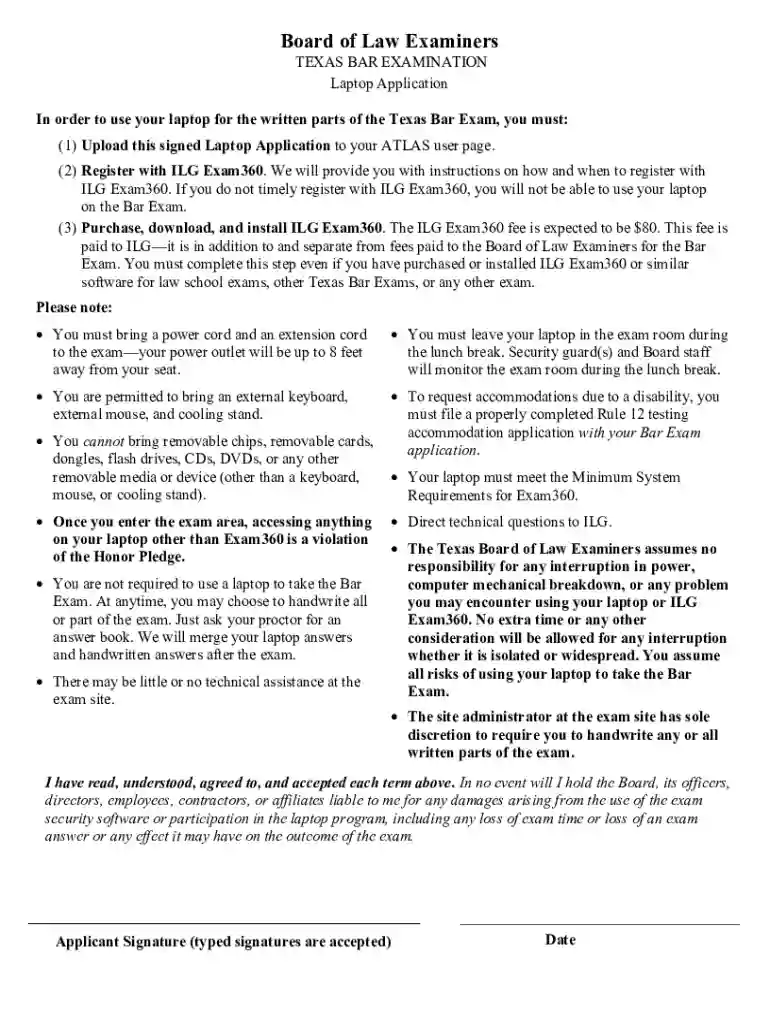
Type text, add images, blackout confidential details, add comments, highlights and more.

Draw your signature, type it, upload its image, or use your mobile device as a signature pad.

Send it via email, link, or fax. You can also download it, export it or print it out.
The term "form online" refers to digital documents that users can fill out, submit, and manage through internet-based platforms. These forms serve a wide range of purposes, from collecting information and feedback to facilitating transactions and legal agreements. By eliminating the need for physical paperwork, online forms streamline processes and enhance accessibility.
Online forms are integral to modern-day operations in businesses, educational institutions, government agencies, and personal use. They can encompass simple mechanisms like contact forms on websites to more complex financial, legal, or tax-related documents. The flexibility of generating, distributing, and managing these forms online offers considerable convenience and efficiency.
To use a form online effectively, follow these strategic steps that leverage digital platforms' functionalities. First, identify the specific form or document you need for your task. This could be anything from a job application to a tax form like a W-9 or 1099. Next, ensure that your platform of choice supports the form type you need. Platforms like DocHub are versatile, offering tools to create and manage a variety of document formats seamlessly.
Upon selecting the appropriate form, download or open it directly within a document editing platform. Populate the required fields by typing directly into the provided spaces. For dynamic forms, you may need to interact with dropdown menus or checkboxes depending on the form's complexity. Finally, review your entries for accuracy before submission. Use built-in features like spell check and data validation to ensure information precision and completeness.
Access the Platform: Launch the online service or app that hosts the form. This could be through a web browser or a dedicated mobile application.
Select Form Type: Choose the correct form related to your task. Look for templates like tax forms, employment forms, or any specific document relevant to your needs.
Input Data: Start completing the form by inputting relevant data in each field. Ensure that mandatory fields, often marked by asterisks, are fully completed to avoid submission errors.
Attach Additional Documents: If the form requires accompanying documents, ensure these are digitally formatted and ready for upload.
Review and Verify: Carefully go through the form to verify that all information is correct and complete. Use available tools to validate entries.
Submit Form: Follow the platform's specific submission procedure, which may include saving, emailing, or directly submitting via the host service.
Confirmation and Follow-Up: Post-submission, expect a confirmation message or email. Review any follow-up requirements, which might involve providing additional information or documents.
Filling forms online is highly advantageous due to conveniences such as immediate submission, greater flexibility, and secure data handling. Online forms allow users to manage documents from any location with internet access, facilitating quicker transactions and interactions.
They also provide real-time processing, which significantly reduces waiting times for approvals or responses in scenarios such as applications or legal agreements. With integrated security measures, sensitive information is protected, surpassing the vulnerability of physical documents. Lastly, online forms often provide interfaces that guide users through filling them out correctly, reducing errors and omissions.
Understanding the terminology associated with online forms enhances the user experience:
Legal compliance when using forms online is critical, particularly when handling sensitive documents like contracts or tax forms. Forms processed online must adhere to legal standards such as electronic signatory laws, like the ESIGN Act in the U.S., which validates electronic signatures.
Additionally, privacy laws dictate secure handling of user data, requiring encryption and strict access controls. Users should ensure that the platform they use complies with local and federal regulations to legitimize the electronic process legally. This includes being aware of data retention policies and rights regarding information access and correction.
Online forms comprise various crucial elements designed to ensure comprehensive data collection and secure submission:
When utilizing forms online, it's essential to ensure compatibility with popular software tools and platforms. Many online forms are designed to work seamlessly with software like TurboTax for tax forms and QuickBooks for business invoicing.
These integrations facilitate the effortless transfer of data between systems, improving productivity and accuracy in processing transactional forms. Moreover, compatibility allows for automated updates and synchronization, ensuring that all involved parties have access to the most current data in real-time.
Understanding these compatibility features can significantly enhance users' experiences by ensuring smooth transitions between form-related tasks across software ecosystems.
We've got more versions of the Texas Bar Exam Laptop Application form. Select the right Texas Bar Exam Laptop Application version from the list and start editing it straight away!
At DocHub, your data security is our priority. We follow HIPAA, SOC2, GDPR, and other standards, so you can work on your documents with confidence.


