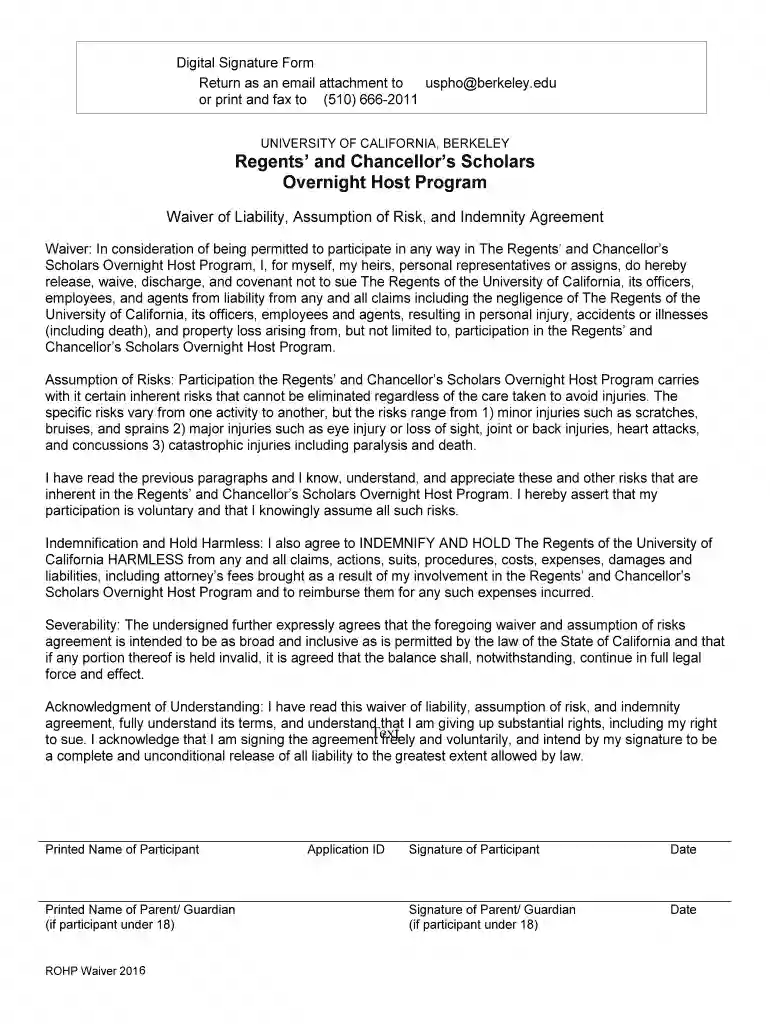
Definition and Meaning of a Digital Signature Form
A Digital Signature Form is an electronic document that allows users to sign agreements, contracts, and waivers legally and securely using a digital signature. This form is commonly used in various sectors, including education, business, and government, to facilitate remote and electronic document signing. Its primary purpose is to authenticate the identity of the signer and ensure the integrity of the signed document. Digital signatures are legally binding, complying with regulations such as the ESIGN Act in the United States, which gives electronic signatures the same legal standing as traditional handwritten signatures.
Components of a Digital Signature Form
- Signer's Information: Typically includes the name, email address, and sometimes a unique identifier for the signer.
- Signature Field: This is where the signer inputs their digital signature, often through a simple click of a button after completing necessary fields.
- Timestamp: Records the date and time when the document was signed, providing evidence of the signing event.
- Audit Trail: A digital record detailing the history of actions taken on the document, including views, edits, and signature applications.
Importance in Legal Contexts
Digital Signature Forms are integral to legally binding agreements in the digital age. They ensure that all parties involved in a transaction are authenticated and that the document has not been altered since the signing. This reduces the risk of fraud and provides a clear audit trail for legal purposes.
How to Use the Digital Signature Form
Using a Digital Signature Form involves selecting the appropriate document, adding required information, and applying a digital signature. Here’s a step-by-step guide to using such a form effectively:
- Select the Document: Start by opening the desired document that requires a digital signature.
- Review All Content: Ensure that you read and understand the contents and stipulations within the document.
- Enter Required Details: Fill in any necessary fields, such as personal information or specific inputs required by the form.
- Apply Digital Signature: Use your digital signature tool, either by clicking to sign or manually uploading a signature file if required.
- Submit the Form: Once signed, submit the document back to the issuing entity or other designated location.
Tips for Efficient Form Usage
- Double-Check Information: Ensure all details are accurate before applying your signature to avoid necessary revisions.
- Keep Track of Copies: Save a copy of the signed form for your records in case it is needed for future reference.
Key Elements of a Digital Signature Form
Digital Signature Forms contain several critical elements that ensure their effectiveness in achieving legal and administrative objectives:
Essential Features
- Security Protocols: Often employ encryption standards like 256-bit SSL to protect sensitive information.
- User Authentication: Mechanisms such as OAuth 2.0 ensure that only verified individuals can sign the form.
- Flexibility in Signing Methods: Offers multiple options for signature capture, including typed names, drawn signatures, or imported signature files.
Additional Considerations
- Compliance Standards: Must adhere to legal frameworks like the ESIGN Act and UETA in the United States to ensure enforceability.
- Multi-Party Signature Capability: Facilitates collection of multiple signatures if required by complex agreements involving several parties.
Steps to Complete the Digital Signature Form
Completing a Digital Signature Form can be straightforward if approached systematically. Follow these steps to ensure thorough and correct completion:
- Access the Form: Open the form through a secure document management platform, such as DocHub, that supports digital signatures.
- Review Document Requirements: Read through instructions provided on required information, fields, and any immediate actions you need to take.
- Add Personal Details: Input your identifying information, including your full name, contact information, and any occupation-related data if pertinent.
- Complete Financial or Legal Sections: For forms involving financial data or legal declarations, ensure you input complete and accurate information.
- Include Emergency Contacts: If applicable, add emergency contact details for forms necessitating such data.
- Affix Digital Signature: Use the available digital signature tool to affix your signature, often by dragging and dropping your saved signature.
- Final Submission: After a final review, submit the form by following the platform’s submission process.
Ensuring Error-Free Submission
- Save Drafts Regularly: Prevent loss of information by saving drafts as you work through the form.
- Verify Signature Acceptance: Confirm that your chosen signature format is accepted by the form’s platform.
Legal Use of the Digital Signature Form
The legal application of Digital Signature Forms is robust, provided they comply with established statutory requirements. Here’s a detailed look at how these forms are used legally:
Legal Validity
- Regulatory Compliance: Digital signatures on such forms must meet the mandates of the ESIGN Act. This act grants them the same authority as handwritten signatures.
- Court Acceptability: Documents signed digitally are generally admissible in court as long as they have a verifiable audit trail.
Practical Legal Applications
- Contracts and Agreements: Commonly used for employment contracts, real estate agreements, and business transactions.
- Confidentiality Agreements: Helps in legally binding parties to confidentiality clauses without face-to-face meetings.
State-Specific Rules for Digital Signature Forms
In the United States, while digital signatures are recognized federally, there may be state-specific rules that govern their use:
Variations by State
- California: Strong adherence to technology-neutral statutes, allowing any compliant digital solution.
- New York: Often relies on additional electronic records in tandem with digital signatures for validation.
- Texas: Places emphasis on retaining the option for handwritten signatures should the signatory choose.
Implications for Users
- Check Local Laws: Always verify that your use of a digital signature form aligns with the state's legal framework to avoid complications.
- Consult Legal Aid: For complex documents, consider consulting with a legal advisor to clarify permissible usages.
Examples of Using the Digital Signature Form
Digital Signature Forms are leveraged across various domains for multiple purposes. Here are some common examples:
Educational Use
- University Enrollment Agreements: Students sign forms digitally to agree to terms of enrollment and housing.
- Research Consents: Used in academic settings to gain participant consent for research projects.
Corporate Application
- Client Agreements: Businesses use digital signature forms to finalize contracts with clients quickly and efficiently.
- Employee Onboarding: HR departments deploy these forms for processing employment papers and direct deposit setups.
Government Utilization
- Permit Applications: Used by municipal agencies to streamline application processes for permits and licenses.
- Regulatory Compliance Forms: Facilitates timely submission and compliance with procedural formalities.
Software Compatibility and Integration
Digital Signature Forms, especially those managed via online platforms like DocHub, must be compatible with various software ecosystems to ensure seamless functionality:
Integration with Common Platforms
- Google Workspace: DocHub integrates with Google Drive and Gmail for effortless document import and export.
- Cloud Storage Services: Features compatibility with Dropbox, OneDrive, ensuring documents can be accessed and saved directly from these services.
Software and Device Compatibility
- Device Flexibility: Can be used on desktop computers, tablets, and smartphones without losing functionality.
- Cross-Platform Support: Compatible with major operating systems like Windows, MacOS, Android, and iOS.
Benefits of Compatibility
- Streamlined Workflow: Integration with existing software allows for a more efficient document management process, minimizing the need for multiple logins or file transfers.
- Enhanced Collaboration: Multiple users can view and sign documents in real-time, enhancing teamwork and productivity.
By following the outlined structure for Digital Signature Forms, users can effectively navigate, complete, and employ these forms in multiple settings, achieving legally binding outcomes with minimal hassle.