




01. Edit your form online
Type text, add images, blackout confidential details, add comments, highlights and more.

Type text, add images, blackout confidential details, add comments, highlights and more.

Draw your signature, type it, upload its image, or use your mobile device as a signature pad.

Send it via email, link, or fax. You can also download it, export it or print it out.
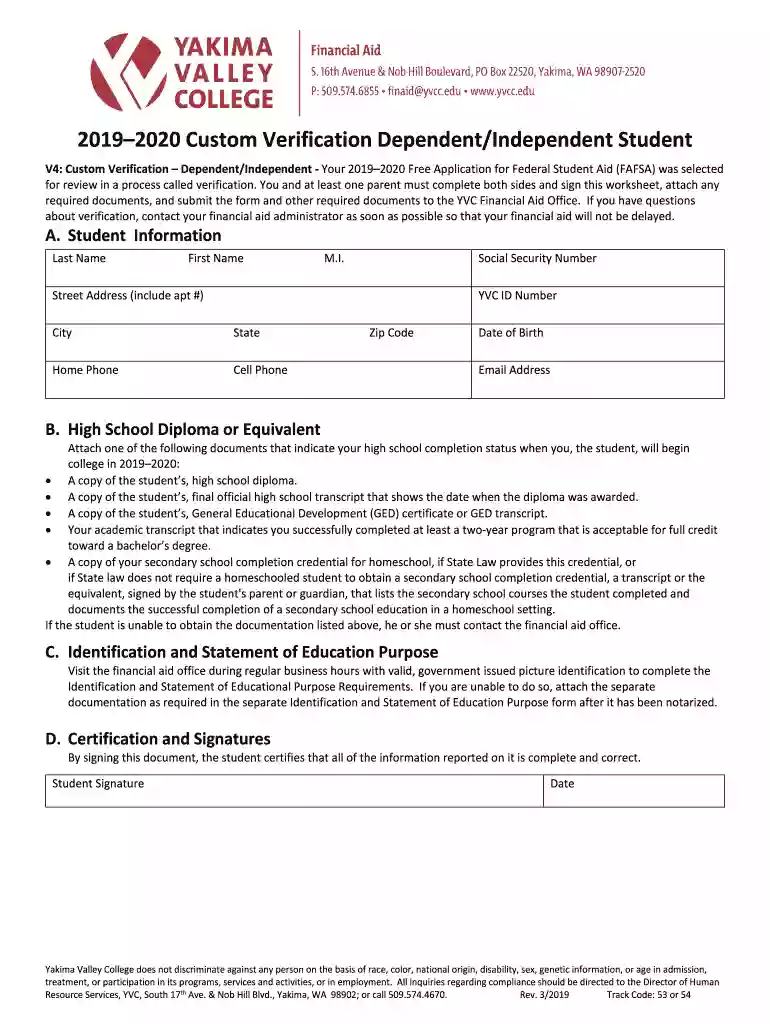
The Student Financial Aid Portal Instructions - Yakima Valley refer to the guidelines provided by Yakima Valley College for students accessing their financial aid information. This document outlines how students can navigate the portal to manage their financial aid applications effectively. It serves as a comprehensive guide to ensure students understand how to fully leverage the portal's features and services, aiding in the proper submission and management of financial aid documents.
Students are encouraged to utilize the Student Financial Aid Portal Instructions to navigate the platform effectively. The instructions help students to locate necessary sections within the portal, such as financial aid applications, document submission requirements, and status updates. By following these guidelines, students can efficiently update their financial details, upload necessary verification documents, and monitor the progress of their financial aid applications.
To obtain the Student Financial Aid Portal Instructions, students should visit Yakima Valley College's website or contact the financial aid office directly. Often, these instructions are readily accessible on the college's financial aid webpage. Students may also receive them via email upon starting the application process or during orientation events aimed at helping new students acclimate to important administrative procedures.
Access the Portal: Begin by logging into the Yakima Valley student financial aid portal using student credentials provided by the college.
Review the Instructions: Carefully read through each section of the instructions to familiarize yourself with the portal’s features.
Portfolio Setup: Set up your personal financial aid portfolio by filling out all necessary personal and academic information required for the application process.
Document Upload: Follow the guidelines provided to upload supporting documents, such as tax returns or verification forms, ensuring each document is uploaded correctly.
Check Application Status: Utilize the portal’s tools to check the status of your financial aid application regularly.
Submit Updates: If additional information or corrections are needed, use the portal to quickly submit updates or additional documentation.
Utilizing the Student Financial Aid Portal Instructions ensures that students can effectively manage their financial aid applications without errors, which can lead to delays or loss of financial assistance. Following these instructions can help students avoid common pitfalls in the application or document submission processes. Additionally, adhering to these guidelines increases the likelihood of receiving accurate and timely financial aid packages.
These instructions are primarily used by students at Yakima Valley College who are applying for or managing their financial aid. They can be particularly useful for first-year students who are unfamiliar with the financial aid process. Additionally, the instructions might be beneficial to parents or guardians aiding their children in the application process, as well as academic advisors who support students in financial planning.


Verification: The process of confirming the data provided on the financial aid application.
EFC (Expected Family Contribution): An estimate of a student’s family’s financial strength, used to determine eligibility for aid.
Dependent/Independent Status: Criteria that determine a student's financial dependency on their family, influencing the type of aid they can receive.
FAFSA: The Free Application for Federal Student Aid, a must-complete form for access to federal financial aid.
The key components of the instructions include detailed guidance on how to log in, maneuver through the portal interface, and submit various types of documents. The instructions also cover how to troubleshoot common login issues, who to contact for technical assistance, and provide a glossary of terms to help users understand the portal’s requirements.
Students can submit the necessary forms and documents via multiple methods, including online submission through the portal, by mail, or in-person delivery to the financial aid office. Each method has specific instructions on how to successfully complete the submission, ensuring that documents are processed without delays. The portal remains the most recommended method for its instant confirmation and convenience.
Yakima Valley College’s financial aid instructions include state-specific regulations to ensure compliance with Washington State financial aid laws. These rules can affect eligibility requirements, the types of aid available, and the documentation needed. Students should be aware of any unique criteria or deadlines specific to Washington to avoid missing opportunities for state-sponsored aid.
We've got more versions of the The Student Financial AId Portal Instructions - Yakima Valley form. Select the right The Student Financial AId Portal Instructions - Yakima Valley version from the list and start editing it straight away!
At DocHub, your data security is our priority. We follow HIPAA, SOC2, GDPR, and other standards, so you can work on your documents with confidence.
Financial Aid Portal Located within the Student ctcLink Portal. The Financial Aid Portal will give you access to messages from the Financial Aid office.Read more
May 10, 2019 WELCOME to the State Need Grant and College Bound Scholarship Program Manual for Financial Aid Administrators. This will direct you to all


