




01. Edit your form online
Type text, add images, blackout confidential details, add comments, highlights and more.

Type text, add images, blackout confidential details, add comments, highlights and more.

Draw your signature, type it, upload its image, or use your mobile device as a signature pad.

Send it via email, link, or fax. You can also download it, export it or print it out.
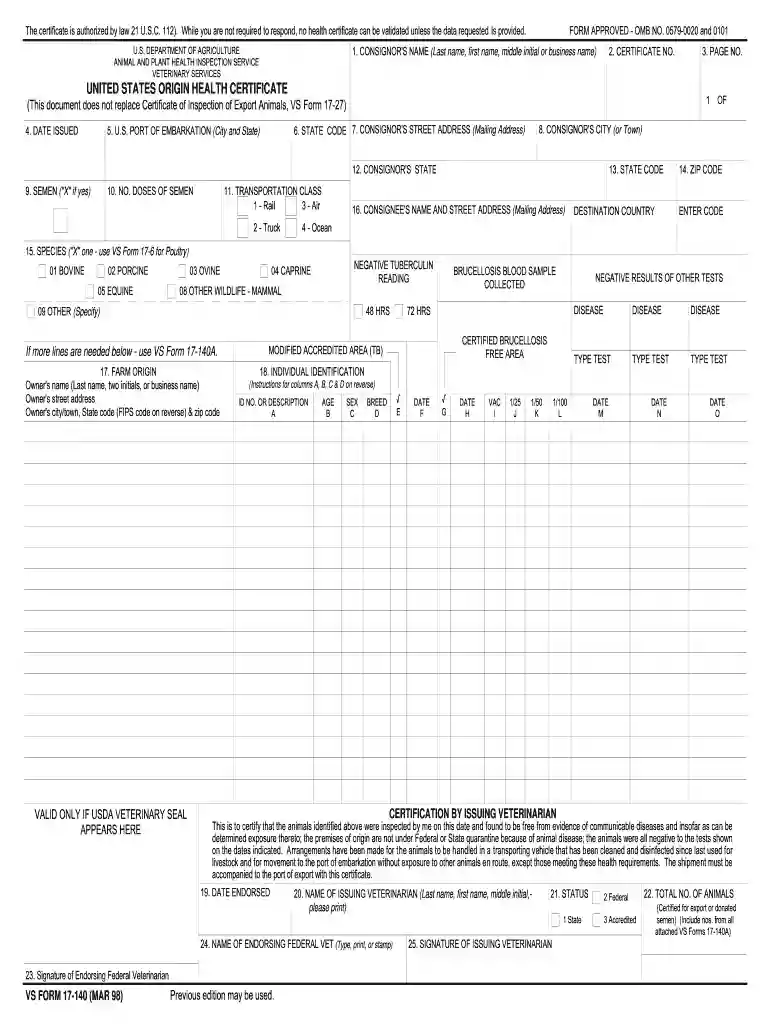
The "InForms - vs17-140 WPF - reginfo" is a specialized document or form used within specific industries or contexts. It may relate to processes that involve registration information, likely in a digital or regulatory environment where WPF (Windows Presentation Foundation) technology is utilized. This form is crucial for capturing detailed information relevant to specific operational or legal requirements.
Understanding the components of this form is essential to ensure accurate completion and compliance. Key elements typically include:
Each element holds significance in verifying the form’s authenticity and facilitating the intended registration process.
Completing the form involves several critical steps to ensure that all required information is accurately captured:
This methodology helps streamline the registration process, ensuring compliance with any mandated requirements.
Using this form correctly is fundamental to achieving its purpose. Here’s a brief guideline:
These considerations are vital for ensuring the form’s use aligns with intended regulatory or operational objectives.
The typical users of this form vary by industry. Common users include:
Understanding who uses the form aids in recognizing its significance in various professional fields.


Familiarizing oneself with terminology associated with this form is crucial for effective utilization:
Grasping these terms equips users with the necessary knowledge to navigate the form successfully.
Compliance with legal standards is a priority when using this form. Key legal considerations include:
Awareness of these legal principles is vital for using the form effectively and responsibly.
Maximizing the form’s utility requires consideration of its compatibility with existing software systems:
These integrations enhance the user experience by facilitating efficient form management and submission.
We've got more versions of the InForms - vs17-140 wpf - reginfo form. Select the right InForms - vs17-140 wpf - reginfo version from the list and start editing it straight away!
At DocHub, your data security is our priority. We follow HIPAA, SOC2, GDPR, and other standards, so you can work on your documents with confidence.


