




01. Edit your form online
Type text, add images, blackout confidential details, add comments, highlights and more.

Type text, add images, blackout confidential details, add comments, highlights and more.

Draw your signature, type it, upload its image, or use your mobile device as a signature pad.

Send it via email, link, or fax. You can also download it, export it or print it out.
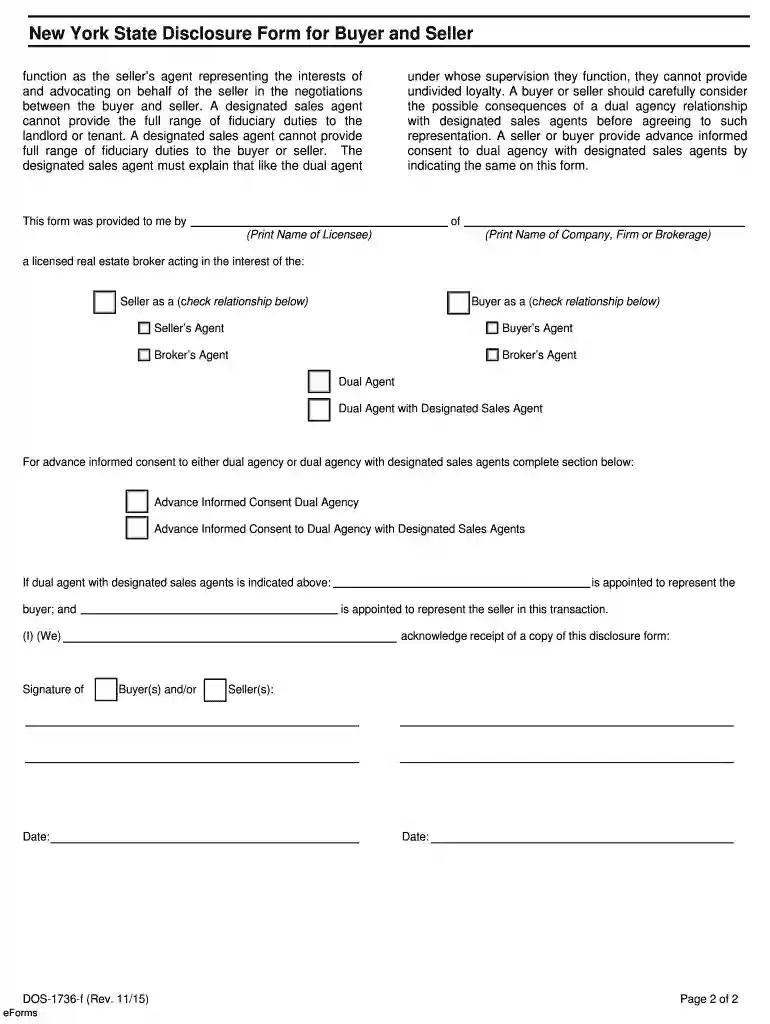
The Licensing Status Page - New York is an essential document designed to confirm the licensure status of individuals and businesses within the state. This form is primarily used in regulatory and compliance sectors, ensuring that professionals in various industries meet the New York licensing standards. By leveraging this page, stakeholders can verify whether an individual or entity is licensed, identifying the status and expiration date of their license. This tool is indispensable for both regulatory agencies and consumers who wish to engage with licensed professionals, thereby maintaining trust and reliability within professional interactions.
To effectively use the Licensing Status Page, navigate to the designated New York state portal where the licensing information is housed. Users should enter specific details such as the licensee's name, license number, or professional category to retrieve accurate results. This page allows users to check the current standing of a license, including any disciplinary actions. It serves as a preliminary vetting tool that informs consumers and businesses about the validity and history of a license. The data obtained can guide hiring decisions, client engagements, and compliance checks.
The Licensing Status Page can be accessed online, providing a user-friendly interface for stakeholders across the state. Professionals and businesses can visit New York’s licensing authority website to find this page. Typically, it involves a straightforward search function where users input relevant data to locate an individual's or an entity’s licensing information. By offering online access, the page supports quick and reliable verification without requiring physical visits to regulatory offices. Ensure that internet connectivity is stable to facilitate seamless access and use of the page.
This step-by-step process helps streamline the verification of licenses, making it easy for users to ensure compliance efficiently.
The Licensing Status Page is crucial in promoting transparency and accountability across various industries. By providing access to updated licensing information, it helps protect consumers from unlicensed or fraudulent entities, safeguarding them from potential malpractice. For businesses, this page serves as an assurance mechanism that ensures collaboration only with licensed partners or professionals. In highly regulated industries like healthcare, law, or real estate, maintaining up-to-date licensure information is an ethical and legal necessity.
These elements are foundational to understanding the authenticity and currency of the licensing information provided.
The Licensing Status Page is used to ensure compliance with state licensing laws and regulations. Regulatory bodies and compliance departments use this page to audit and validate the licenses of professionals and businesses within various sectors. It is critical during legal or dispute resolutions to demonstrate due diligence in verifying that services were provided by licensed individuals. For new businesses, referencing this page helps in aligning with legal requirements by confirming that partnerships and professional engagements are conducted within the constraints of the law.
In New York, licensing regulations are strictly enforced to maintain professional standards and protect public interest. The Licensing Status Page emphasizes adherence to these rules by providing an updated registry that reflects changes in licensing status promptly. It is essential to stay informed about the specific regulatory updates that might influence the licensing criteria within different industries, as these can vary significantly across state lines. Periodic checks using the page are recommended to ensure ongoing compliance and to be proactive in addressing any lapses in licensure.
We've got more versions of the LICENSING STATUS PAGE - New York form. Select the right LICENSING STATUS PAGE - New York version from the list and start editing it straight away!
At DocHub, your data security is our priority. We follow HIPAA, SOC2, GDPR, and other standards, so you can work on your documents with confidence.
status. If applicable, there is a corresponding license number, details of page: 15. 1-15 of 35.
All out of state licenses must be formatted with the two-letter State, District of Columbia, or US Territory Code as assigned by the United States Postal.
The quickest and easiest way to check your driving status is online through MyDMV. Sign up for or sign into MyDMV and use the My License, Permit, or ID


