Type text, add images, blackout confidential details, add comments, highlights and more.
02. Sign it in a few clicks
Draw your signature, type it, upload its image, or use your mobile device as a signature pad.
03. Share your form with others
Send children's products certification form 2885 via email, link, or fax. You can also download it, export it or print it out.
How to use or fill out form 2885 with DocHub
Ease of Setup
DocHub User Ratings on G2
Ease of Use
DocHub User Ratings on G2
Click ‘Get Form’ to open it in the editor.
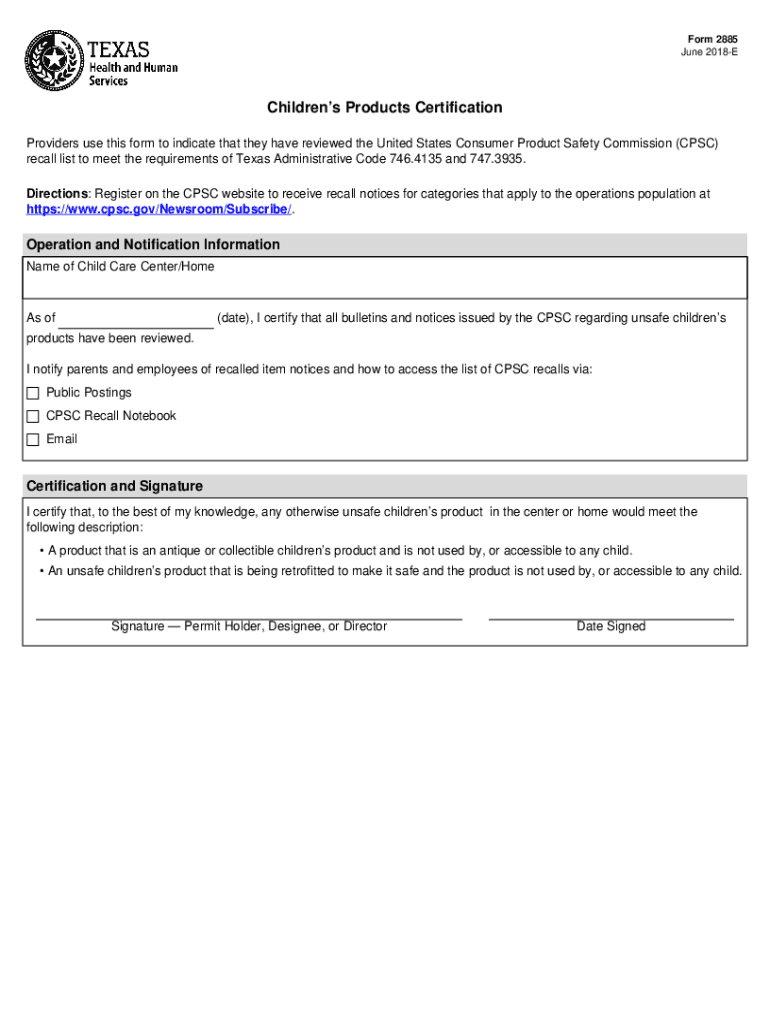
Begin by entering the name of your Child Care Center or Home in the designated field.
In the 'As of' section, input the current date to certify your review of CPSC bulletins and notices.
Indicate how you notify parents and employees about recalled items by selecting from options such as Public Postings, CPSC Recall Notebook, or Email.
In the Certification and Signature section, provide a description of any unsafe children’s products that may be present, ensuring they are not accessible to children.
Finally, sign the document as the Permit Holder, Designee, or Director and enter the date signed.
Start using our platform today to fill out form 2885 easily and for free!
Cookie consent notice
This site uses cookies to enhance site navigation and personalize your experience.
By using this site you agree to our use of cookies as described in our Privacy Notice.
You can modify your selections by visiting our Cookie and Advertising Notice.