




01. Edit your form online
Type text, add images, blackout confidential details, add comments, highlights and more.

Type text, add images, blackout confidential details, add comments, highlights and more.

Draw your signature, type it, upload its image, or use your mobile device as a signature pad.

Send it via email, link, or fax. You can also download it, export it or print it out.
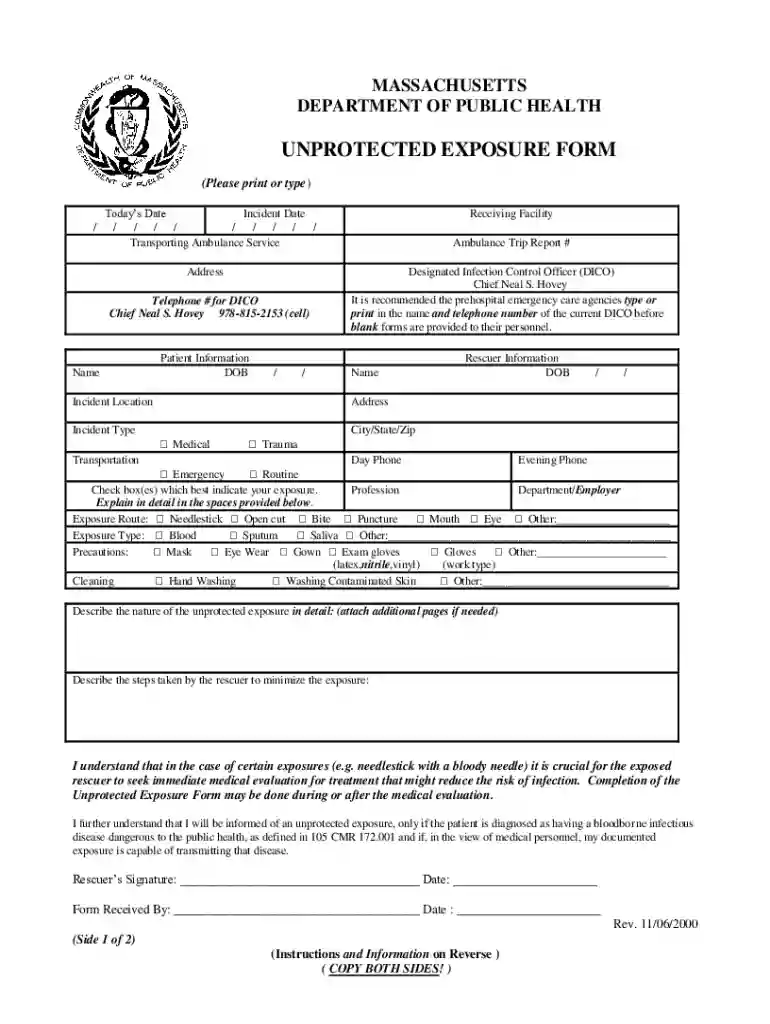
The Unprotected Exposure Form is a critical document utilized by prehospital emergency care workers in Massachusetts who have been exposed to blood or contaminated fluids while on duty. This form is designed by the Massachusetts Department of Public Health to capture essential details about the exposure incident. By recording these details, emergency care workers can ensure they follow necessary protocols to seek immediate medical evaluation and report the incident, adhering to health regulations. The form serves to document both the nature and context of the exposure, including the identities of the rescuer and patient.
Gather Information: Begin with collecting all necessary information related to the exposure incident. This includes details about the personnel involved, the patient, and any circumstances leading to the exposure.
Fill Out Personal & Incident Details: Complete sections requiring personal identification, job role, and the date and time of the incident. Accurate reporting of this data is crucial for future reference and any investigations.
Describe the Exposure Incident: Provide a detailed account of how the exposure occurred. This should include the type of fluids involved and the specific conditions under which the exposure happened.
Submit the Form: Once the form is completed, it should be submitted according to the designated protocols, ensuring compliance with privacy and health standards set by the state.
The Unprotected Exposure Form can be accessed and filled online through the DocHub platform. Users can download the form directly from the Massachusetts Department of Public Health's website or access it via integrated cloud services like Google Drive. This flexibility allows for easy access and completion without unnecessary barriers.
Documenting exposure incidents is not merely a bureaucratic procedure; it is vital for the health and safety of emergency care workers. The form ensures prompt medical evaluation and facilitates a systematic approach to exposure management. Additionally, it upholds legal obligations by maintaining confidentiality and adhering to health regulations.
The form is primarily used by emergency responders, such as paramedics and EMTs, operating in Massachusetts. These professionals are often at the front lines and most vulnerable to encountering hazardous exposure, making proper documentation on forms like this crucial to occupational safety and legal responsibility.
Filling out the Unprotected Exposure Form ensures compliance with legal standards imposed by the state of Massachusetts. This includes adhering to confidentiality regulations and ensuring all health-related procedures post-exposure are documented. Compliance is not only a legal obligation but also a protective measure for both the worker and their employer.
The preference for a digital versus paper version of the form can vary. The digital form hosted on DocHub is often favored due to its ease of access and the ability to fill and submit the form online, reducing paperwork and speeding up the process. However, paper forms remain a viable option for those who prefer traditional methods of record keeping.
DocHub's platform integrates smoothly with devices and software programs such as Google Workspace, streamlining the process of importing, editing, and saving forms. This compatibility allows users to make modifications, collect electronic signatures, and manage document workflows efficiently, minimizing the time and effort involved.
We've got more versions of the DocHub 866316-fillable-unprotectedUnprotected Exposure Form Ma - Fill Online, Printable form. Select the right DocHub 866316-fillable-unprotectedUnprotected Exposure Form Ma - Fill Online, Printable version from the list and start editing it straight away!
At DocHub, your data security is our priority. We follow HIPAA, SOC2, GDPR, and other standards, so you can work on your documents with confidence.


