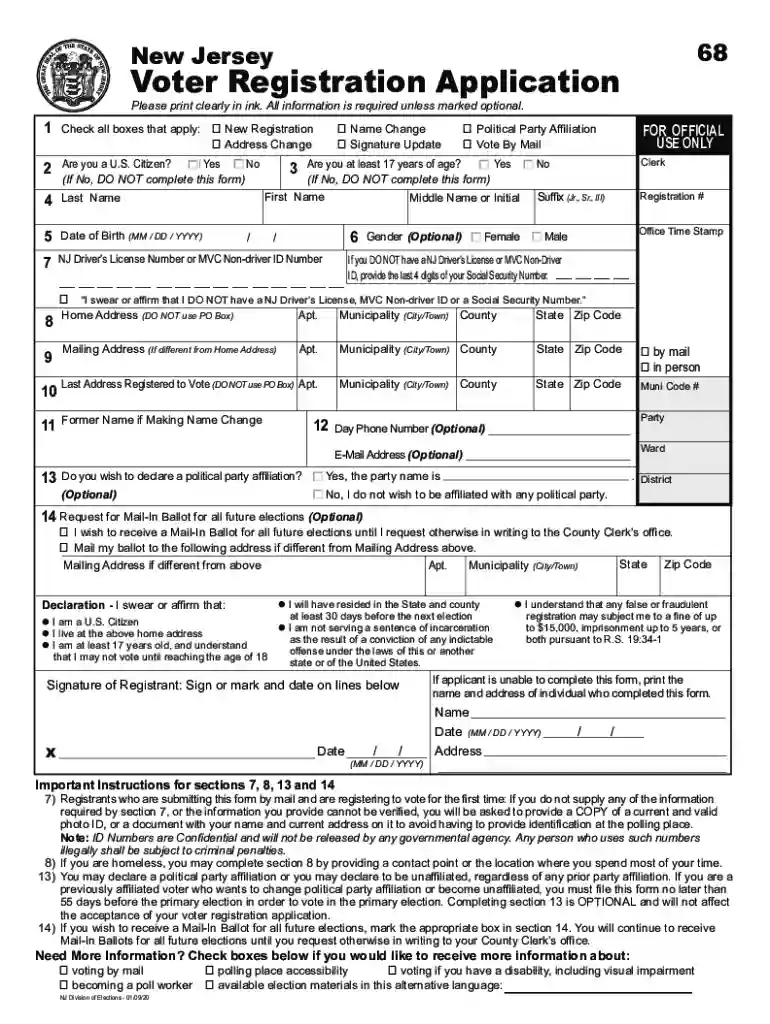
nj new voter registration Preview on Page 1

2022 new jersey application-2026

Here's how it works

  • 01. Edit your nj new voter registration online

    Type text, add images, blackout confidential details, add comments, highlights and more.

  • 02. Sign it in a few clicks

    Draw your signature, type it, upload its image, or use your mobile device as a signature pad.

  • 03. Share your form with others

    Send it via email, link, or fax. You can also download it, export it or print it out.

How to use or fill out the 2022 New Jersey Application with our platform

Form edit decoration
9.5
Ease of Setup
DocHub User Ratings on G2
9.0
Ease of Use
DocHub User Ratings on G2
  1. Click ‘Get Form’ to open the 2022 New Jersey application in the editor.
  2. Begin by checking the appropriate boxes for your registration type: New Registration, Address Change, Name Change, or Signature Update.
  3. Fill in your personal details. Ensure you provide your Last Name, First Name, Middle Name or Initial, and Date of Birth accurately.
  4. If you have a NJ Driver’s License or MVC Non-driver ID, enter that number. If not, provide the last four digits of your Social Security Number.
  5. Complete your Home Address section without using a PO Box. Include any apartment number if applicable.
  6. If applicable, fill out the Mailing Address section if it differs from your Home Address.
  7. Declare your political party affiliation in Section 13 if desired. This step is optional but necessary for primary voting.
  8. Review all entered information for accuracy before signing and dating the form at the bottom.

Start filling out your application today for free using our platform!

See more nj new voter registration versions

We've got more versions of the nj new voter registration form. Select the right nj new voter registration version from the list and start editing it straight away!

VersionsForm popularityFillable & printable
20224.8 Satisfied (67 Votes)

be ready to get more

Complete this form in 5 minutes or less

Got questions?

We have answers to the most popular questions from our customers. If you can't find an answer to your question, please contact us.

If you applied online, you can check your status at mynjhelps.gov. Enter your login information or confirmation number to check your status. If you applied over the phone or in person, you can call our office at 973-326-7800 to check your status.
When will I get an ANCHOR program check? Most will receive their payment about 90 days after application, meaning that residents who applied by December could receive their checks as late as March 2025. This years payments are expected to go out as early as September 15, 2025.
Automatic Renewal: If you received the ANCHOR benefit last year and your situation hasnt changed, your application might be automatically renewed. Eligibility: Make sure you meet the income and residency requirements to qualify for the benefit.
More videos on YouTube Processing StageEstimated Timeframe Application Submission Immediate Initial Review 1-3 weeks Final Processing 2-8 weeks Check Delivery 1-2 weeks after processing Feb 18, 2025

Security and compliance

At DocHub, your data security is our priority. We follow HIPAA, SOC2, GDPR, and other standards, so you can work on your documents with confidence.

Related links

New Jersey Transit Friendly Data Application

The New Jersey Transit Friendly Data Application (transitfriendlydata.org) is a GIS-based land use and transit planning web-application created for NJ TRANSIT

Learn more
NJ SNAP | Application Process

MyNJHelps is the online application system for New Jerseys Supplemental Nutrition Assistance Program (SNAP) and WorkFirst NJ (WFNJ) programs.

Learn more
If you believe that this page should be taken down, please follow our DMCA take down process here