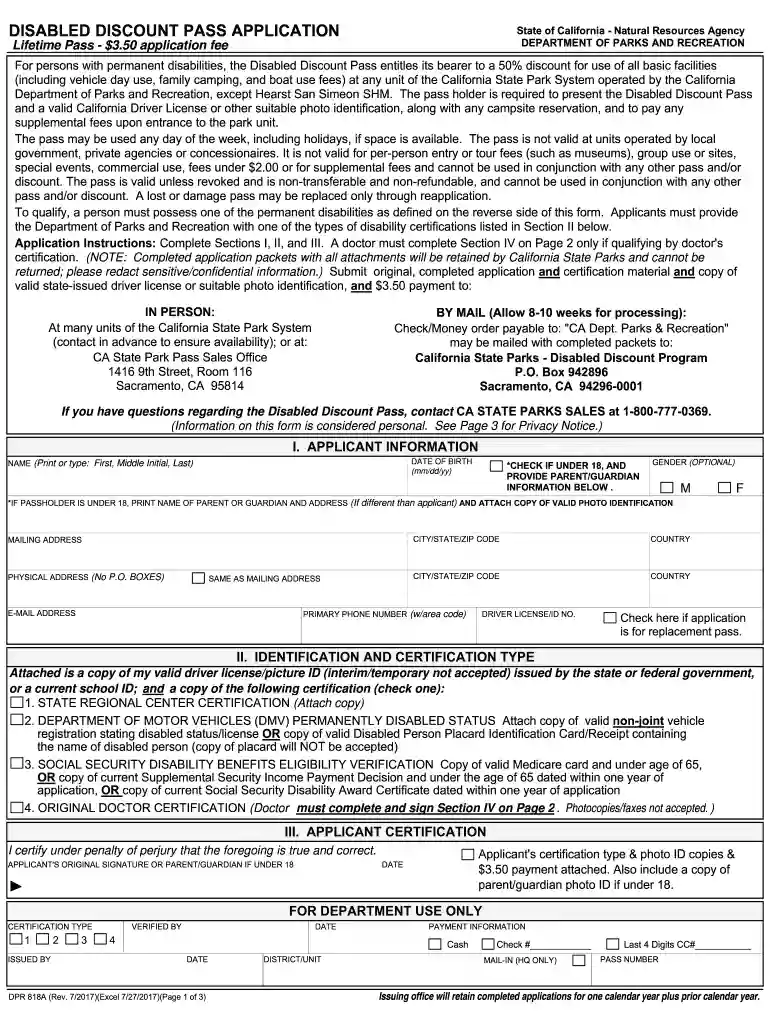
ca state parks pass for seniors Preview on Page 1

How to qualify for ca state parks disability pass 2012 form-2026

Here's how it works

  • 01. Edit your ca state parks pass for seniors online

    Type text, add images, blackout confidential details, add comments, highlights and more.

  • 02. Sign it in a few clicks

    Draw your signature, type it, upload its image, or use your mobile device as a signature pad.

  • 03. Share your form with others

    Send california state parks disability pass via email, link, or fax. You can also download it, export it or print it out.

How to use or fill out how to qualify for ca state parks disability pass 2012 form with our platform

Form edit decoration
9.5
Ease of Setup
DocHub User Ratings on G2
9.0
Ease of Use
DocHub User Ratings on G2
  1. Click ‘Get Form’ to open it in the editor.
  2. In Section I, provide your personal information including your name, address, and phone number. Ensure all details are accurate as this will be used for identification.
  3. Move to Section II and select the appropriate certification type that applies to your disability. Attach any required documentation as specified.
  4. If qualifying through a doctor’s certification, have your physician complete Section III. This includes their name, license number, and signature.
  5. Finally, in Section IV, sign and date the application to certify that all information provided is true and correct.

Start using our platform today to easily fill out your application for the Disabled Discount Pass!

See more ca state parks pass for seniors versions

We've got more versions of the ca state parks pass for seniors form. Select the right ca state parks pass for seniors version from the list and start editing it straight away!

VersionsForm popularityFillable & printable
20184.9 Satisfied (36 Votes)
20144.4 Satisfied (360 Votes)
20124 Satisfied (48 Votes)

be ready to get more

Complete this form in 5 minutes or less

Security and compliance

At DocHub, your data security is our priority. We follow HIPAA, SOC2, GDPR, and other standards, so you can work on your documents with confidence.

Related links

California Proposition 65 Warning - Dealer E Process

You must use your own good judgment. You will find this important safety information in a variety of forms, including: ○ Safety Labels - on the vehicle.Read more

Learn more
Services to Students with Disabilities (SSD) - California

Each student must meet or exceed the essential requirements of California. State University, San Bernardino (CSUSB) and its programs with or without.Read more

Learn more
California State Parks Accessibility Guidelines 2015 Edition

The guidelines are not a comprehensive set of requirements for all situations, but rather a summary of information from many sources which provide guidance for.Read more

Learn more
If you believe that this page should be taken down, please follow our DMCA take down process here