




Here's how it works



How to use or fill out application for gaming funds north dakota 2010 form with our platform

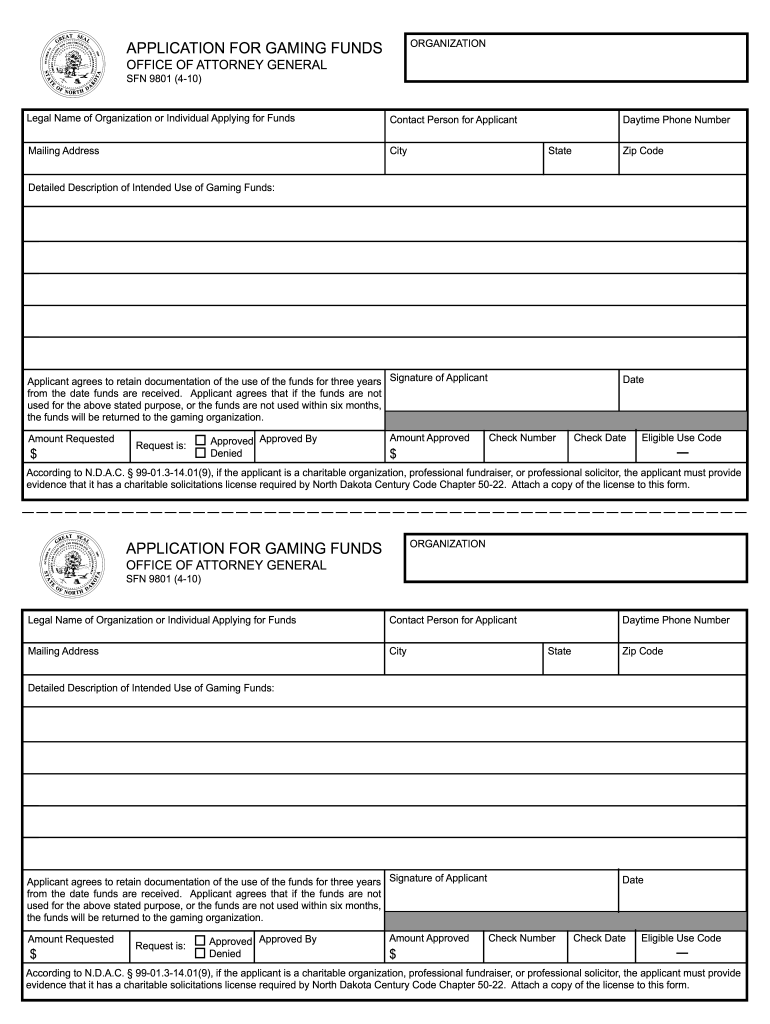
- Click ‘Get Form’ to open the application for gaming funds north dakota 2010 form in the editor.
- Begin by entering the 'Legal Name of Organization or Individual Applying for Funds' in the designated field. Ensure accuracy as this is crucial for processing your application.
- Fill in the 'Contact Person for Applicant' section with the name of the individual who will be responsible for communication regarding this application.
- Complete the 'Mailing Address', 'City', 'State', and 'Zip Code' fields to provide a clear location for correspondence.
- Input your 'Daytime Phone Number' to facilitate any necessary follow-up from the reviewing authority.
- In the 'Detailed Description of Intended Use of Gaming Funds' section, clearly outline how you plan to utilize the requested funds. This should be detailed and specific.
- Sign in the 'Signature of Applicant' field, confirming your agreement to retain documentation of fund usage for three years and return unused funds within six months.
- Enter the 'Amount Requested' and check whether your request is approved or denied. If approved, fill in additional details such as 'Amount Approved', 'Check Number', and relevant dates.
- If applicable, attach evidence of a charitable solicitations license as required by North Dakota law, ensuring compliance with regulations.
Start filling out your application today using our platform for free!
It's free
See more application for gaming funds north dakota 2010 form versions
Got questions?
How can I create an electronic signature in my application for gaming funds north dakota 2010 form on Android?
Approving documents on a mobile device is fast, simple, and doesn’t require software installation when you have an account with DocHub. Log in from any browser, fill in your empty fields with your information, and click on Sign → Create your signature. You can draw your eSignature just as you usually do on paper, add its picture to your application for gaming funds north dakota 2010 form, or type in your name and stylize its look. Whatever option you select, your form will be valid.
How do you edit application for gaming funds north dakota 2010 form online?
With DocHub, you have several convenient ways to edit your application for gaming funds north dakota 2010 form online. You can drag and drop the form and edit it directly at the DocHub site or use our browser extension to fill out your form immediately. On top of that, you can edit your PDF on your phone, as DocHub works with all the accessible mobile platforms.
Security and compliance
At DocHub, your data security is our priority. We follow HIPAA, SOC2, GDPR, and other standards, so you can work on your documents with confidence.
Learn more




