




Here's how it works

01. Edit your ny dmv accident report form online
Type text, add images, blackout confidential details, add comments, highlights and more.

02. Sign it in a few clicks
Draw your signature, type it, upload its image, or use your mobile device as a signature pad.

03. Share your form with others
Send dmv accident report form ny via email, link, or fax. You can also download it, export it or print it out.
How to use or fill out civilian accident report with our platform

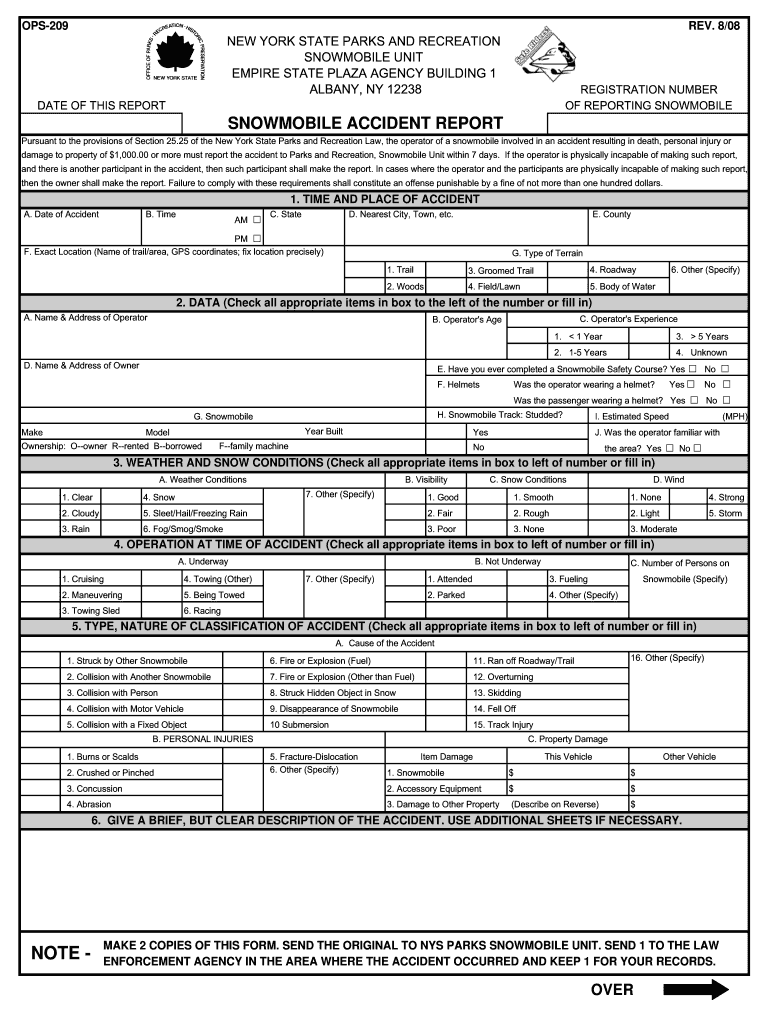
- Click ‘Get Form’ to open the civilian accident report in the editor.
- Begin by filling in the registration number of the reporting snowmobile and the date of the report at the top of the form.
- In Section 1, provide details about the time and place of the accident, including date, time, state, nearest city, county, exact location, and type of terrain.
- Move to Section 2 to input data about the operator. Fill in their name, address, age, experience level, and whether they were wearing a helmet.
- In Section 3, check all applicable weather and snow conditions at the time of the accident.
- Section 4 requires you to indicate if the snowmobile was underway or not during the accident. Select all relevant options.
- Continue through Sections 5 to 15 by providing detailed descriptions of injuries, property damage, witnesses, and any assistance received.
- Finally, ensure all sections are completed accurately before signing at the bottom. Make copies as instructed for submission.
Start using our platform today for free to complete your civilian accident report efficiently!
Fill out civilian accident report online
It's free
It's free
See more civilian accident report versions
We've got more versions of the civilian accident report form. Select the right civilian accident report version from the list and start editing it straight away!
| Versions | Form popularity | Fillable & printable |
|---|---|---|
| 2008 | 4.9 Satisfied (59 Votes) |
Security and compliance
At DocHub, your data security is our priority. We follow HIPAA, SOC2, GDPR, and other standards, so you can work on your documents with confidence.
Learn more




