Type text, add images, blackout confidential details, add comments, highlights and more.
02. Sign it in a few clicks
Draw your signature, type it, upload its image, or use your mobile device as a signature pad.
03. Share your form with others
Send free religious exemption form via email, link, or fax. You can also download it, export it or print it out.
How to use or fill out immunization record with our platform
Ease of Setup
DocHub User Ratings on G2
Ease of Use
DocHub User Ratings on G2
Click ‘Get Form’ to open the immunization record in the editor.
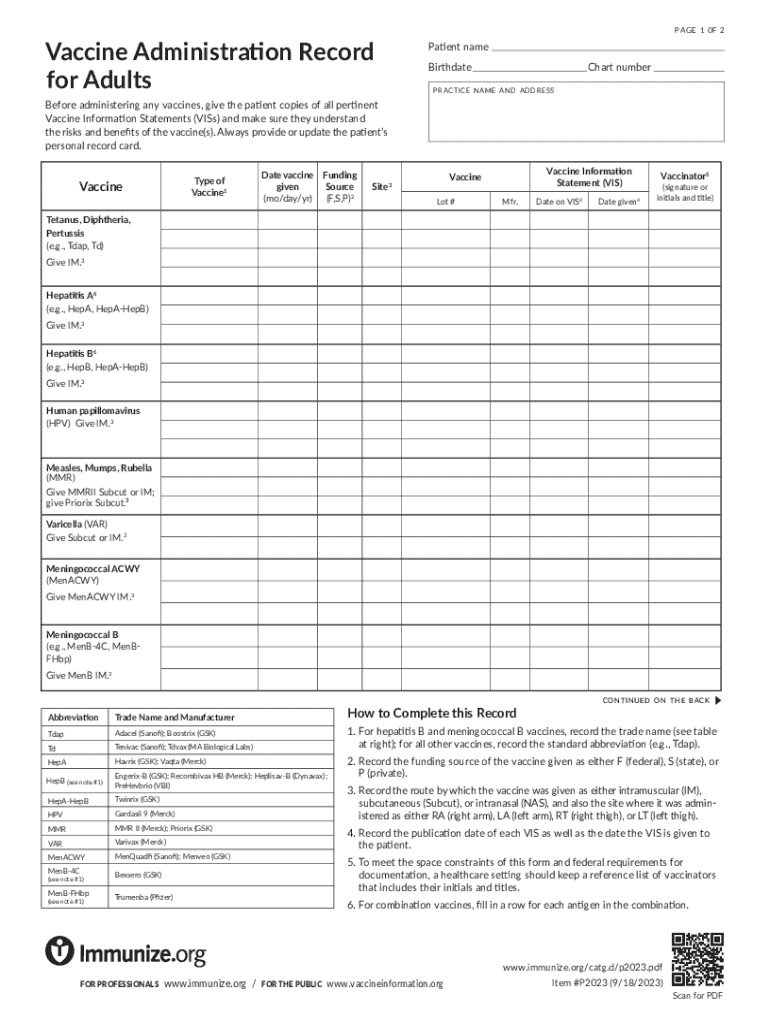
Begin by entering the patient's name and birthdate at the top of the form. This information is crucial for accurate record-keeping.
Fill in the chart number and practice name along with the address. This helps identify where the vaccination took place.
For each vaccine administered, complete a row by selecting the type of vaccine from the provided list, noting down the date given, funding source (F, S, P), and site of administration (e.g., RA for right arm).
Record additional details such as lot number, manufacturer, and publication date of Vaccine Information Statements (VIS) provided to the patient.
Finally, ensure that a vaccinator's signature or initials and title are included for verification purposes.
Start using our platform today to easily manage your immunization records online for free!
We've got more versions of the immunization record form. Select the right immunization record version from the list and start editing it straight away!
Can I get a copy of my immunization records onlineImmunization records PDFImmunization record printableImmunization records for schoolImmunization records for KidsImmunization records caWhere to find old immunization recordsWIR immunization records
Security and compliance
At DocHub, your data security is our priority. We follow HIPAA, SOC2, GDPR, and other standards, so you can work on your documents with confidence.
If you are vaccinated or have proof of immunity. Submit your vaccination records online through MyUHS. Log in to MyUHS using your NetID and password. Click on Read more
To get a digital copy of your Digital Vaccine Record (DVR), just enter a few details. Save it on your phone and use it as proof of vaccination wherever you go.
Cookie consent notice
This site uses cookies to enhance site navigation and personalize your experience.
By using this site you agree to our use of cookies as described in our Privacy Notice.
You can modify your selections by visiting our Cookie and Advertising Notice.