Type text, add images, blackout confidential details, add comments, highlights and more.

02. Sign it in a few clicks
Draw your signature, type it, upload its image, or use your mobile device as a signature pad.

03. Share your form with others
Send it via email, link, or fax. You can also download it, export it or print it out.

How to use or fill out VENDOR REGISTRATION Yes No Yes No with our platform
Ease of Setup
DocHub User Ratings on G2
Ease of Use
DocHub User Ratings on G2
Click ‘Get Form’ to open the VENDOR REGISTRATION form in the editor.
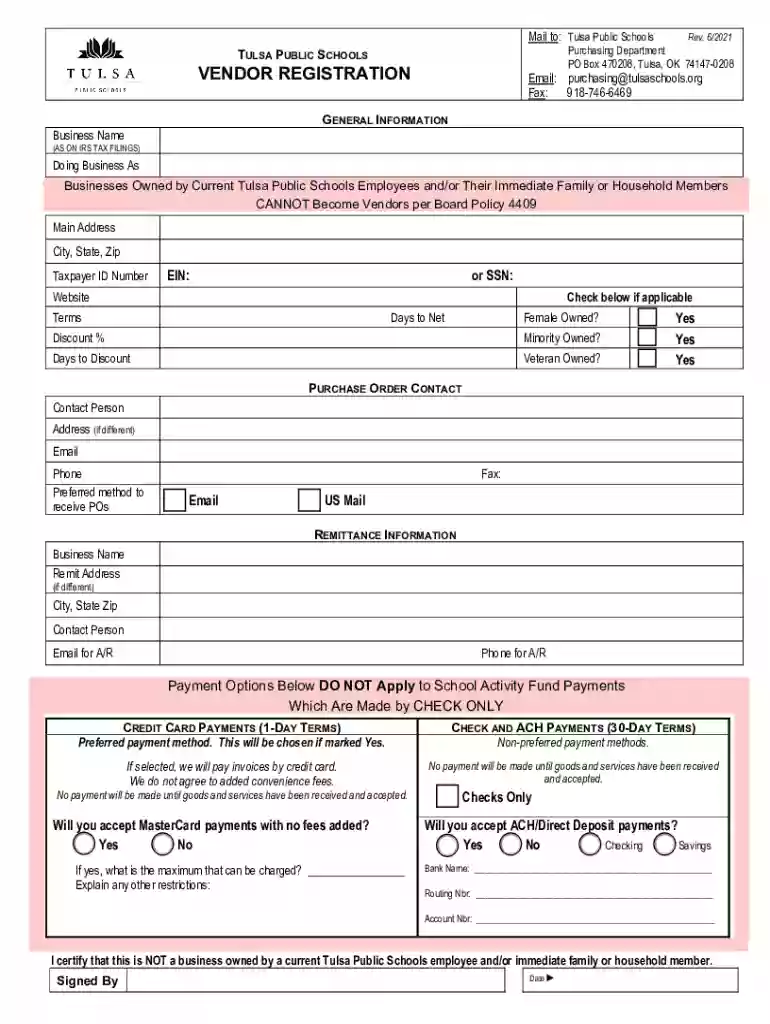
Begin by filling out the 'GENERAL INFORMATION' section. Enter your Business Name as it appears on IRS tax filings, along with your Doing Business As (DBA) name if applicable. Provide your main address, city, state, zip code, and Taxpayer ID Number (EIN or SSN).
Indicate if your business is female-owned, minority-owned, or veteran-owned by checking the appropriate boxes. Fill in any applicable discount percentages and payment terms.
In the 'PURCHASE ORDER CONTACT' section, provide a contact person’s details including their address (if different), email, phone number, and preferred method for receiving purchase orders.
Complete the 'REMITTANCE INFORMATION' section with your remit address and contact information for accounts receivable. Specify your preferred payment options and any restrictions regarding credit card payments.
Finally, certify that you are not a business owned by a current Tulsa Public Schools employee by signing and dating the form at the bottom.
Start using our platform today to streamline your vendor registration process for free!
Fill out VENDOR REGISTRATION Yes No Yes No online It's free
See more VENDOR REGISTRATION Yes No Yes No versions
We've got more versions of the VENDOR REGISTRATION Yes No Yes No form. Select the right VENDOR REGISTRATION Yes No Yes No version from the list and start editing it straight away!
eVP NC govVendor payments portalCity of Chicago RegistrationVendor ID numberVendor code listCity of Dallas vendor Number lookupState vendor listVendor code lookup
Security and compliance
At DocHub, your data security is our priority. We follow HIPAA, SOC2, GDPR, and other standards, so you can work on your documents with confidence.
Cookie consent notice
This site uses cookies to enhance site navigation and personalize your experience.
By using this site you agree to our use of cookies as described in our Privacy Notice.
You can modify your selections by visiting our Cookie and Advertising Notice.