




01. Edit your form online
Type text, add images, blackout confidential details, add comments, highlights and more.

Type text, add images, blackout confidential details, add comments, highlights and more.

Draw your signature, type it, upload its image, or use your mobile device as a signature pad.

Send it via email, link, or fax. You can also download it, export it or print it out.
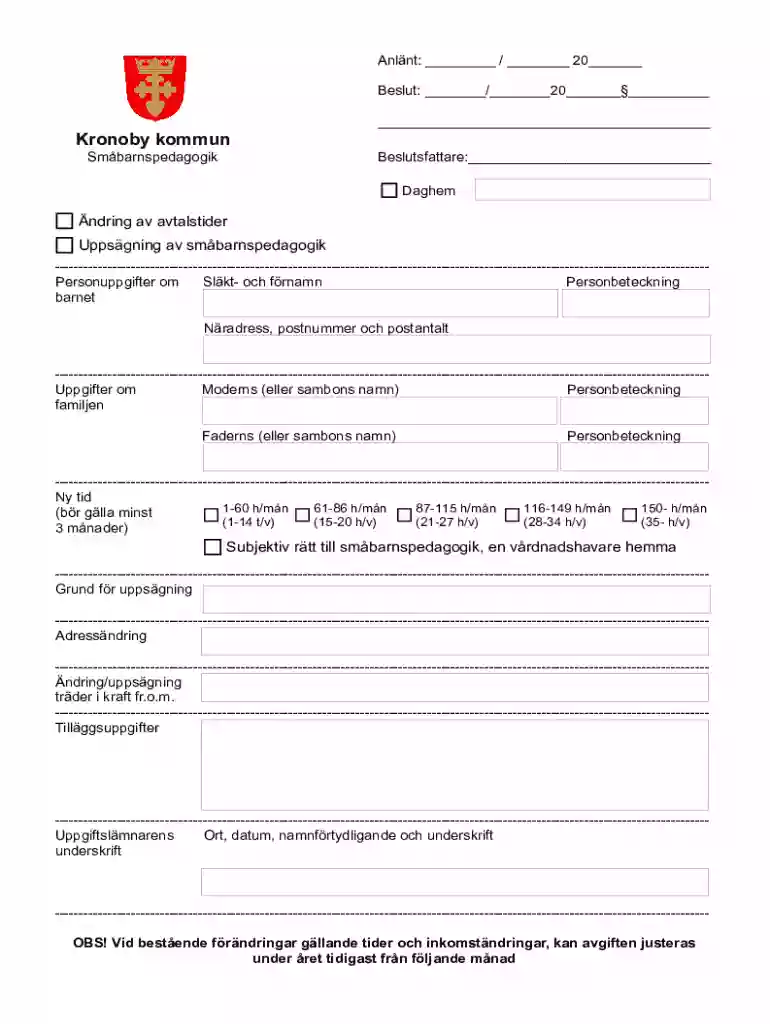
The FI Andring av Avtalstider Uppsagning av Smabarnspedagogik form is utilized in the Kronoby municipality for managing changes in childcare agreements. It specifically addresses modifications to small child education services, including adjustments to service hours and terminations. This form ensures proper documentation of changes and helps protect the interests of both parents and service providers by keeping records up-to-date. Understanding the purpose and detailed meaning of this form is crucial for legally and efficiently handling childcare agreements.
Gather Necessary Information: Before using the form, collect all relevant details such as personal information about the child and parents, current childcare arrangements, and desired changes.
Fill Out Personal Details: Accurately complete sections requiring basic information about the child and their guardians.
Specify Changes: Clearly define the modifications needed, whether adjusting service hours or terminating services. Be explicit about the new time allocations and reasons for termination.
Submit for Approval: After completing the form, submit it to the appropriate municipal authority in Kronoby. Ensure all sections are completed to avoid delays.
To acquire this form, you can visit the official website of the Kronoby municipality or contact the local administrative office directly. Some forms may also be distributed through childcare service providers who help facilitate the process for parents. Ensuring access to the latest version of the form is critical for a smooth modification or termination process.
Access the Form: Obtain the most current version from official sources.
Complete Identification Sections: Enter required information, including names, addresses, and contact details of the child and parents.
Detail Changes: Use the sections provided to specify the precise adjustments to be made, including any new schedules or reasons for service termination.
Review and Confirm: Double-check all entries for accuracy and completeness before submission.
Submit the Form: Forward the completed form to the relevant authorities or childcare provider for processing and approval.
This form is legally binding once signed by the concerned parties. It ensures that all modifications or terminations are documented in compliance with local regulations. Binding agreements through verified submission prevent misunderstandings and disputes, providing a record for official use.
While paper versions are widely used for submission in person or via mail, digital forms offer the convenience of remote completion and submission. Both formats serve the same function, but digital versions may expedite processing times and improve recordkeeping efficiency.
We've got more versions of the FI Andring av Avtalstider Uppsagning av Smabarnspedagogik form. Select the right FI Andring av Avtalstider Uppsagning av Smabarnspedagogik version from the list and start editing it straight away!
At DocHub, your data security is our priority. We follow HIPAA, SOC2, GDPR, and other standards, so you can work on your documents with confidence.
7 days ago This page lists the USCIS forms that are currently available to file online. To learn about the benefits of filing a form using our secure
Create custom online forms with our drag-and-drop online form builder. No coding or technical knowledge needed. Try our online form creator for free!
Aug 17, 2020 The Ghostwriter project uses the django-crispy-forms library (Crispy) to layout forms. At a basic level, this library provides template tags


