BOF-053 Form: Send cover letter with additional information? 2026

Get Form
bof 053 Preview on Page 1

Here's how it works

01. Edit your bof 053 online
Type text, add images, blackout confidential details, add comments, highlights and more.

02. Sign it in a few clicks
Draw your signature, type it, upload its image, or use your mobile device as a signature pad.

03. Share your form with others
Send bof 053 form via email, link, or fax. You can also download it, export it or print it out.

How to use or fill out BOF-053 Form: Send cover letter with additional information? with our platform

Form edit decoration
9.5
Ease of Setup
DocHub User Ratings on G2
9.0
Ease of Use
DocHub User Ratings on G2
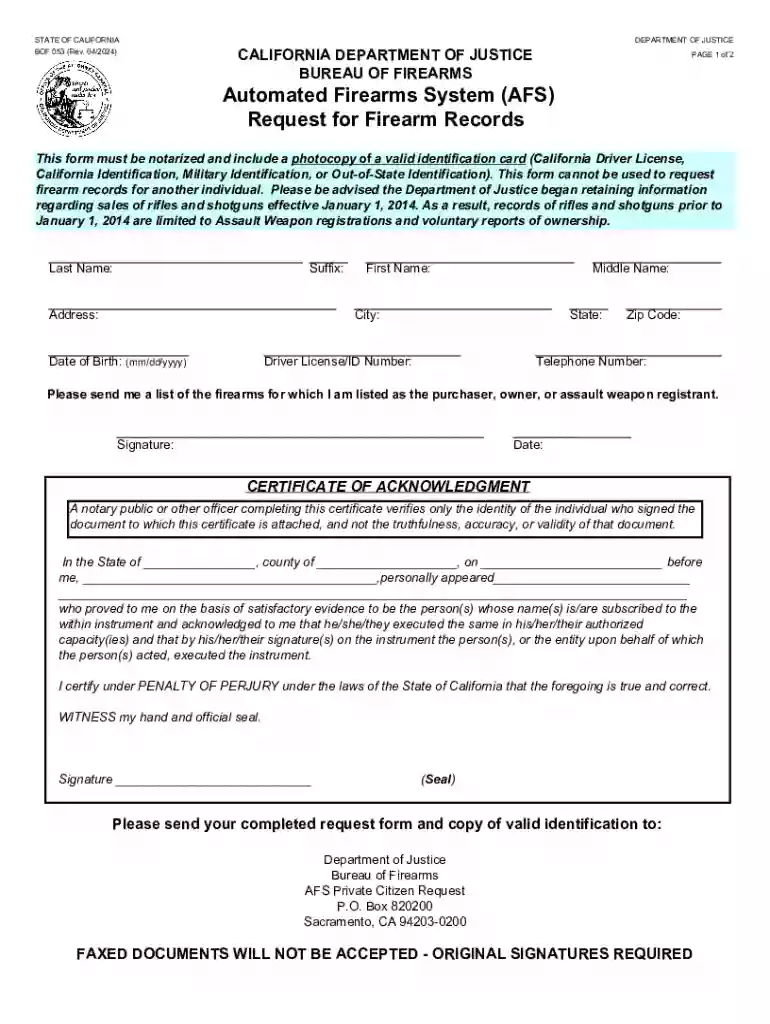
  1. Click ‘Get Form’ to open the BOF-053 Form in the editor.
  2. Begin by filling in your personal details. Enter your last name, first name, middle name, and suffix as applicable. Ensure accuracy for identification purposes.
  3. Provide your address, including city, state, and zip code. This information is crucial for processing your request.
  4. Input your date of birth in the format mm/dd/yyyy and include your Driver License/ID number along with a contact telephone number.
  5. Indicate that you wish to receive a list of firearms for which you are listed as the purchaser or owner by checking the appropriate box.
  6. Sign and date the form at the bottom. Remember that this form must be notarized; ensure you have a notary public complete the acknowledgment section.
  7. Finally, send your completed form along with a photocopy of valid identification to the Department of Justice as specified on the form.

Start using our platform today to easily fill out and manage your documents for free!

See more BOF-053 Form: Send cover letter with additional information? versions

We've got more versions of the BOF-053 Form: Send cover letter with additional information? form. Select the right BOF-053 Form: Send cover letter with additional information? version from the list and start editing it straight away!
Versions Form popularity Fillable & printable
2024 4.1 Satisfied (29 Votes)
2016 4.9 Satisfied (54 Votes)
2015 4.3 Satisfied (193 Votes)
2012 4.2 Satisfied (49 Votes)
be ready to get more

Complete this form in 5 minutes or less

Get form

Got questions?

We have answers to the most popular questions from our customers. If you can't find an answer to your question, please contact us.
Contact us
A New Resident Report of Firearm Ownership must be submitted when someone moves into California with a firearm acquired from out of state. By law, this report must be submitted within sixty (60) days of bringing the firearm into California. You can use this form or log into CFARS (after creating an account).
Upon request, the dealer must provide the purchaser a copy of the signed DROS printout. In private party transactions, the seller is also entitled to a copy of the DROS record upon request.
The NTC can only provide firearms records to law enforcement personnel, not to the general public.
Handguns that were legally bought in California are already registered. They were registered by the dealer. You are the registered owner of these firearms.
To request your AFS records using the Automated Firearms System (AFS) Request for Firearm Records (BOF 053) form available at , follow these steps: Download the Form: Visit and download the BOF 053 form.

Security and compliance

At DocHub, your data security is our priority. We follow HIPAA, SOC2, GDPR, and other standards, so you can work on your documents with confidence.

Learn more
ccpa2
pci-dss
gdpr-compliance
hipaa
soc-compliance