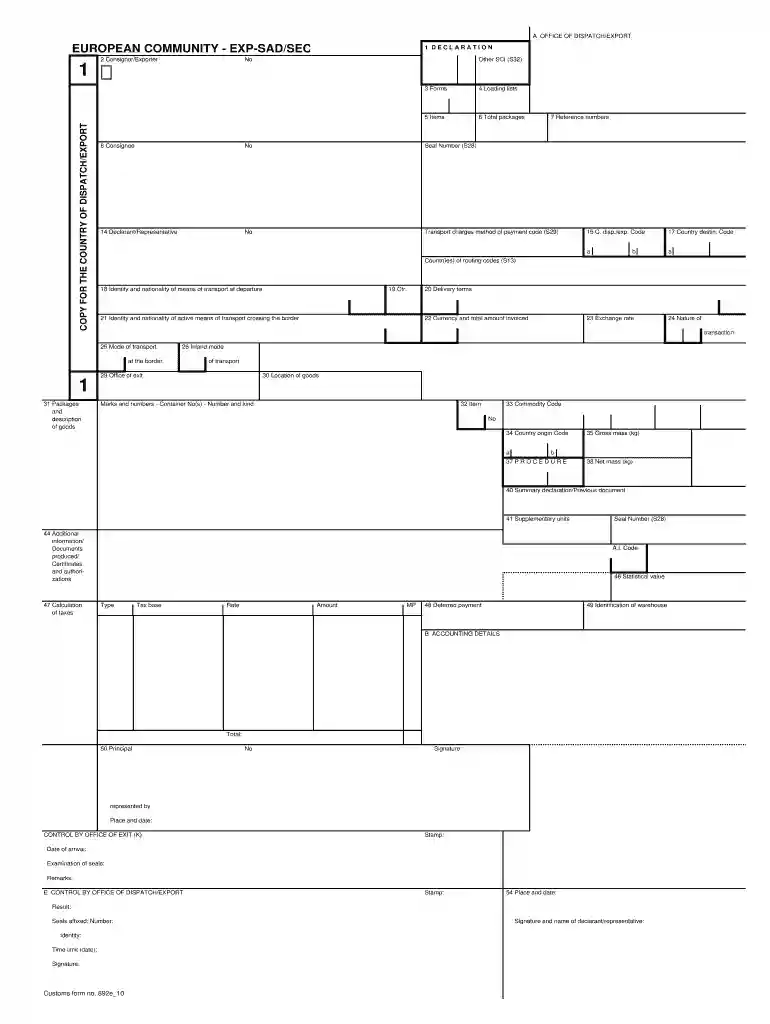
c88 Preview on Page 1

Expsad form 2026

Here's how it works

  • 01. Edit your c88 online

    Type text, add images, blackout confidential details, add comments, highlights and more.

  • 02. Sign it in a few clicks

    Draw your signature, type it, upload its image, or use your mobile device as a signature pad.

  • 03. Share your form with others

    Send c88 document via email, link, or fax. You can also download it, export it or print it out.

How to use or fill out expsad form with our platform

Form edit decoration
9.5
Ease of Setup
DocHub User Ratings on G2
9.0
Ease of Use
DocHub User Ratings on G2
  1. Click ‘Get Form’ to open the expsad form in the editor.
  2. Begin by filling out the 'Consignor/Exporter' section. Enter the name and address of the exporter, ensuring all details are accurate.
  3. Proceed to the 'Declaration' field. Here, you will need to provide reference numbers and any applicable seal numbers.
  4. In the 'Transport Charges Method of Payment Code' section, select the appropriate code that corresponds to your payment method.
  5. Complete the 'Country Destination Code' and 'Identity and Nationality of Means of Transport at Departure' fields with relevant information about your shipment.
  6. Fill in details regarding packages, including total packages, gross mass, and net mass in their respective fields.
  7. Finally, review all entries for accuracy before signing at the bottom of the form. Ensure you include your name and date.

Start using our platform today for free to streamline your expsad form completion!

See more c88 versions

We've got more versions of the c88 form. Select the right c88 version from the list and start editing it straight away!

VersionsForm popularityFillable & printable
20104.8 Satisfied (142 Votes)

be ready to get more

Complete this form in 5 minutes or less

Security and compliance

At DocHub, your data security is our priority. We follow HIPAA, SOC2, GDPR, and other standards, so you can work on your documents with confidence.

c88 example

Grades 2-3: Standard, Word, Expanded Form

Word form means expressing numbers by spelling them out in words. Expanded form means expressing according to place value. This is a little trickier becauseRead more

Learn more
Template:Collapse - Farthest Frontier

The expand parameter. Simply add |expand=yes to have the box show up in expanded form with a hide link, instead of collapsed form with a show link. Other

Learn more
expanded form

A way of writing a number as the sum of the values of each digit. For example, 356 is 300 + 50 + 6 in expanded notation. Same as expanded form.Read more

Learn more
If you believe that this page should be taken down, please follow our DMCA take down process here