




Here's how it works



How to use or fill out Illinois Job Link with DocHub

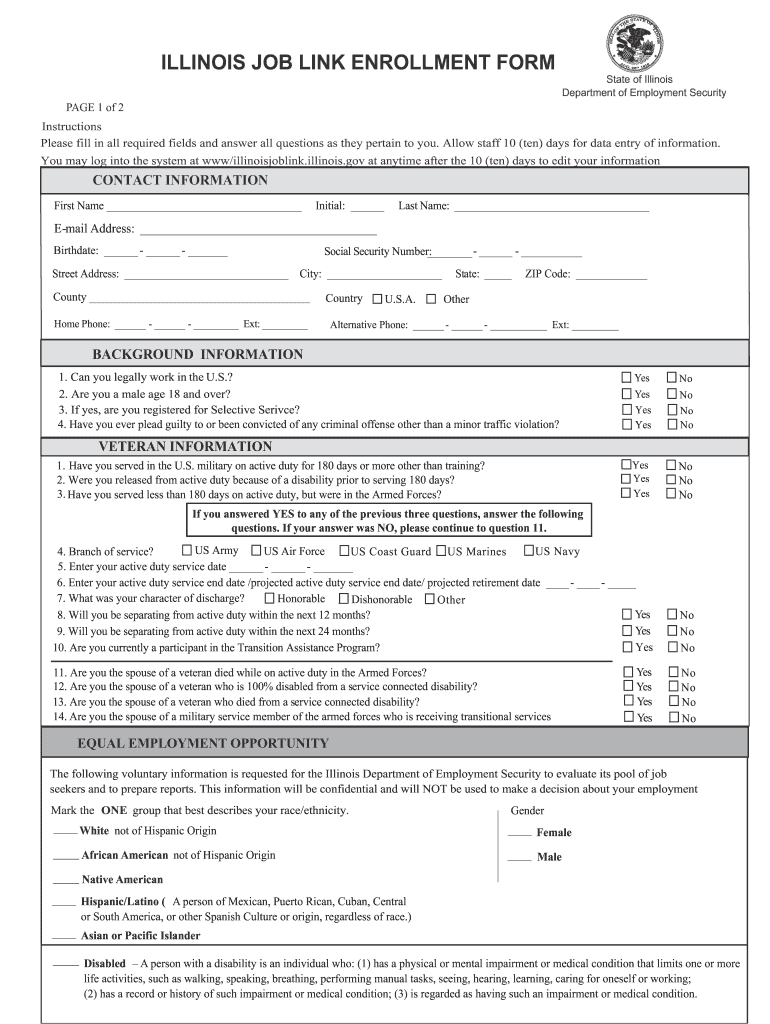
- Click ‘Get Form’ to open the Illinois Job Link Enrollment Form in our editor.
- Begin by filling out your contact information. Enter your first name, last name, email address, birthdate, and address details accurately.
- Proceed to the Background Information section. Answer the questions regarding your eligibility to work in the U.S. and any criminal history as applicable.
- Next, complete the Veteran Information section if it applies to you. Provide details about your military service and discharge status.
- Fill out the Equal Employment Opportunity section by selecting your race/ethnicity and gender as requested.
- In the Education section, indicate your current education status and highest grade completed.
- Lastly, provide your Employment Status and Migrant Worker information if relevant. Ensure all fields are filled before submitting.
Start using our platform today for free to streamline your form completion process!
It's free
See more illinois job link versions
| Versions | Form popularity | Fillable & printable |
|---|---|---|
| 2012 | 4.2 Satisfied (31 Votes) |
Got questions?
How can I sign my ides joblink login online?
Sign in to your DocHub account and import your ides joblink login to our editor using one of its upload options - from your device, cloud storage, secure URL, or your DocHub folders if you have already managed your document before. Open our editor, click the Sign key in the upper toolbar, and decide on your signing method. You can upload a picture of your handwritten signature, draw it, enter your name, or use a QR code as an alternative.
How do you create an e-signature for the illinoisjoblink on iOS?
In addition to a comprehensive toolset for editing PDFs on mobile devices, DocHub enables you to sign your illinoisjoblink along the way. Open our editor in your web browser, make modifications using DocHub’s toolset, and finish your editing by eSigning the finished form.
Security and compliance
At DocHub, your data security is our priority. We follow HIPAA, SOC2, GDPR, and other standards, so you can work on your documents with confidence.
Learn more




