Type text, add images, blackout confidential details, add comments, highlights and more.
02. Sign it in a few clicks
Draw your signature, type it, upload its image, or use your mobile device as a signature pad.
03. Share your form with others
Send claim affirmation form via email, link, or fax. You can also download it, export it or print it out.
How to use or fill out riverside courts ca GeneralInfoMediaEscheatment Claim Form - riverside courts ca with our platform
Ease of Setup
DocHub User Ratings on G2
Ease of Use
DocHub User Ratings on G2
Click ‘Get Form’ to open the riverside courts ca GeneralInfoMediaEscheatment Claim Form in the editor.
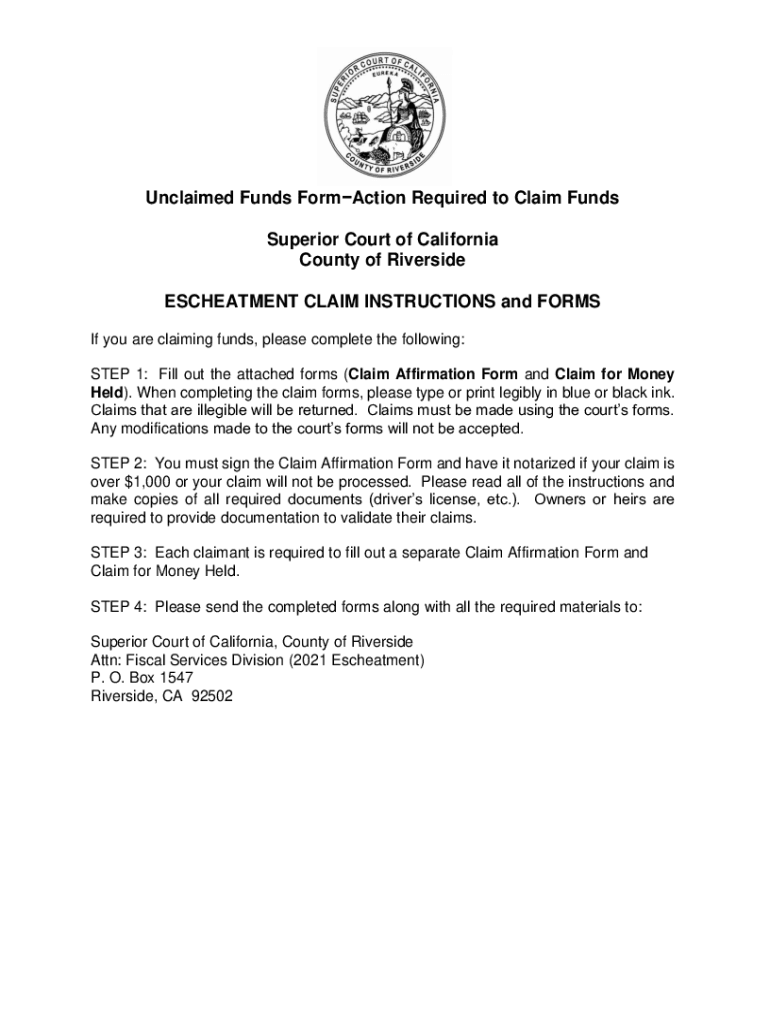
Begin by filling out the Claim Affirmation Form. Ensure you type or print legibly in blue or black ink, as illegible claims will be returned.
If your claim exceeds $1,000, sign the Claim Affirmation Form and have it notarized. Gather all required documentation such as a copy of your photo ID and proof of Social Security number.
Complete a separate Claim for Money Held form for each claimant. Make sure to exclude the 'Court’s Use Only' box from your entries.
Review all sections carefully, ensuring that you have included all necessary documents based on whether you are claiming as an original owner, deceased owner, or business.
Once completed, send the forms and required materials to the specified address: Superior Court of California, County of Riverside, Attn: Fiscal Services Division (2021 Escheatment), P.O. Box 1547, Riverside, CA 92502.
Start using our platform today to streamline your claims process for free!
Fill out riverside courts ca GeneralInfoMediaEscheatment Claim Form - riverside courts ca online It's free
See more riverside courts ca GeneralInfoMediaEscheatment Claim Form - riverside courts ca versions
We've got more versions of the riverside courts ca GeneralInfoMediaEscheatment Claim Form - riverside courts ca form. Select the right riverside courts ca GeneralInfoMediaEscheatment Claim Form - riverside courts ca version from the list and start editing it straight away!
You can contact the Riverside Superior Court at 951-777-3147 (phone) to speak to a clerk. Please anticipate lengthy wait times for telephone service, and please understand that email responses will be delayed. Phone hours are Monday through Friday, 7:30 a.m. to 2:00 p.m., except court holidays.
Can I file a small claims case online in Riverside County?
This site allows for the electronic filing of documents Unlimited Civil, including Complex, Limited Civil, Unlawful Detainers and Small Claims cases with the Riverside Superior Court.
How much does it cost to file in small claims court in Riverside County?
The amount you will pay to file a small claims lawsuit in Riverside depends on how much you are suing for: If you are suing for $1,500 or less, then your filing fee is $30. If you are suing for more than $1,500 but less than or equal to $5,000, then your filing fee is $50.
How to look up a court case in Riverside County?
Please visit the Riverside Superior Courts Public Access webpage to access available civil and criminal case information without visiting the courthouse. For public records searches outside Riverside County, visit the State of California website, or the county or state in which the events took place.
Related Searches
Www riverside Courts ca gov FormsRiverside superior court formsRiverside County court forms Family LawWww Riverside Courts CA gov JuryProof of Service riverside countyCertificate of Assignment RiversideRiverside County divorce forms pdfWww courtinfo ca gov self help forms
Security and compliance
At DocHub, your data security is our priority. We follow HIPAA, SOC2, GDPR, and other standards, so you can work on your documents with confidence.
Cookie consent notice
This site uses cookies to enhance site navigation and personalize your experience.
By using this site you agree to our use of cookies as described in our Privacy Notice.
You can modify your selections by visiting our Cookie and Advertising Notice.