01. Edit your business year end accounts checklist online
Type text, add images, blackout confidential details, add comments, highlights and more.

02. Sign it in a few clicks
Draw your signature, type it, upload its image, or use your mobile device as a signature pad.

03. Share your form with others
Send it via email, link, or fax. You can also download it, export it or print it out.

How to Use or Fill Out Year-End Accounts Checklist Online
Ease of Setup
DocHub User Ratings on G2
Ease of Use
DocHub User Ratings on G2
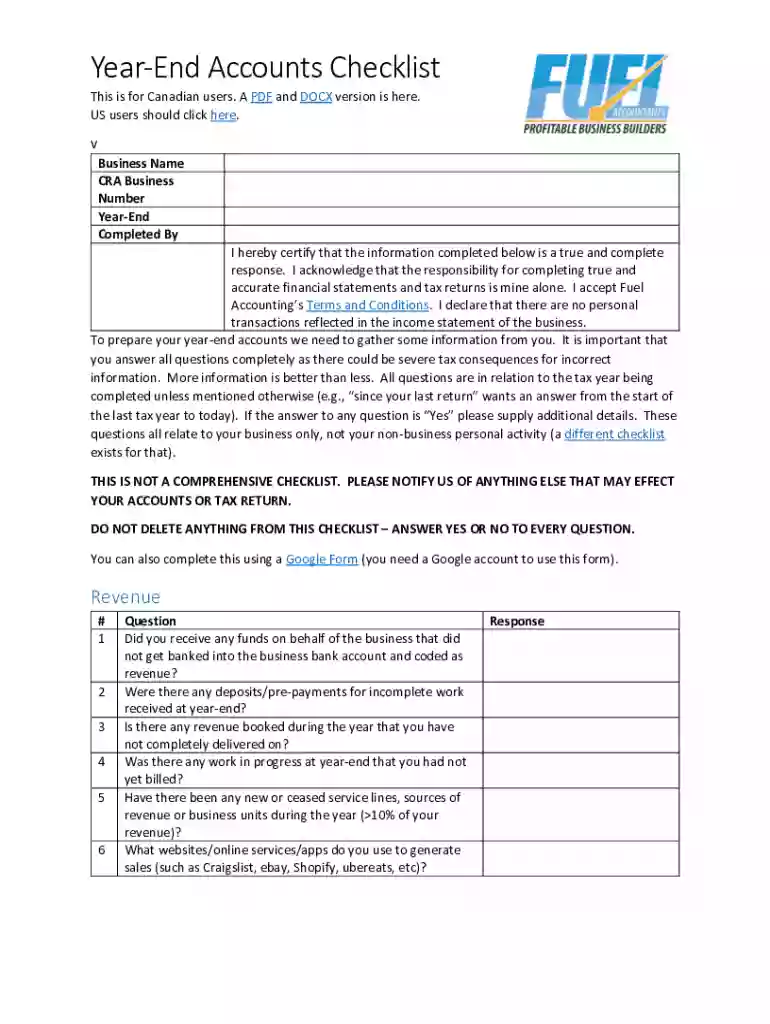
Click ‘Get Form’ to open the Year-End Accounts Checklist in our editor.
Begin by entering your Business Name and CRA Business Number at the top of the form. This information is crucial for identification purposes.
Proceed to the Revenue section. Answer each question regarding funds received, deposits, and any work in progress. If applicable, provide additional details for any 'Yes' responses.
Move on to the Expenses sections. Carefully review each question related to general expenses, payroll, motor vehicle usage, and home office deductions. Ensure you provide detailed explanations where necessary.
Complete the Assets and Liabilities sections by answering questions about capital assets sold or disposed of during the year and any loans taken out.
Finally, review all your entries for accuracy before submitting the form. Make sure you agree with the terms outlined at the end of the document.
Start filling out your Year-End Accounts Checklist online today for free!
Fill out Year-End Accounts Checklist online It's free
We've got more versions of the Year-End Accounts Checklist form. Select the right Year-End Accounts Checklist version from the list and start editing it straight away!
Year end accounts checklist templateYear end accounts checklist excelYear end accounts checklist pdfYear-end closing checklist ExcelYear-end accounting checklist templateYear-end accounting entriesQuickbooks year end checklist pdfRippling fiscal year end
Security and compliance
At DocHub, your data security is our priority. We follow HIPAA, SOC2, GDPR, and other standards, so you can work on your documents with confidence.
Agency Year-End Activity Checklist and Instructions | NCOSC
This page serves a structured overview of year-end closing procedures, designed to ensure transactions are recorded and reports are certified timely andRead more
Year-End Close: 10 Steps to a Smooth Fiscal Year-End
Jun 10, 2026 1. Review Open Purchase Orders 2. Submit and Approve Transactions Promptly 3. Reconcile Accounts 4. Review Payroll and Report DepartingRead more
Cookie consent notice
This site uses cookies to enhance site navigation and personalize your experience.
By using this site you agree to our use of cookies as described in our Privacy Notice.
You can modify your selections by visiting our Cookie and Advertising Notice.