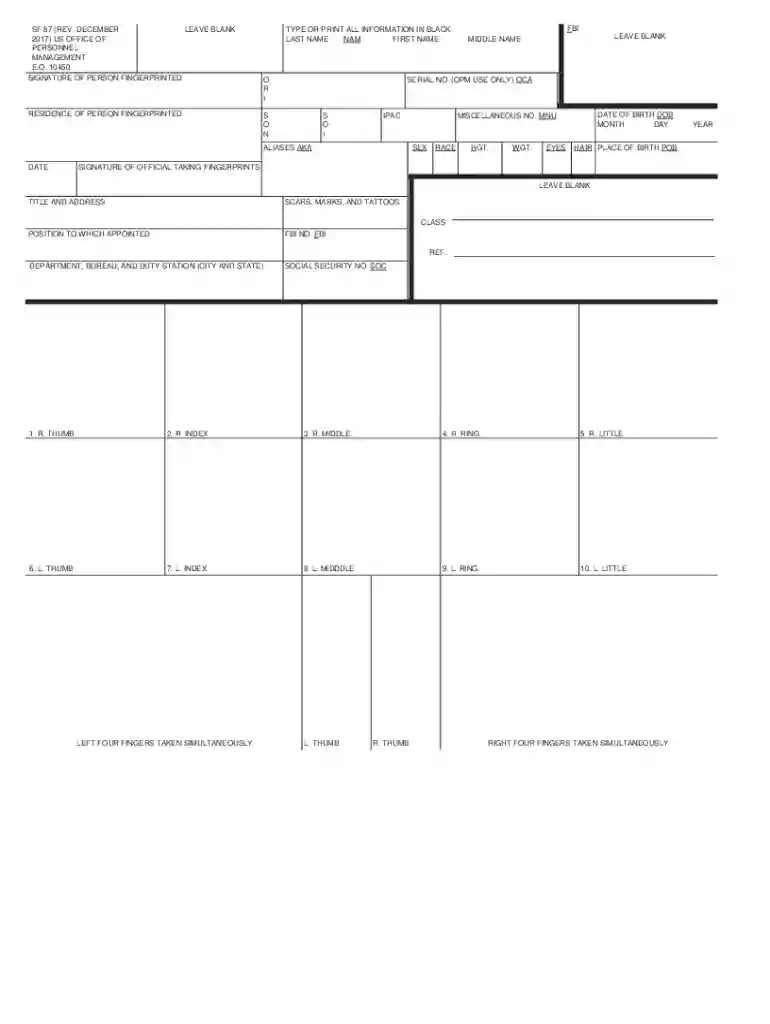
Fingerprint form - OMB 0705-0002-2026

Get Form
sf 87 fingerprints Preview on Page 1

Here's how it works

01. Edit your sf 87 fingerprints online
Type text, add images, blackout confidential details, add comments, highlights and more.

02. Sign it in a few clicks
Draw your signature, type it, upload its image, or use your mobile device as a signature pad.

03. Share your form with others
Send sf87 form pdf via email, link, or fax. You can also download it, export it or print it out.

How to use or fill out Fingerprint form - OMB 0705-0002 with our platform

Form edit decoration
9.5
Ease of Setup
DocHub User Ratings on G2
9.0
Ease of Use
DocHub User Ratings on G2
  1. Click ‘Get Form’ to open the Fingerprint form - OMB 0705-0002 in the editor.
  2. Begin by filling in your personal information. Enter your last name, first name, middle name, date of birth, and social security number in the designated fields. Ensure all entries are clear and legible.
  3. Complete the sections for sex, race, height, weight, eye color, hair color, and place of birth. Use black ink for clarity.
  4. In the fingerprint section, follow the instructions carefully to roll each finger from nail to nail. Make sure to capture clear impressions as per guidelines provided.
  5. If applicable, note any amputations or deformities in the individual finger block. This ensures accurate processing of your fingerprints.
  6. Review all filled sections for accuracy before saving or printing your completed form.

Start using our platform today to easily complete your Fingerprint form online for free!

See more Fingerprint form - OMB 0705-0002 versions

We've got more versions of the Fingerprint form - OMB 0705-0002 form. Select the right Fingerprint form - OMB 0705-0002 version from the list and start editing it straight away!
Versions Form popularity Fillable & printable
2017 4.2 Satisfied (47 Votes)
2013 4.1 Satisfied (35 Votes)
be ready to get more

Complete this form in 5 minutes or less

Get form

Got questions?

We have answers to the most popular questions from our customers. If you can't find an answer to your question, please contact us.
Contact us
Required information includes: ORI number, full name, social security number, date of birth, home address, sex, height, weight, hair color, eye color, place of birth (state or country only), citizenship, reason fingerprinted and the confirmation number provided to you at the end of the registration process.
Enter the contact and demographic information required by the FBI and schedule a fingerprint appointment at the location of your choosing. 6. At the end of the scheduling process, print the Confirmation Page. Take the Confirmation Page with you to your fingerprint appointment, along with two forms of identification.
Fingerprint images can be rejected by the DOJ and/or the FBI as a result of poor print quality. If an applicants fingerprints are rejected twice by the FBI due to poor print quality, the Request for Applicant Name Check by the FBI form must be submitted to the DOJ (form BCIA 8020) found on the DOJ website.
If the fingerprint cannot be processed, the agency will contact you or the organization that submitted the request for a background check. You may have to resubmit your fingerprints using the same method, or you might try another method, such as going digital if you used ink the first time.
If the FBI rejects your prints a second time, your requesting agency must request an FBI name check instead. Be sure to contact the agency that requested your background check for guidance on how to proceed with the name check process.

Security and compliance

At DocHub, your data security is our priority. We follow HIPAA, SOC2, GDPR, and other standards, so you can work on your documents with confidence.

Learn more
ccpa2
pci-dss
gdpr-compliance
hipaa
soc-compliance
be ready to get more

Complete this form in 5 minutes or less

Get form