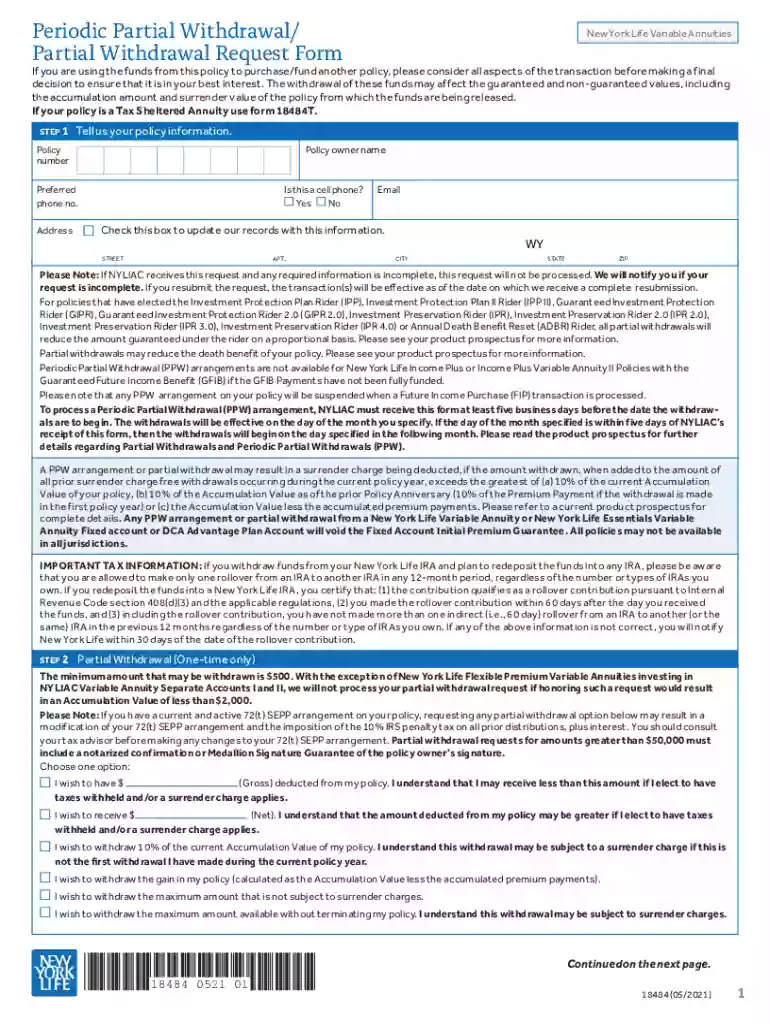
Request for Partial Withdrawal - Life Company Forms Preview on Page 1

Request for Partial Withdrawal - Life Company Forms 2026

Here's how it works

  • 01. Edit your form online

    Type text, add images, blackout confidential details, add comments, highlights and more.

  • 02. Sign it in a few clicks

    Draw your signature, type it, upload its image, or use your mobile device as a signature pad.

  • 03. Share your form with others

    Send it via email, link, or fax. You can also download it, export it or print it out.

How to use or fill out Request for Partial Withdrawal - Life Company Forms with our platform

Form edit decoration
9.5
Ease of Setup
DocHub User Ratings on G2
9.0
Ease of Use
DocHub User Ratings on G2
  1. Click ‘Get Form’ to open it in the editor.
  2. Begin by entering your policy information, including the policy owner name, policy number, preferred phone number, and address. Ensure all details are accurate to avoid processing delays.
  3. Select the type of withdrawal you wish to make. You can choose a one-time partial withdrawal or set up periodic withdrawals. Specify the amount and understand any potential surrender charges that may apply.
  4. Indicate how you would like to receive your funds—either via check or direct deposit into your bank account. Fill in the necessary banking details if opting for direct deposit.
  5. Complete the tax withholding section by selecting your preferences for federal and state taxes. This is crucial for compliance with IRS regulations.
  6. Review all entered information carefully before signing and submitting the form. Ensure that all required signatures are included to prevent any processing issues.

Start using our platform today to streamline your document editing and submission process!

See more Request for Partial Withdrawal - Life Company Forms versions

We've got more versions of the Request for Partial Withdrawal - Life Company Forms form. Select the right Request for Partial Withdrawal - Life Company Forms version from the list and start editing it straight away!

VersionsForm popularityFillable & printable
20234.2 Satisfied (32 Votes)
20214.7 Satisfied (59 Votes)
20184.8 Satisfied (83 Votes)
20164.4 Satisfied (197 Votes)
20094.2 Satisfied (74 Votes)

be ready to get more

Complete this form in 5 minutes or less

Got questions?

We have answers to the most popular questions from our customers. If you can't find an answer to your question, please contact us.

With DocHub, you can quickly approve your Request for Partial Withdrawal - Life Company Forms or any other paperwork on iOS, even without installing extra applications. You can access your DocHub account from any internet-connected browser and complete and sign your document in any preferred method with just a few clicks.

In case your go-to electronic mail service is Gmail, you can easily integrate your DocHub editor in your work. Edit your Request for Partial Withdrawal - Life Company Forms with DocHub instruments and attach it to your drafts in Gmail. See how easy it is to exchange papers and work together having a swift PDF editing solution at hand.

Money paid directly into your bank account You get your money back faster when you submit claims online and have direct deposit. Once we check your claim, we send you an email with details about how much money youll receive in your account.
Manage my money Sign in to your account and go to My Profile View My Plan Material to find out whether you can withdraw or take money out of your plan. If your plan lets you make a withdrawal online, sign in and go to My Account Make a Withdrawal. Follow the instructions. You can take out $20,000 or less.
Withdrawal depends on the type of policy you have. Withdrawal from Dividends and Paid-up addition will be applicable to traditional life products, while the Withdrawal from variable life funds will be used for variable life products.

Security and compliance

At DocHub, your data security is our priority. We follow HIPAA, SOC2, GDPR, and other standards, so you can work on your documents with confidence.

People also ask

Besides a full surrender or policy loan, most UL policies offer partial surrenders. This involves permanently withdrawing a portion of the policys available cash value, but keeping some or all coverage in force. Unlike a loan, the withdrawn values usually cannot be put back into the policy.
Partial withdrawals are allowed only if the Life Assured is at least 18 years of age. The minimum and maximum amounts that you can take out may vary with each policy and across insurance providers. However, the maximum withdrawal in a policy year cannot exceed 20% of the total fund value.
Taking a withdrawal from the cash value portion of the life insurance policy is another option. This is also known as a partial surrender. Unlike a loan, a withdrawal will permanently reduce the death benefit, but there are no interest payments as there are with policy loans.
Find contact information Contact methodContact details Telephone Within Canada: 1-888-727-7766 International: 514-286-6899 Open between 8 a.m. and 8 p.m. EST Monday to Friday. By fax Outside Qubec: 1-866-945-5110 For Quebec only: 1-866-945-51092 more rows
When will I receive my money after I submit a claim? Once weve received your claim, it will usually be processed within 5 business days. If youre signed up for direct deposit, allow 1-2 business days for the deposit to be processed. If you receive your payments by cheque, allow standard mailing times.

Related links

Request for Service Form

If a gain is not reportable when the surrender, partial surrender or withdrawal is processed, an IRS Form 1099R will not be sent. In addition, if a gain is.Read more

Learn more
NON-ERISA - 403(b) withdrawal request

Note: If you request a partial withdrawal and are currently receiving systematic withdrawal payments or payments under MetLifes Minimum Distribution Service,

Learn more
Palliative Care - Urology Guidelines

Nov 19, 2024 Discuss the differences between withdrawal of life-sustaining nutrition/hydration, voluntary cessation of eating or drinking, and/orRead more

Learn more
If you believe that this page should be taken down, please follow our DMCA take down process here