Type text, add images, blackout confidential details, add comments, highlights and more.

02. Sign it in a few clicks
Draw your signature, type it, upload its image, or use your mobile device as a signature pad.

03. Share your form with others
Send it via email, link, or fax. You can also download it, export it or print it out.

How to use or fill out Brush Police Department Application
Ease of Setup
DocHub User Ratings on G2
Ease of Use
DocHub User Ratings on G2
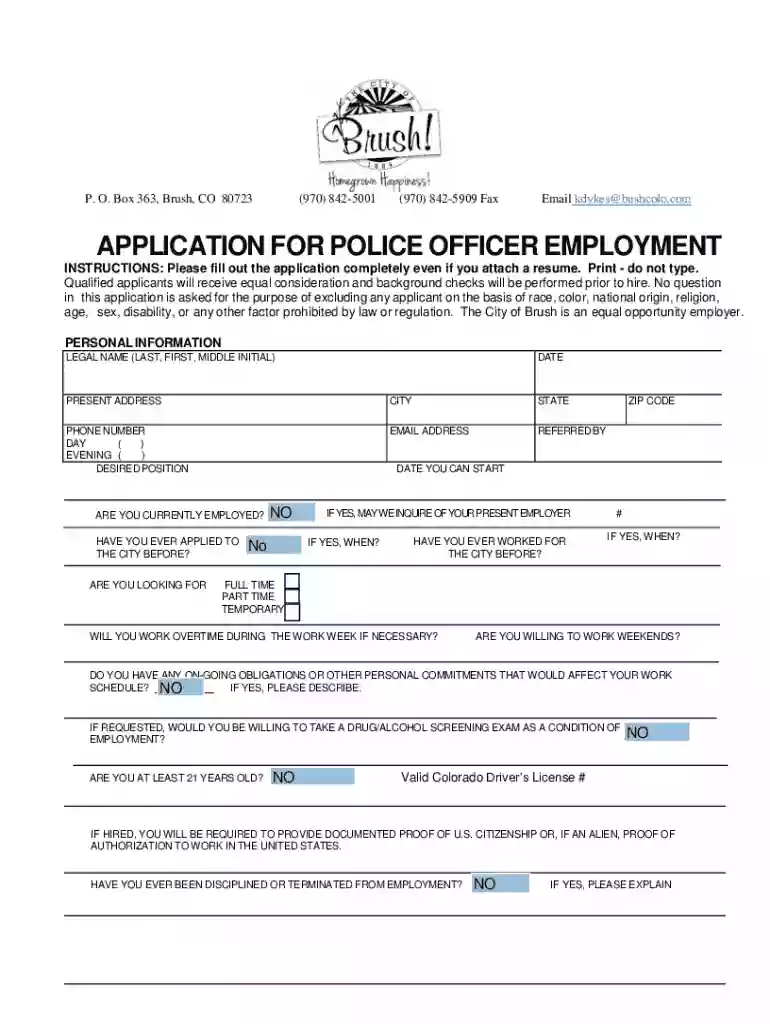
Click ‘Get Form’ to open the application in our editor.
Begin by filling out your personal information. Enter your legal name, date, present address, and contact details. Ensure accuracy as this information is crucial for processing your application.
In the 'Desired Position' section, specify the role you are applying for. If referred by someone, include their name in the 'Referred By' field.
Complete the education and training section by listing schools attended, degrees earned, and any relevant certifications. Be thorough to highlight your qualifications.
Detail your employment history without referring to a resume. Include job titles, responsibilities, reasons for leaving, and supervisor contacts for each position held.
Provide at least three work references and two personal references who can vouch for your character and work ethic.
Finally, read the Certificate of Applicant carefully before signing. This confirms that all provided information is accurate.
Start using our platform today to complete your application effortlessly!
We've got more versions of the Brush Police Department form. Select the right Brush Police Department version from the list and start editing it straight away!
Brush Police Department FacebookBrush Police Department photosFort Morgan Police DepartmentFort Morgan Police Department StaffCity of Brush colorado phone numberBrush Recreation DepartmentFort morgan police recordsBrush animal shelter
Security and compliance
At DocHub, your data security is our priority. We follow HIPAA, SOC2, GDPR, and other standards, so you can work on your documents with confidence.
Cookie consent notice
This site uses cookies to enhance site navigation and personalize your experience.
By using this site you agree to our use of cookies as described in our Privacy Notice.
You can modify your selections by visiting our Cookie and Advertising Notice.