




Here's how it works



How to use or fill out rental income and expense worksheet pdf with our platform

- Click ‘Get Form’ to open the rental income and expense worksheet in the editor.
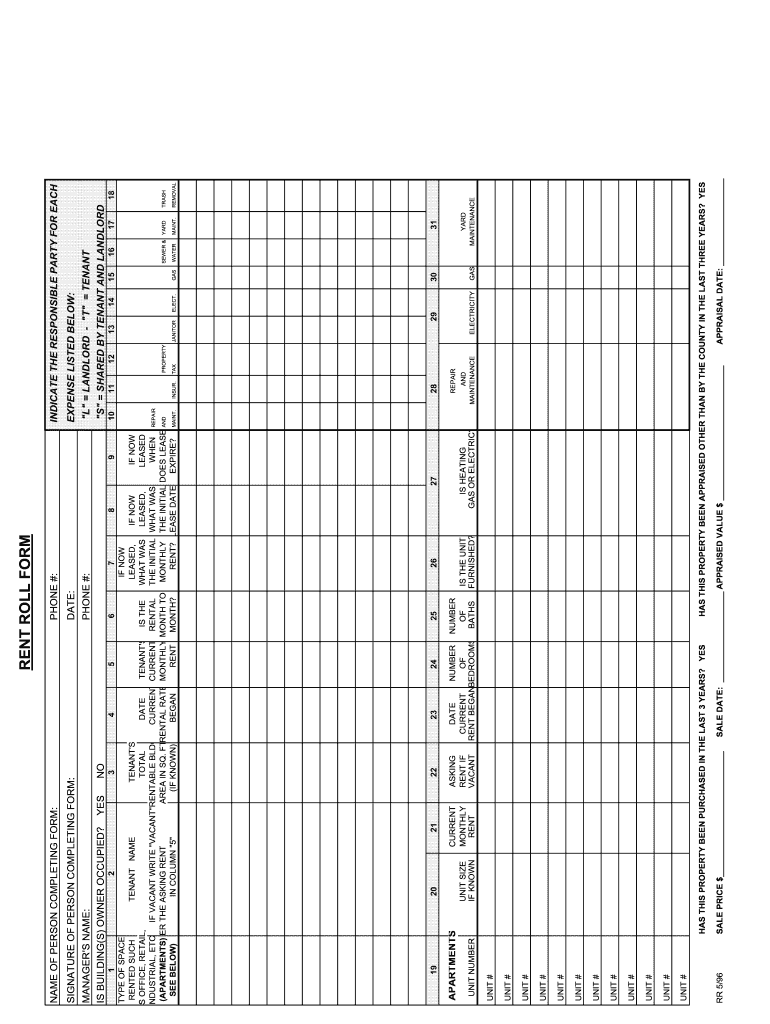
- Begin by entering the manager's name and phone number at the top of the form. This information is essential for contact purposes.
- Indicate whether the building is owner-occupied by selecting 'Yes' or 'No'. This helps in understanding occupancy status.
- For each unit listed, fill in the unit number, size (if known), current monthly rent, and asking rent if vacant. This section provides a clear overview of rental income potential.
- Complete the sale price, appraisal date, and appraised value fields to document property valuation details accurately.
- In the expenses section, specify responsible parties for maintenance, utilities, and other costs associated with each unit. This clarity aids in financial tracking.
- Finally, ensure that you sign and date the form at the bottom to validate your entries before saving or sharing it.
Start using our platform today to effortlessly manage your rental income and expense worksheet!
It's free
See more rental income and expense worksheet pdf versions
Got questions?
What do I need to sign my excel spreadsheet rental income and expense worksheet pdf electronically?
Electronic document approval demands a software solution that complies with data security and eSignature laws. DocHub is an excellent tool for that, because it meets all the above mentioned requirements. Whatever method you like to sign your excel spreadsheet rental income and expense worksheet pdf in DocHub, your electronic signature will be legally binding and court-admissible.
How do you edit rental income and expense worksheet google sheets online?
With DocHub, you have several convenient methods to edit your rental income and expense worksheet google sheets online. You can drag and drop the form and edit it straight at the DocHub site or use our browser extension to fill out your form immediately. On top of that, you can edit your PDF on your phone, as DocHub works with all the accessible mobile platforms.
How are real estate operating expenses calculated?
How do you record rental income and expenses?
What is a rental worksheet?
Security and compliance
At DocHub, your data security is our priority. We follow HIPAA, SOC2, GDPR, and other standards, so you can work on your documents with confidence.
Learn more


