




Here's how it works



How to use or fill out rapides parish clerk of court divorce papers with our platform

- Click ‘Get Form’ to open the rapides parish clerk of court divorce papers in the editor.
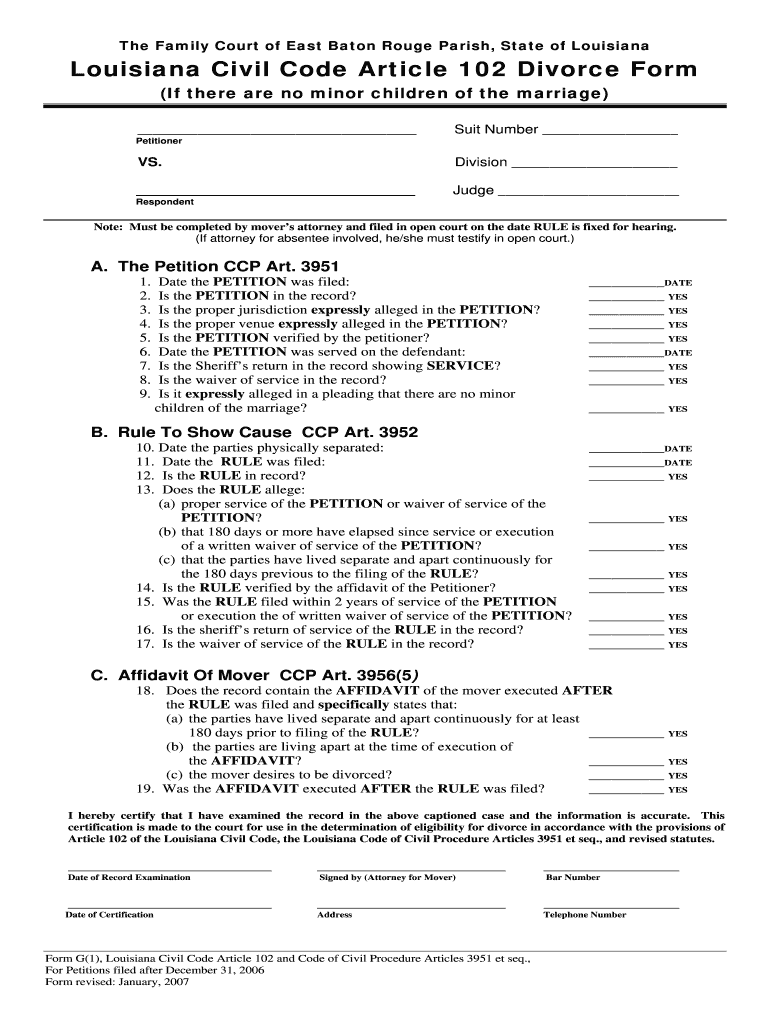
- Begin by filling in the Suit Number and Division at the top of the form. This information is crucial for identifying your case.
- In Section A, answer each question regarding the Petition. Ensure you provide dates where required and confirm that all necessary documents are included in the record.
- Proceed to Section B, where you will document details about the Rule To Show Cause. Pay attention to service dates and ensure that all allegations are clearly stated.
- In Section C, complete the Affidavit Of Mover by confirming that both parties have lived separately for at least 180 days and that you desire a divorce.
- Finally, review your entries for accuracy before signing. Use our platform’s features to save or print your completed form for submission.
Start using our platform today to fill out your rapides parish clerk of court divorce papers online for free!
It's free
See more rapides parish clerk of court divorce papers versions
| Versions | Form popularity | Fillable & printable |
|---|---|---|
| 2007 | 4.8 Satisfied (157 Votes) |
Got questions?
How can I sign my clerk of court alexandria la on iOS?
With DocHub, you can rapidly sign your clerk of court alexandria la or any other paperwork on iOS, even without setting up additional programs. You can access your DocHub account from any web-connected browser and fill out and sign your form in any way you like with just a couple of clicks.
How to manage my rapides parish courthouse from Gmail?
If your go-to electronic mail service is Gmail, it is simple to incorporate your DocHub editor in your work. Edit your rapides parish courthouse with DocHub tools and connect it to your drafts in Gmail. See how easy it can be to exchange papers and work together with a swift PDF editing solution at hand.
Security and compliance
At DocHub, your data security is our priority. We follow HIPAA, SOC2, GDPR, and other standards, so you can work on your documents with confidence.
Learn more




