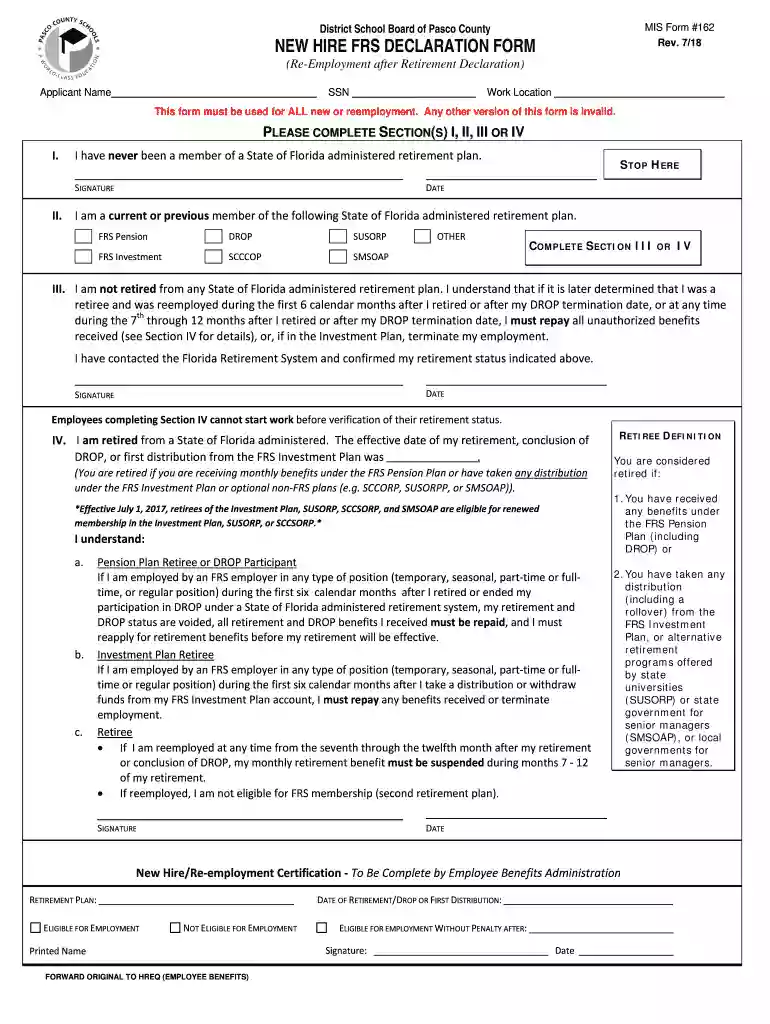
District School Board of Pasco County MIS Form #162 NEW Preview on Page 1

District School Board of Pasco County MIS Form #162 NEW 2026

Here's how it works

  • 01. Edit your form online

    Type text, add images, blackout confidential details, add comments, highlights and more.

  • 02. Sign it in a few clicks

    Draw your signature, type it, upload its image, or use your mobile device as a signature pad.

  • 03. Share your form with others

    Send it via email, link, or fax. You can also download it, export it or print it out.

How to use or fill out District School Board of Pasco County MIS Form #162 NEW

Form edit decoration
9.5
Ease of Setup
DocHub User Ratings on G2
9.0
Ease of Use
DocHub User Ratings on G2
  1. Click ‘Get Form’ to open it in the editor.
  2. Begin by entering your name and Social Security Number (SSN) in the designated fields at the top of the form.
  3. Indicate your work location clearly to ensure proper processing.
  4. Select one of the sections (I, II, III, or IV) that applies to your retirement status. If you have never been a member of a Florida retirement plan, complete Section I and provide your signature and date.
  5. If you are a current or previous member of a Florida retirement plan, complete Section II and proceed to either Section III or IV based on your retirement status.
  6. In Section III, confirm that you are not retired from any Florida administered retirement plan by signing and dating the section.
  7. If you are retired, fill out Section IV with your effective retirement date and sign where indicated. Ensure all necessary information is provided for accurate processing.

Start using our platform today to easily fill out and manage your forms online for free!

See more District School Board of Pasco County MIS Form #162 NEW versions

We've got more versions of the District School Board of Pasco County MIS Form #162 NEW form. Select the right District School Board of Pasco County MIS Form #162 NEW version from the list and start editing it straight away!

VersionsForm popularityFillable & printable
20184.8 Satisfied (27 Votes)
20154.3 Satisfied (65 Votes)

be ready to get more

Complete this form in 5 minutes or less

Security and compliance

At DocHub, your data security is our priority. We follow HIPAA, SOC2, GDPR, and other standards, so you can work on your documents with confidence.

Related links

Catalog 2026-2027

Applicants must hold a University-recognized high school diploma or GED equivalence, or provide documentation that they have completed a home school program

Learn more
A Decision Framework for Applying Monitored Natural

by CUN Cu 2010 Established in 1995, the Interstate Technology Regulatory Council (ITRC) is a state-led, national coalition of personnel from the environmental regulatoryRead more

Learn more
If you believe that this page should be taken down, please follow our DMCA take down process here