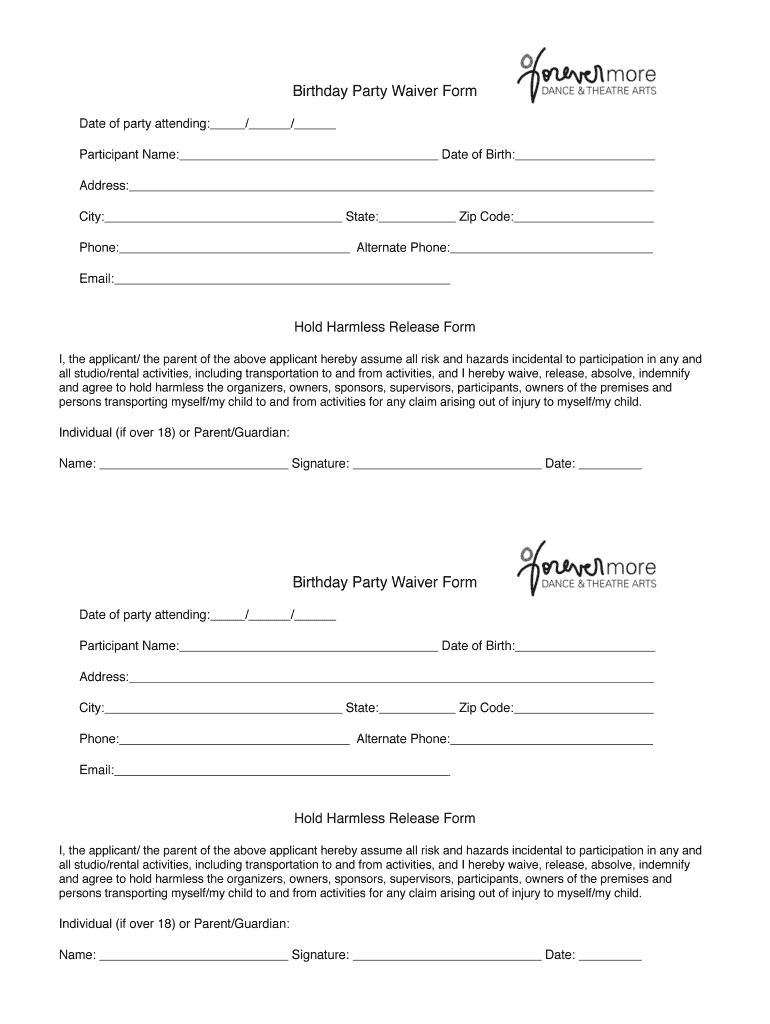
Birthday Party Waiver Form - cdn1assetssites 2026

Get Form
Birthday Party Waiver Form - cdn1assetssites Preview on Page 1

Here's how it works

01. Edit your form online
Type text, add images, blackout confidential details, add comments, highlights and more.
02. Sign it in a few clicks
Draw your signature, type it, upload its image, or use your mobile device as a signature pad.
03. Share your form with others
Send it via email, link, or fax. You can also download it, export it or print it out.

How to use or fill out Birthday Party Waiver Form - cdn1assetssites with our platform

Form edit decoration
9.5
Ease of Setup
DocHub User Ratings on G2
9.0
Ease of Use
DocHub User Ratings on G2
  1. Click ‘Get Form’ to open it in the editor.
  2. Begin by entering the 'Date of party attending' in the designated field. Ensure the format is MM/DD/YYYY.
  3. Fill in the 'Participant Name' and 'Date of Birth' fields accurately to identify the individual attending.
  4. Complete the address section, including 'Address', 'City', 'State', and 'Zip Code'. This information is crucial for emergency contact purposes.
  5. Provide your primary phone number and an alternate phone number for any urgent communications.
  6. Enter a valid email address to receive confirmations or updates regarding the event.
  7. Review the Hold Harmless Release Form carefully. This section outlines important legal waivers regarding participation risks.
  8. If you are over 18, or if you are a parent/guardian, sign and date at the bottom of the form to finalize your agreement.

Start filling out your Birthday Party Waiver Form today for free using our platform!

See more Birthday Party Waiver Form - cdn1assetssites versions

We've got more versions of the Birthday Party Waiver Form - cdn1assetssites form. Select the right Birthday Party Waiver Form - cdn1assetssites version from the list and start editing it straight away!
Versions Form popularity Fillable & printable
2013 4 Satisfied (34 Votes)
be ready to get more

Complete this form in 5 minutes or less

Get form

Got questions?

We have answers to the most popular questions from our customers. If you can't find an answer to your question, please contact us.
Contact us

Approving paperwork on a mobile device is quick, easy, and doesn’t require software installation if you have an account with DocHub. Log in from any browser, fill in your empty fields with your information, and click on Sign → Create your signature. You can draw your electronic signature the same way you usually do on paper, add its picture to your Birthday Party Waiver Form - cdn1assetssites, or type in your name and stylize its look. No matter what option you choose, your document will be valid.

You can easily edit and complete your Birthday Party Waiver Form - cdn1assetssites on any iOS gadget. Open an internet browser of your choice, visit the DocHub site, authorize or create a new account, upload your file for editing, and make your desired changes. Our service is mobile-friendly, so utilizing its functions on your phone will be a no-brainer, even on the first try.

Some common examples include: Media release form. Health club waiver and release form. Medical record release form. Waiver of lien on material or labor (construction) Moving company waivers. Swimming waiver and release. Jet ski waiver form. Salon consent form.
How to Create a Liability Waiver Form Using Google Forms Step 1: Create a new Google Form. Step 2: Describe in detail the activity and its location. Step 3: List the possible injuries and risks. Step 4: Include fields to enter name and accept risks. Step 5: Collect e-signatures and autocomplete documents with Form Publisher.
The process of creating a waiver should be taken seriously. Waivers are legal documents that list specific terms for your participants to agree to, so its crucial that they are complete and legally sound. Professional help from a lawyer is strongly recommended any time you are working with legal documents.

Security and compliance

At DocHub, your data security is our priority. We follow HIPAA, SOC2, GDPR, and other standards, so you can work on your documents with confidence.

Learn more
ccpa2
pci-dss
gdpr-compliance
hipaa
soc-compliance

People also ask

In consideration of my application and permitting me to participate in this event, I hereby take action for myself, my executors, administrators, heirs, next of kin, successors, and assigns as follows: (A) Waive, release, and discharge from any and all liability for my death, disability personal injury, property damage
How to write a waiver Introductory statement. The introductory statement of a waiver serves to clarify its purpose and the parties involved. Summary of risks. Assumption of risks. Release clause. Indemnification clause. Governing law. Consent and signature.

Related links