




Here's how it works



How to use or fill out Peter Fewing Soccer Camps Registration Form with Our Platform

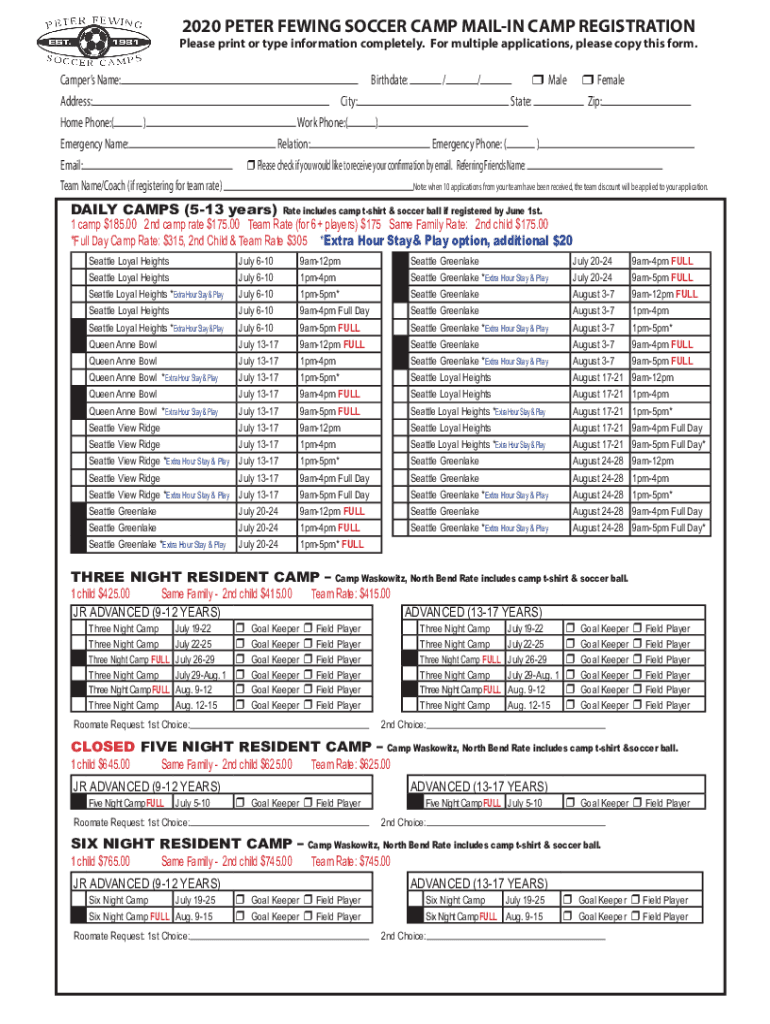
- Click ‘Get Form’ to open the Peter Fewing Soccer Camps registration form in the editor.
- Begin by filling in the camper’s name, address, and contact information. Ensure all details are accurate for effective communication.
- Indicate the camper's birthdate and gender by selecting the appropriate checkboxes.
- Select the desired camp session from the options provided, noting any specific rates applicable for team registrations or family discounts.
- Complete the payment information section, including total fees and payment type. If using a credit card, ensure all numbers are entered correctly.
- Sign and date the authorization and hold harmless section to confirm consent for medical procedures and acknowledgment of risks.
- Finally, review all entries for accuracy before submitting your completed form via email or mail as instructed at the bottom of the document.
Start filling out your registration form today for a seamless experience!
It's free
See more Peter Fewing Soccer CampsWestern WashingtonNorthwestPeter Fewing Soccer CampsWestern WashingtonNorth versions
Got questions?
Can I type my eSignature on my Peter Fewing Soccer CampsWestern WashingtonNorthwestPeter Fewing Soccer CampsWestern WashingtonNorth?
Sure, a typed name is accepted as a valid electronic signature when you add it to your form using a compliant solution like DocHub. Simply upload your Peter Fewing Soccer CampsWestern WashingtonNorthwestPeter Fewing Soccer CampsWestern WashingtonNorth to our editor, click Sign in the top tool pane → Create your signature → Type your name in the proper tab, and choose how it will look on your document.
How do you edit Peter Fewing Soccer CampsWestern WashingtonNorthwestPeter Fewing Soccer CampsWestern WashingtonNorth in Chrome?
If you are using Chrome, there are two simple ways to modify your Peter Fewing Soccer CampsWestern WashingtonNorthwestPeter Fewing Soccer CampsWestern WashingtonNorth online. First, go to the DocHub website, add your file, and modify it using our toolbar. You can also set up our Chrome extension and modify any document by dragging and dropping it in your web browser tab.
Security and compliance
At DocHub, your data security is our priority. We follow HIPAA, SOC2, GDPR, and other standards, so you can work on your documents with confidence.
Learn more




