Form 21 Specialist and Subspecialist Registration 2026

Get Form
south africa registration online Preview on Page 1

Here's how it works

01. Edit your south africa registration online online
Type text, add images, blackout confidential details, add comments, highlights and more.

02. Sign it in a few clicks
Draw your signature, type it, upload its image, or use your mobile device as a signature pad.

03. Share your form with others
Send south africa registration via email, link, or fax. You can also download it, export it or print it out.

How to use or fill out Form 21 Specialist and Subspecialist Registration with our platform

Form edit decoration
9.5
Ease of Setup
DocHub User Ratings on G2
9.0
Ease of Use
DocHub User Ratings on G2
  1. Click ‘Get Form’ to open it in the editor.
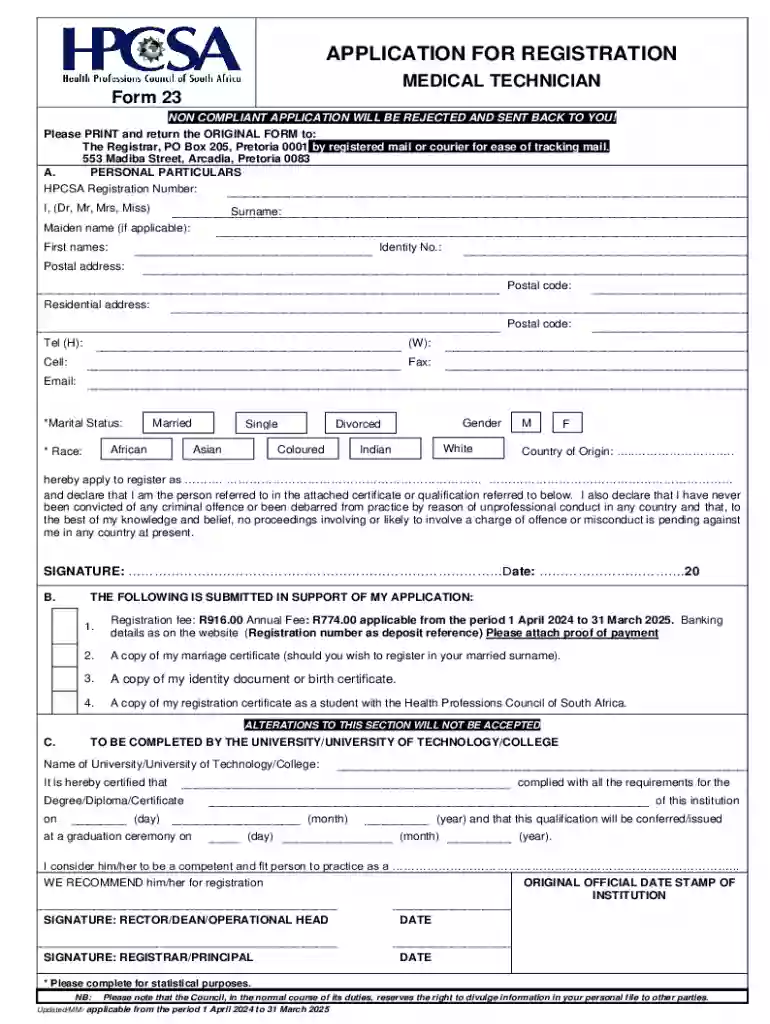
  2. Begin by filling out the 'Personal Particulars' section. Enter your HPCSA Registration Number, full name (including surname and maiden name if applicable), identity number, and contact details such as postal address, telephone numbers, and email.
  3. Indicate your marital status and race by selecting the appropriate options. Also, specify your gender and country of origin.
  4. In the declaration section, confirm your identity and state that you have no criminal convictions or pending misconduct charges. Ensure you sign and date this section.
  5. Proceed to the supporting documents section. Attach proof of payment for the registration fee, a copy of your marriage certificate (if applicable), identity document or birth certificate, and student registration certificate.
  6. Finally, complete the section for university certification. Ensure that it is signed by the appropriate officials from your institution along with their official date stamp.

Start using our platform today to streamline your Form 21 registration process for free!

See more Form 21 Specialist and Subspecialist Registration versions

We've got more versions of the Form 21 Specialist and Subspecialist Registration form. Select the right Form 21 Specialist and Subspecialist Registration version from the list and start editing it straight away!
Versions Form popularity Fillable & printable
2024 4.9 Satisfied (22 Votes)
2014 4 Satisfied (31 Votes)
2011 4 Satisfied (21 Votes)
be ready to get more

Complete this form in 5 minutes or less

Get form

Got questions?

We have answers to the most popular questions from our customers. If you can't find an answer to your question, please contact us.
Contact us

Yes, it is possible with DocHub. This reliable and compliant online service has a phone-based signing option. When you log in to your DocHub account and import your south africa registration form to our editor, complete all necessary fields and use the Sign tool on the upper barf. Click on Create your signature and select Phone from the available choices. Here, you scan a QR code using your smartphone and draw your signature on your phone display, as you usually do when approving hard copies. If you access DocHub right from your mobile device, you can eSign your template by drawing your eSignature, uploading its photo, or simply with a typed name.

Apart from a comprehensive toolset for editing PDFs on mobile devices, DocHub enables you to sign your hpcsa form 23 along the way. Open our editor in your browser, make changes using DocHub’s toolset, and complete your editing by eSigning the finished form.

Only registered practitioners will be allowed to own medical practices in terms of a new policy announced on Wednesday. Only doctors may own medical practices now - IOL iol.co.za news south-africa only-doctor iol.co.za news south-africa only-doctor
In order to be registered as a Counselling Psychologist will be required to: a) successfully complete an accredited Masters degree in Counselling Psychology; b) successfully complete an approved uninterrupted internship of 12 months; c) pass the National Board Examination. professional board for psychology frequently asked questions - UFS ufs.ac.za docs cpd-documents cpd-psy ufs.ac.za docs cpd-documents cpd-psy
The Health Professions Council of South Africa is a statutory body, established in terms of the Health Professions Act and is committed to protecting the public and guiding the professions.

Security and compliance

At DocHub, your data security is our priority. We follow HIPAA, SOC2, GDPR, and other standards, so you can work on your documents with confidence.

Learn more
ccpa2
pci-dss
gdpr-compliance
hipaa
soc-compliance

People also ask

How to register for HPCSA portal Visit .hpcsa.co.za clicking on the Online registration tab in the navigation bar. Create an HPCSA account by entering your 13-digit ID number or passport number. Using your ID Number as the Username and Password created in step 2, Login and Renew.
You can check a persons registration status using any of the following: Their surname. Their given names (full names) Their registration number. The register on which they are registered.
Applicants who are Non-South African citizens or permanent residents are required to first obtain a letter from the Foreign Work Force directorate of the National Department of Health in Pretoria, permitting application to be considered for registration with the HPCSA. FORM 176 MP - HPCSA hpcsa.co.za Uploads mdb guidelines hpcsa.co.za Uploads mdb guidelines
Medical Registration is through the Health Professionals Council of South Africa (HPCSA), who are responsible for processing registrations for all medical professionals, hence waiting times for your application to be reviewed and approved can take several months. Medical Registration Work Visa in South Africa medicfootprints.org south-africa medical-regis medicfootprints.org south-africa medical-regis

south africa hpcsa registration