




Here's how it works



How to use or fill out St Joan of Arc Youth Ministry Permission Slip 2018-2019

- Click ‘Get Form’ to open the St. Joan of Arc Youth Ministry Permission Slip in our editor.
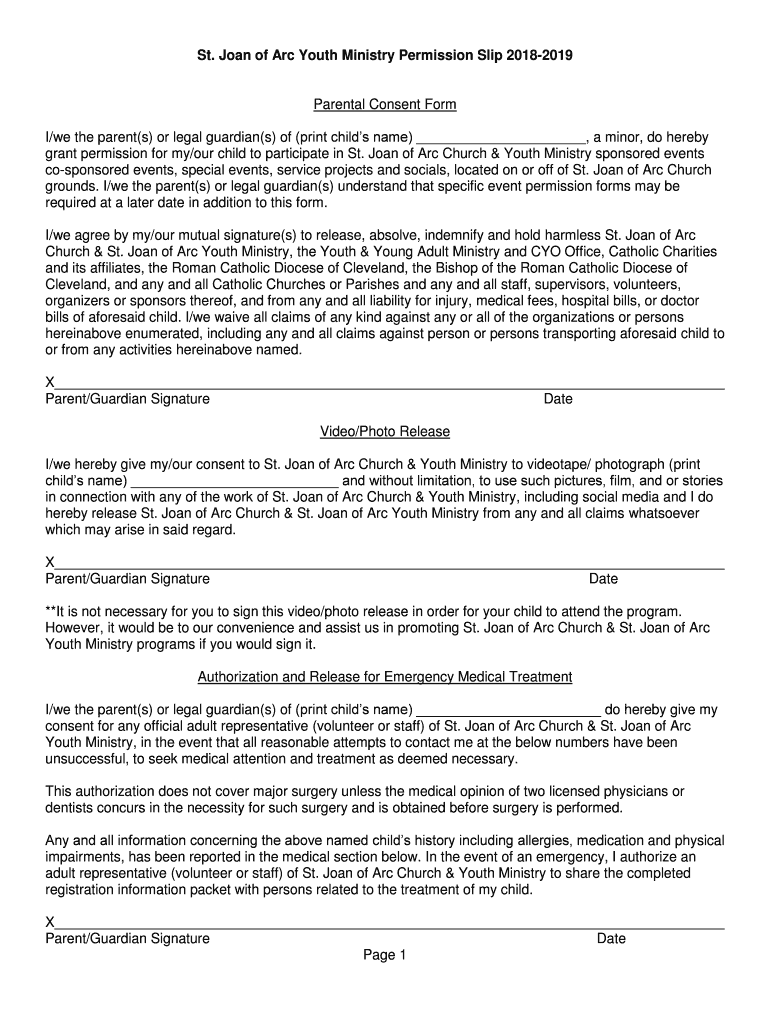
- Begin by filling in your child's name in the designated field under 'Parental Consent Form'. This section grants permission for participation in various events.
- Next, provide your signature and date to confirm your consent and understanding of the liability release.
- Proceed to the 'Video/Photo Release' section. Here, you can choose to consent to the use of your child's images by signing and dating this section.
- In the 'Authorization and Release for Emergency Medical Treatment', fill in your child's name again and provide consent for medical treatment if necessary. Sign and date this section as well.
- Complete the 'Parent/Guardian Contact Information' with all relevant details, including emergency contact numbers.
- Finally, fill out your child’s medical information, including any allergies or medications, ensuring that all necessary details are provided for their safety.
Start using our platform today to easily complete and submit the St. Joan of Arc Youth Ministry Permission Slip!
It's free
See more St Joan of Arc Youth Ministry Permission Slip 2018-2019 versions
Got questions?
Is it safe to sign my St Joan of Arc Youth Ministry Permission Slip 2018-2019 electronically?
You need to use only trustworthy software solutions with strong security compliance to approve your paperwork electronically. DocHub is just the type of service you need! It stores data on Amazon Web Servers and complies with all essential security requirements and eSignature regulations, so it’s a trustworthy way to electronically sign your St Joan of Arc Youth Ministry Permission Slip 2018-2019 or other paperwork with this tool.
Do I need to set up software to modify my St Joan of Arc Youth Ministry Permission Slip 2018-2019?
When you edit your St Joan of Arc Youth Ministry Permission Slip 2018-2019 with DocHub, you merely need a steady internet connection and virtually any web browser installed on your device. No need to install any third-party applications or study tutorials. Simply open a tab with DocHub, drag and drop your file, and edit it on the spot.
Security and compliance
At DocHub, your data security is our priority. We follow HIPAA, SOC2, GDPR, and other standards, so you can work on your documents with confidence.
Learn more


