




Here's how it works



How to use or fill out Robert W McCormick Scholarship - Jefferson High School with our platform

- Click ‘Get Form’ to open the Robert W McCormick Scholarship application in the editor.
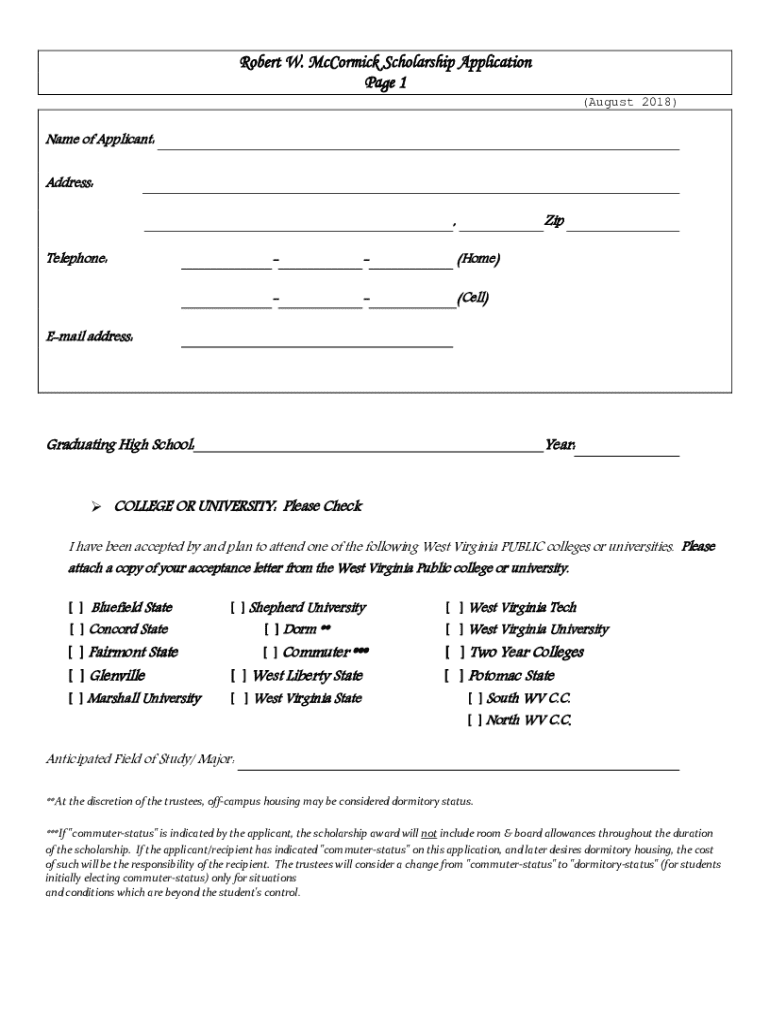
- Begin by entering your personal information, including your name, address, and contact details. Ensure accuracy as this information is crucial for communication.
- Indicate your graduating high school and the college or university you plan to attend. Attach a copy of your acceptance letter from a West Virginia public institution.
- Complete the qualifications section by confirming your GPA and financial need status. Remember, maintaining a minimum GPA of 3.0 is essential for eligibility.
- Provide detailed financial information, including gross income and net worth. Ensure that both parents sign if applicable, as this certifies the financial data provided.
- Outline your community service activities and list any honors or awards received during high school. This showcases your commitment to good citizenship.
- Write an essay discussing why you believe you should be awarded this scholarship. This is an opportunity to express your aspirations and motivations.
- Review all sections for completeness before submitting the application to your guidance office by February 20th.
Start filling out your scholarship application today using our platform for free!
It's free
See more Robert W McCormick Scholarship - Jefferson High School versions
| Versions | Form popularity | Fillable & printable |
|---|---|---|
| 2018 | 4.5 Satisfied (41 Votes) |
Got questions?
How can I send my Robert W McCormick Scholarship - Jefferson High School for eSignature?
Upload your Robert W McCormick Scholarship - Jefferson High School to DocHub (once you’ve created an account for this). If you need to complete fields in it, use appropriate tools from the upper pane. For example, add Signature Fields, assign each to specific person, and click on Sign → Request signatures from others. Change your message for your recipients and click Send Request. You can also send your form by fax or as a Signing link instead of using email (you’ll find these options by navigating to the Menu → Send)
How do you fill out Robert W McCormick Scholarship - Jefferson High School on iOS?
You need only a web connection and a web browser to fill out your Robert W McCormick Scholarship - Jefferson High School by using an iOS phone. Open the DocHub website and authenticate. Then, add your file or choose it from the list in your dashboard. Then use our editing instruments to fill out your form and save all your modifications. You may also send it to a dedicated recipient straight away.
Security and compliance
At DocHub, your data security is our priority. We follow HIPAA, SOC2, GDPR, and other standards, so you can work on your documents with confidence.
Learn more




