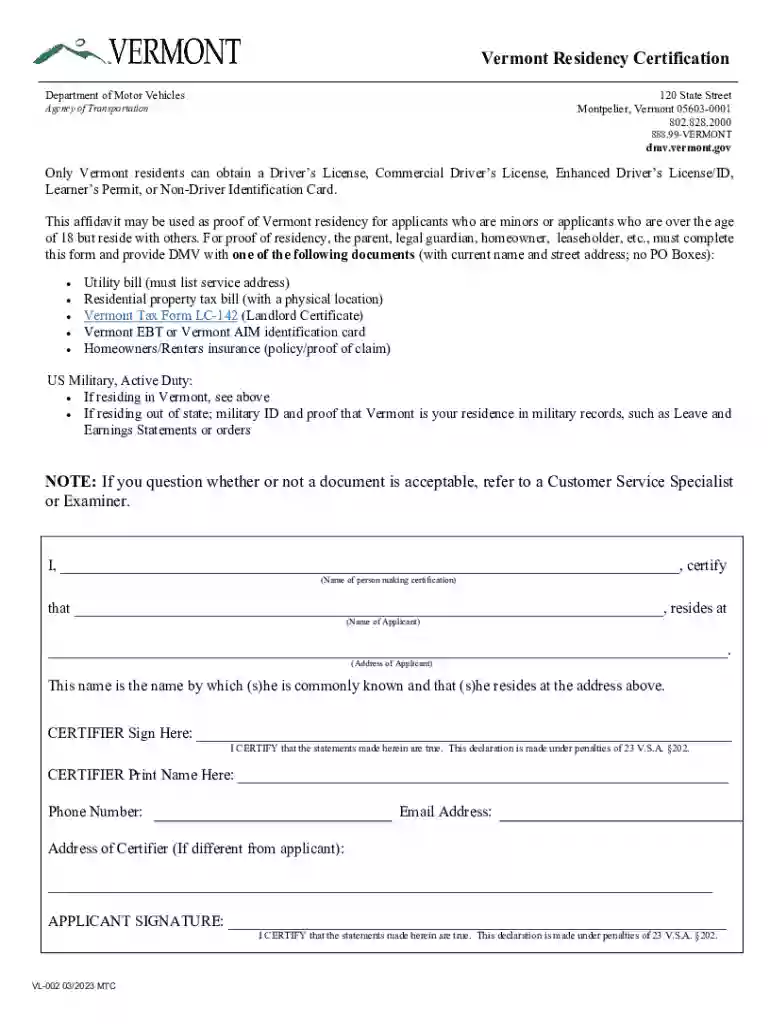
Vermont Residency Certification 2026

Get Form
vermont residency certification Preview on Page 1

Here's how it works

01. Edit your vermont residency certification online
Type text, add images, blackout confidential details, add comments, highlights and more.

02. Sign it in a few clicks
Draw your signature, type it, upload its image, or use your mobile device as a signature pad.

03. Share your form with others
Send it via email, link, or fax. You can also download it, export it or print it out.

How to use or fill out Vermont Residency Certification with our platform

Form edit decoration
9.5
Ease of Setup
DocHub User Ratings on G2
9.0
Ease of Use
DocHub User Ratings on G2
  1. Click ‘Get Form’ to open the Vermont Residency Certification in the editor.
  2. Begin by entering the name of the person making the certification in the designated field. This is crucial for identifying who is certifying the residency.
  3. Next, fill in the name and address of the applicant. Ensure that this information matches any supporting documents you will provide.
  4. The certifier must sign in the provided space, confirming that all statements made are true. This signature is essential for validating the form.
  5. Print the certifier's name, phone number, email address, and address if different from that of the applicant. This information helps establish contact if needed.
  6. Finally, have the applicant sign at the bottom of the form to affirm their residency status. Make sure all fields are completed before submission.

Start using our platform today to easily complete your Vermont Residency Certification for free!

See more Vermont Residency Certification versions

We've got more versions of the Vermont Residency Certification form. Select the right Vermont Residency Certification version from the list and start editing it straight away!
Versions Form popularity Fillable & printable
2023 4.3 Satisfied (36 Votes)
2016 4.8 Satisfied (83 Votes)
2015 4.8 Satisfied (388 Votes)
be ready to get more

Complete this form in 5 minutes or less

Get form

Got questions?

We have answers to the most popular questions from our customers. If you can't find an answer to your question, please contact us.
Contact us
As an international student, you may legally drive on the roads of the State of Vermont for up to one year from your date of arrival if you have an International Driving Permit, a valid home country license, and if you are from one of the designated countries or territories.
Examples include: Utility bill (must list service address) Property tax bill with a physical location. Signed lease. Homeowners/renters insurance (policy/proof of claim) Educational institution transcript/report card/enrollment confirmation. Federal tax document (W-2, 1099) State tax document (IN-111)
According to the Vermont website: A Resident is an individual that is domiciled in Vermont or maintains a permanent home, and is physically present in the state for 183 days or more.
You qualify as a Vermont resident for that part of the taxable year during which: You are domiciled in Vermont, or. You maintain a permanent home in Vermont, and you are present in Vermont for more than 183 days of the taxable year.

Security and compliance

At DocHub, your data security is our priority. We follow HIPAA, SOC2, GDPR, and other standards, so you can work on your documents with confidence.

Learn more
ccpa2
pci-dss
gdpr-compliance
hipaa
soc-compliance