




Here's how it works



How to use or fill out food handlers form pdf with our platform

- Click ‘Get Form’ to open the food handlers form pdf in the editor.
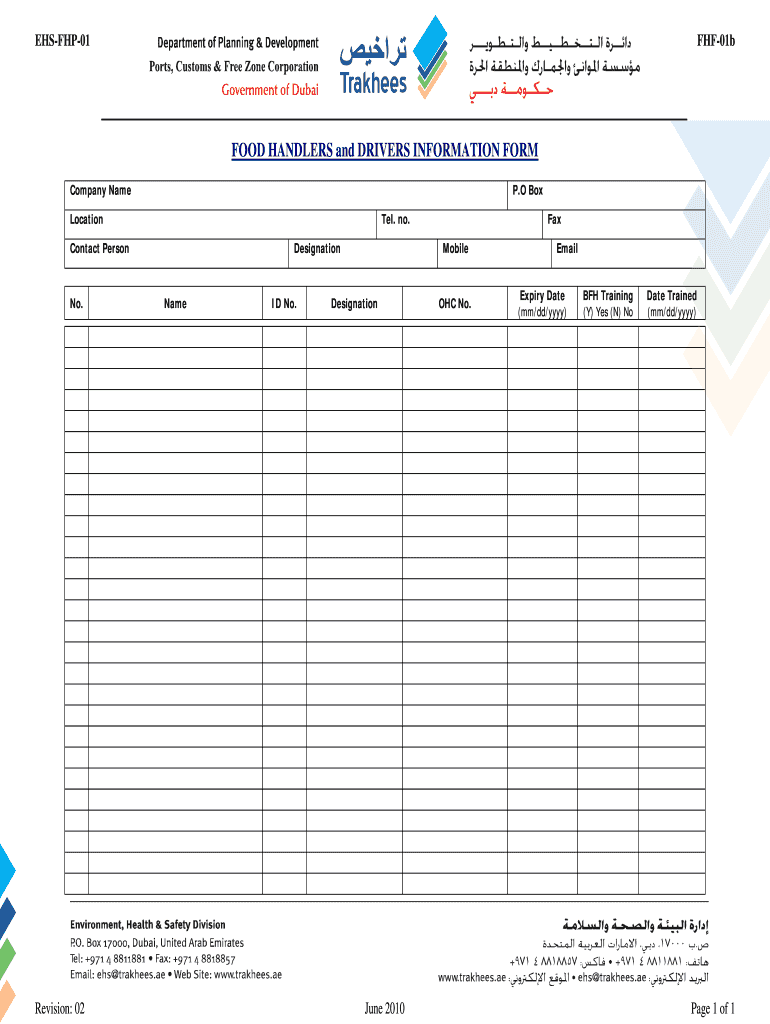
- Begin by entering your company name in the designated field at the top of the form. This ensures that your submission is properly attributed.
- Fill in your P.O. Box and location details accurately to provide a complete address for correspondence.
- Input your telephone number, fax number, and mobile number in their respective fields to ensure easy contact.
- Provide the contact person's name and designation, along with their ID number for identification purposes.
- Enter your email address and expiry date using the mm/dd/yyyy format to keep your information current.
- Indicate whether you have completed BFH training by selecting 'Yes' or 'No', and include the date trained in the specified format.
Start filling out your food handlers form pdf today for free on our platform!
It's free
See more food handlers form pdf versions
| Versions | Form popularity | Fillable & printable |
|---|---|---|
| 2010 | 4 Satisfied (29 Votes) |
Got questions?
What is the best way to electronically sign my food handlers certificate download?
Many software applications are available on the market for document editing and signing. DocHub is one of the most popular online solutions that comply with all data protection and compliance requirements and guarantees your electronically signed paperwork is legally enforceable. All you need to give it a try is to create an account, upload your food handlers certificate download, provide the required information, and click Sign. Create your eSignature by typing, drawing it, uploading its image to your document, or scanning a unique QR code.
How do you edit food handlers card template online?
With DocHub, there are several convenient ways to edit your food handlers card template online. You can drag and drop the form and edit it straight at the DocHub site or use our browser extension to fill out your form immediately. On top of that, you can edit your PDF on your smartphone, as DocHub works with all the available mobile platforms.
How do I download my food handling certificate?
What tests do food handlers need?
How many questions are on the food handlers quiz?
Security and compliance
At DocHub, your data security is our priority. We follow HIPAA, SOC2, GDPR, and other standards, so you can work on your documents with confidence.
Learn more


