




Here's how it works

01. Edit your rhapsodielle application online
Type text, add images, blackout confidential details, add comments, highlights and more.

02. Sign it in a few clicks
Draw your signature, type it, upload its image, or use your mobile device as a signature pad.

03. Share your form with others
Send rhapsodielle hiring via email, link, or fax. You can also download it, export it or print it out.
How to use or fill out rhapsodielle careers with our platform

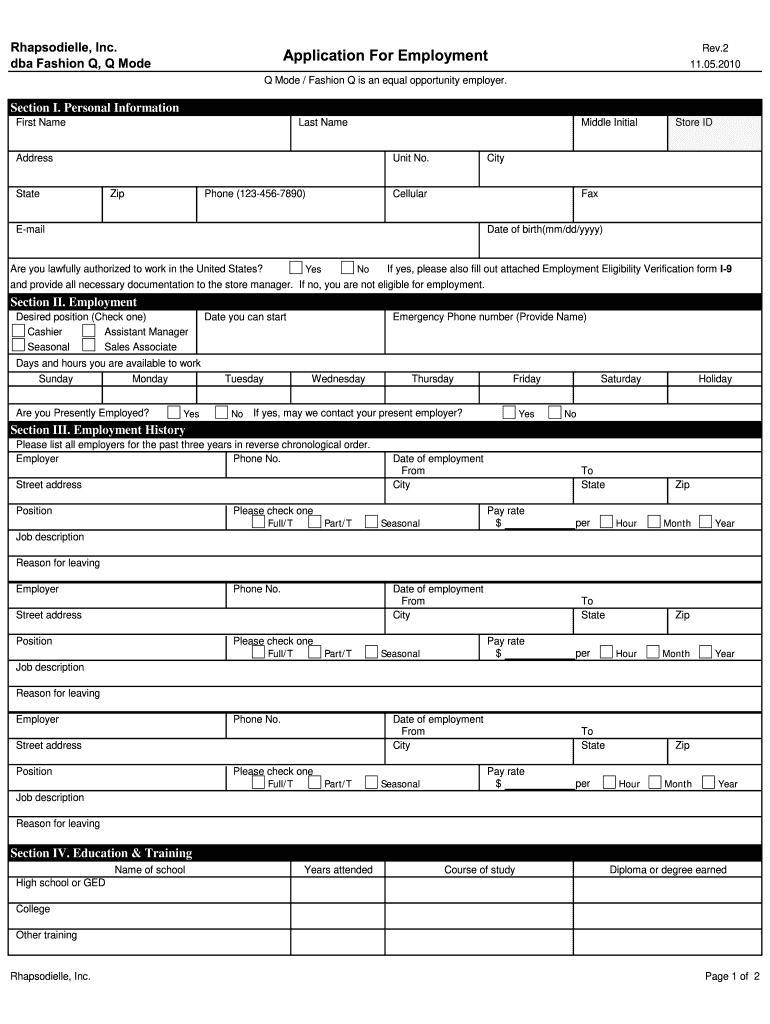
- Click ‘Get Form’ to open the rhapsodielle careers application in the editor.
- Begin with Section I: Personal Information. Fill in your first name, last name, address, phone number, and email. Ensure that you provide accurate information as this is crucial for your application.
- Move to Section II: Employment. Indicate your desired position by checking one of the options provided. Specify your availability and whether you are currently employed.
- In Section III: Employment History, list your previous employers for the past three years in reverse chronological order. Include details such as job title, dates of employment, and reasons for leaving.
- Proceed to Section IV: Education & Training. Enter the name of the school attended, years attended, course of study, and any degrees earned.
- Complete Section V: Reference by providing names and contact information for individuals who can vouch for your qualifications.
- Finally, read through Section VII: Certification carefully before signing and dating the application to confirm that all information is true.
Start filling out your rhapsodielle careers application today using our platform for free!
Fill out rhapsodielle careers online
It's free
It's free
See more rhapsodielle careers versions
We've got more versions of the rhapsodielle careers form. Select the right rhapsodielle careers version from the list and start editing it straight away!
| Versions | Form popularity | Fillable & printable |
|---|---|---|
| 2010 | 4.8 Satisfied (205 Votes) |
Security and compliance
At DocHub, your data security is our priority. We follow HIPAA, SOC2, GDPR, and other standards, so you can work on your documents with confidence.
Learn more




