




Here's how it works



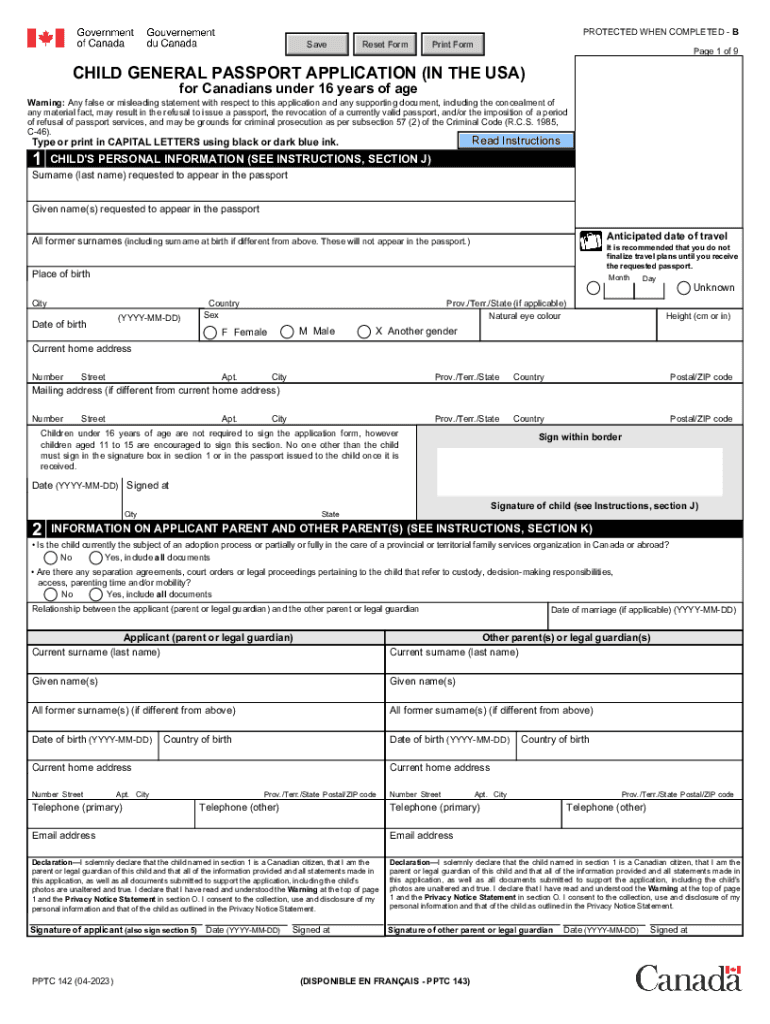
How to use or fill out PPTC 142 E: Child General Passport Application (In The USA) For Canadians Under 16 Years Of Age with our platform

- Click ‘Get Form’ to open the PPTC 142 E application in the editor.
- Begin by filling out the child's personal information in Section 1. Ensure you enter the child's full name as it appears on their proof of citizenship, along with their date of birth and place of birth.
- Complete the mailing address section if it differs from the current home address. This is where the passport will be sent once processed.
- In Section 2, provide details about the applicant parent and any other legal guardians. Include all necessary documentation regarding custody or legal agreements if applicable.
- For proof of Canadian citizenship in Section 4, upload a copy of an acceptable document such as a birth certificate or citizenship certificate directly through our platform.
- Ensure that both parents or guardians sign where required, particularly in Sections 5 and 6, confirming all information is accurate and true.
Start your application today for free using our platform to ensure a smooth process!
It's free
See more PPTC 142 E : Child General Passport Application (In The USA) For Canadians Under 16 Years Of Age versions
Got questions?
What do I need to sign my child general passport online electronically?
Electronic document approval requires a software solution that works in compliance with data protection and eSignature regulations. DocHub is a great tool for that, because it fulfills all the above mentioned requirements. Whatever method you like to sign your child general passport online in DocHub, your eSignature will be legally binding and court-admissible.
Do I need to install software to edit my canada child general passport?
If you edit your canada child general passport with DocHub, you only need a stable web connection and virtually any browser installed on your device. No need to install any third-party software or research guides. Simply open a tab with DocHub, drag and drop your file, and modify it immediately.
Security and compliance
At DocHub, your data security is our priority. We follow HIPAA, SOC2, GDPR, and other standards, so you can work on your documents with confidence.
Learn more




