




01. Edit your california juvenile violation probation online
Type text, add images, blackout confidential details, add comments, highlights and more.

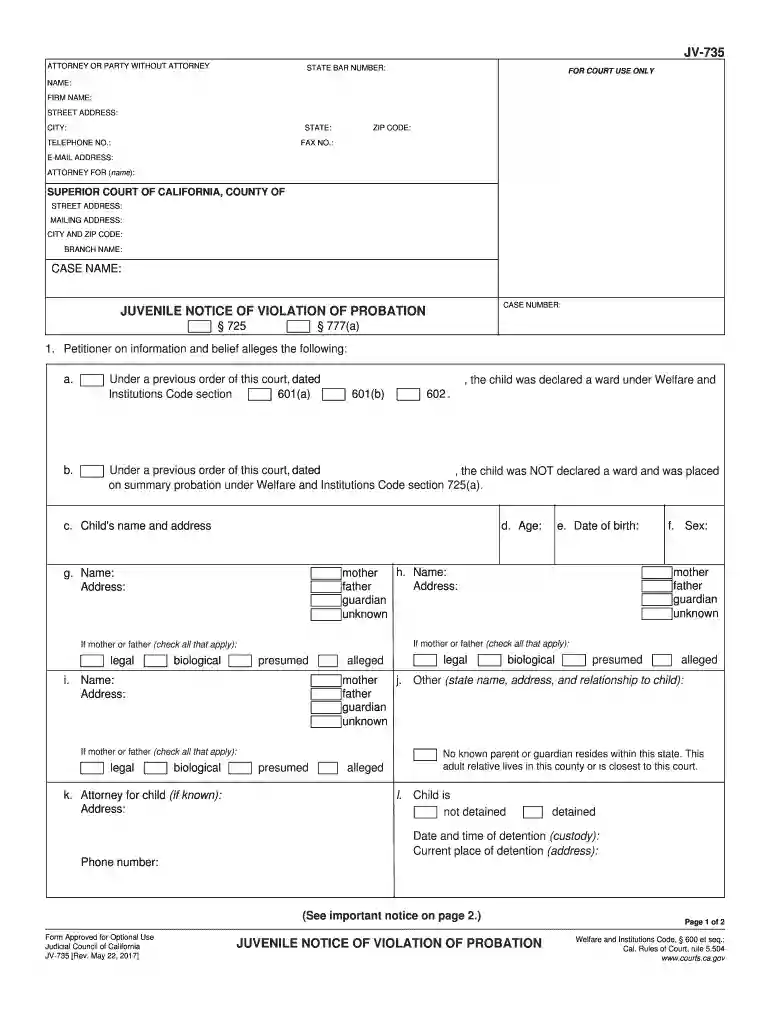
Type text, add images, blackout confidential details, add comments, highlights and more.

Draw your signature, type it, upload its image, or use your mobile device as a signature pad.

Send 735 notice via email, link, or fax. You can also download it, export it or print it out.

Start using our editor today to fill out your California Juvenile Violation Probation form easily and for free!
We've got more versions of the california juvenile violation probation form. Select the right california juvenile violation probation version from the list and start editing it straight away!
At DocHub, your data security is our priority. We follow HIPAA, SOC2, GDPR, and other standards, so you can work on your documents with confidence.
Conviction responses to juvenile arrests (subjects under 17 years of age) can only be disseminated if the juvenile is tried as an adult or convicted of aRead more
A juvenile arrests occurs when: o A police officer views a violation of law, the youth is arrested. Place the minor on informal probation for up to 6 months; a
The recommended modification consequence is: a. Removal from the custody of a parent guardian relative friend b. Placement in a foster home or relativesRead more


