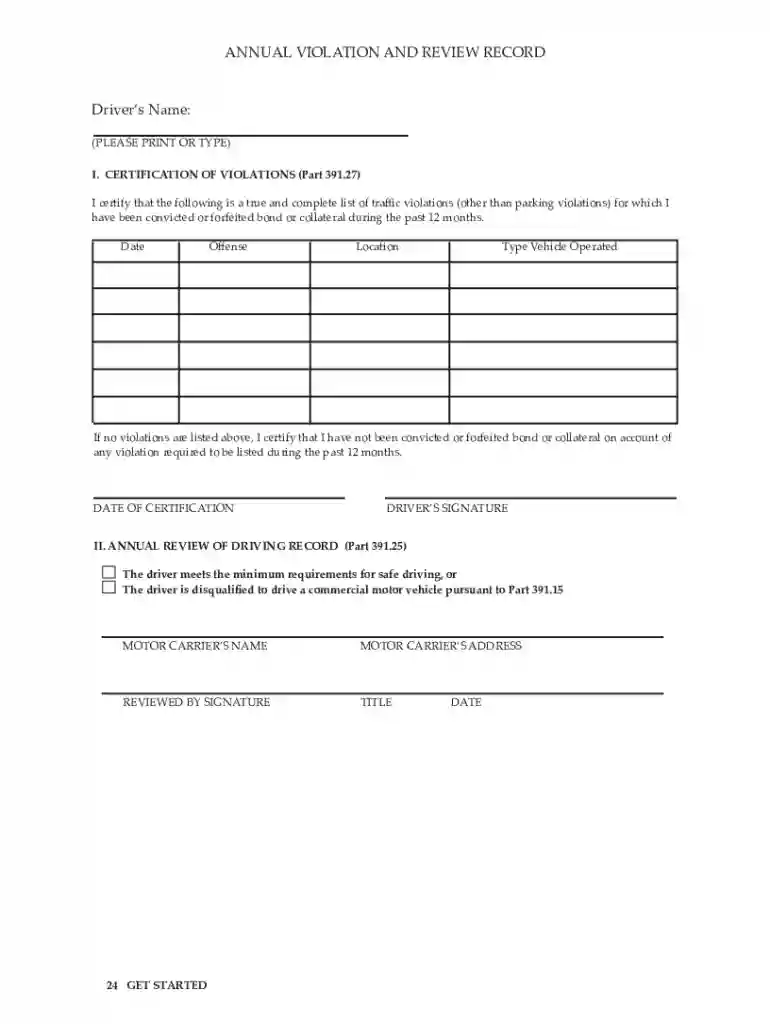
391 27 record of violations form Preview on Page 1

US Federal Driver Violation Certification 2026

Here's how it works

  • 01. Edit your 391 27 record of violations form online

    Type text, add images, blackout confidential details, add comments, highlights and more.

  • 02. Sign it in a few clicks

    Draw your signature, type it, upload its image, or use your mobile device as a signature pad.

  • 03. Share your form with others

    Send it via email, link, or fax. You can also download it, export it or print it out.

How to use or fill out form online with DocHub

Form edit decoration
9.5
Ease of Setup
DocHub User Ratings on G2
9.0
Ease of Use
DocHub User Ratings on G2
  1. Click ‘Get Form’ to open it in the editor.
  2. Begin with Section I, 'Certification of Violations'. Here, you will need to indicate if you have been convicted or forfeited bond during the past 12 months. Select 'Yes' or 'No' as applicable.
  3. If you select 'Yes', provide details in the designated fields regarding the violations. If 'No', simply check the box certifying that no violations occurred.
  4. Proceed to Section II, 'Annual Review of Driving Record'. Confirm whether you meet the minimum requirements for safe driving by selecting the appropriate option.
  5. Complete any additional fields as required, ensuring all information is accurate and up-to-date before submission.

Start filling out your form online for free today!

See more 391 27 record of violations form versions

We've got more versions of the 391 27 record of violations form form. Select the right 391 27 record of violations form version from the list and start editing it straight away!

VersionsForm popularityFillable & printable
20194.3 Satisfied (30 Votes)
20134.4 Satisfied (51 Votes)

be ready to get more

Complete this form in 5 minutes or less

Got questions?

We have answers to the most popular questions from our customers. If you can't find an answer to your question, please contact us.

An online form is an electronic application in which data is entered by the person filling it out for recording and further processing via predefined data fields. Such electronic forms can be found, for example, on websites or as attachments in e-mails.
Use docHub eSignature to fill out a PDF form and sign it Sign up for a free docHub account to fill and sign PDFs. Some PDF forms are fillable and some arent.
How to Create a Request Form Define Your Use Case and Requirements. Start Building Your Form. Add and Customize Form Fields. Personalize the Form Design. Set Up Notifications and Approvals. Publish and Share Your Form. Test and Manage Submissions.
To convert a PDF to fillable online, upload your document to docHub. docHub online editor instantly converts any PDF document to a fillable format online. You can fill your PDF with our various tools and features. To fill the form with text, choose the Text button and start typing.

Security and compliance

At DocHub, your data security is our priority. We follow HIPAA, SOC2, GDPR, and other standards, so you can work on your documents with confidence.

Related links

MOTOR VEHICLE DRIVERS CERTIFICATION OF

I DocHub that the following is a true and complete list of traffic violations (other than parking violations) for which I have been convicted or forfeited

Learn more
Annual Drivers Certification of Violations

Each motor carrier must at least once every 12 months, require each driver to prepare a list of all violations of motor vehicle traffic laws and ordinances

Learn more
If you believe that this page should be taken down, please follow our DMCA take down process here