




Here's how it works



How to use or fill out Canton Fire Department Application with our platform

- Click ‘Get Form’ to open the Canton Fire Department application in the editor.
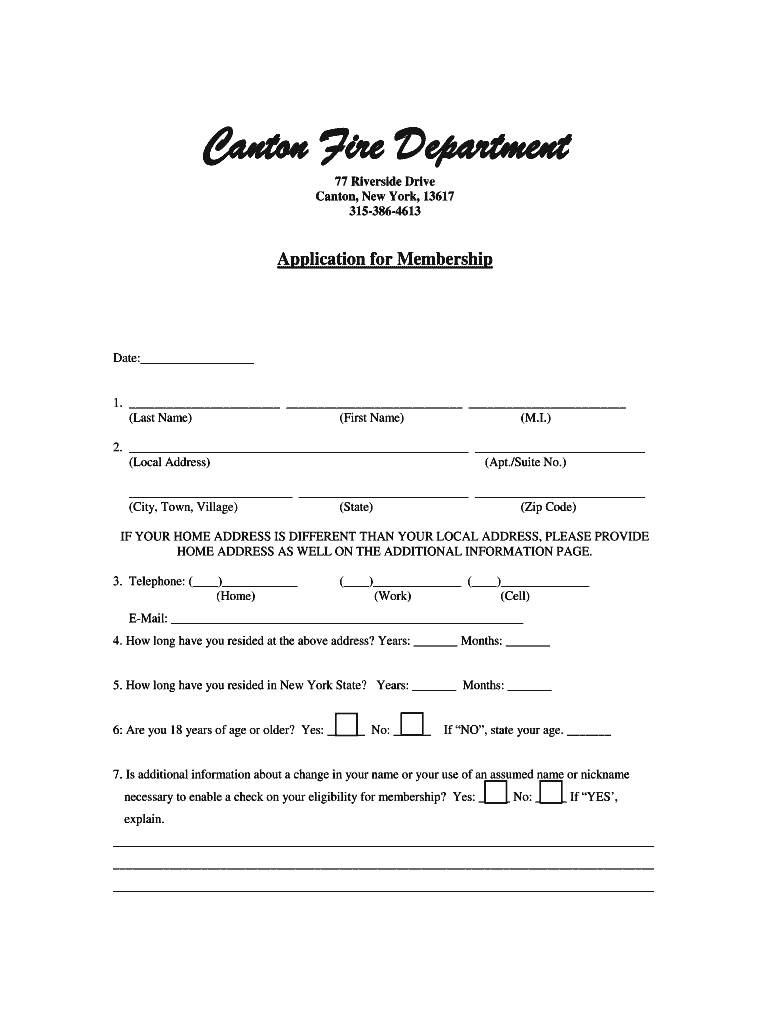
- Begin by entering your personal information in the designated fields, including your last name, first name, and middle initial.
- Provide your local address, including apartment or suite number, city, state, and zip code. If your home address differs from your local address, include that on the additional information page.
- Fill in your contact details: home, work, and cell phone numbers along with your email address.
- Indicate how long you have resided at your current address and in New York State by filling in the years and months.
- Answer eligibility questions regarding age and any necessary name changes for background checks.
- Complete employment details if applicable, including employer name and contact information.
- Specify your availability for fire department activities by checking the appropriate time periods for weekdays and weekends.
- List any previous emergency services experience along with references who have known you for at least three years.
- Review all entries for accuracy before submitting. Ensure you sign and date the application as required.
Start filling out your application today using our platform for a seamless experience!
It's free
See more Canton Fire Department versions
| Versions | Form popularity | Fillable & printable |
|---|---|---|
| 2019 | 4.8 Satisfied (76 Votes) |
Got questions?
How can I eSign my Canton Fire Department from Gmail?
With DocHub, it’s quite simple. The service offers users an add-on called DocHub for Gmail, which you can locate in the Google Workspace Marketplace free of charge. Set it up and grant it access to your Google account. Open your email with your Canton Fire Department attached and click on the add-on button in the right-side panel. Sign in to your DocHub account, and upload the form to our editor, where you can complete it and sign.
How do you edit Canton Fire Department from Google Drive?
If you store your papers in Google Drive, there is no need to download your Canton Fire Department on the computer and upload it back to our editor. A significantly simpler way is to install a browser extension developed by DocHub to simplify this flow. The extension allows editing PDFs in your web browser. Alternatively, you may integrate your DocHub and Gmail accounts for more efficient editing.
What does 5555 mean in the fire service?
How much do Canton firefighters make?
What are the four fives?
Security and compliance
At DocHub, your data security is our priority. We follow HIPAA, SOC2, GDPR, and other standards, so you can work on your documents with confidence.
Learn more




