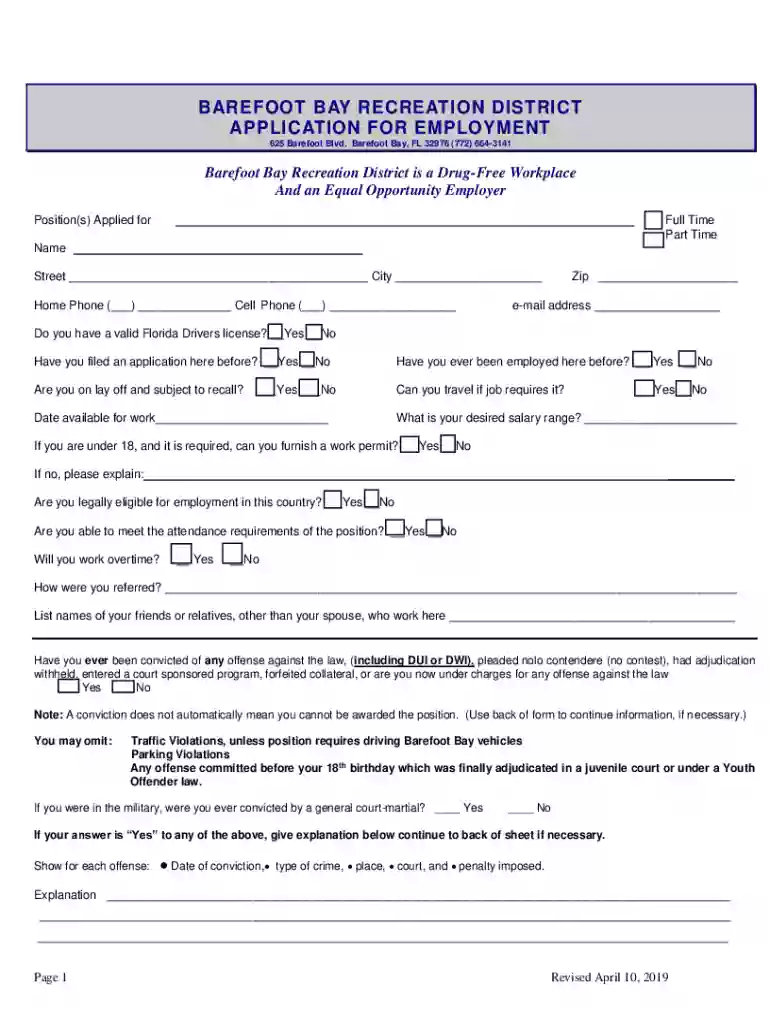
Employment Application and InstructionsBarefoot Bay FL 2026

Get Form
Employment Application and InstructionsBarefoot Bay FL Preview on Page 1

Here's how it works

01. Edit your form online
Type text, add images, blackout confidential details, add comments, highlights and more.

02. Sign it in a few clicks
Draw your signature, type it, upload its image, or use your mobile device as a signature pad.

03. Share your form with others
Send it via email, link, or fax. You can also download it, export it or print it out.

How to use or fill out Employment Application and InstructionsBarefoot Bay FL with our platform

Form edit decoration
9.5
Ease of Setup
DocHub User Ratings on G2
9.0
Ease of Use
DocHub User Ratings on G2
  1. Click ‘Get Form’ to open the Employment Application in the editor.
  2. Begin by filling in your personal information, including your name, address, and contact details. Ensure all fields are completed; mark any that do not apply with 'N/A'.
  3. Indicate the position you are applying for by selecting either Full Time or Part Time. Provide your desired salary range and availability date.
  4. Complete the education section by listing your high school, graduate school, and any technical training. Include years completed and whether you received a diploma.
  5. Detail your employment history by listing each job held, starting with your most recent position. Include employer details, dates of employment, job title, salary, and duties.
  6. Review the statements at the end of the application carefully. Initial each statement to confirm your understanding before signing and dating the application.

Start filling out your Employment Application today for free using our platform!

See more Employment Application and InstructionsBarefoot Bay FL versions

We've got more versions of the Employment Application and InstructionsBarefoot Bay FL form. Select the right Employment Application and InstructionsBarefoot Bay FL version from the list and start editing it straight away!
Versions Form popularity Fillable & printable
2019 4.8 Satisfied (57 Votes)
be ready to get more

Complete this form in 5 minutes or less

Get form

Got questions?

We have answers to the most popular questions from our customers. If you can't find an answer to your question, please contact us.
Contact us
While most HR professionals and employment lawyers would unequivocally answer YES, there are employers and industries that do not require applicants to fill out an employment application during the interview or new hire process.
How to complete a job application Read over the job application. Use a professional name and email address. Follow the instructions. Tailor your cover letter to the job. Include keywords in your resume. Check your responses for errors. Track your applications when applying for multiple jobs. Tidy your social media profiles.
Job applications often ask for both current and past employers names. The application might put current and past employers into two separate sections or allow you to check a box that says currently employed underneath a company name to communicate that you still work there.
Is not against the law to submit job applications on behalf of other people. The only time it would be illegal is if you are filling out an application and it requires you to sign someone elses name or if it has you swear you are the person actually applying. In that case, the applicant themselves needs to do that.

Security and compliance

At DocHub, your data security is our priority. We follow HIPAA, SOC2, GDPR, and other standards, so you can work on your documents with confidence.

Learn more
ccpa2
pci-dss
gdpr-compliance
hipaa
soc-compliance