Feedback Form for EMS Services - City of Tacoma 2026

Get Form
Feedback Form for EMS Services - City of Tacoma Preview on Page 1

Here's how it works

01. Edit your form online
Type text, add images, blackout confidential details, add comments, highlights and more.

02. Sign it in a few clicks
Draw your signature, type it, upload its image, or use your mobile device as a signature pad.

03. Share your form with others
Send it via email, link, or fax. You can also download it, export it or print it out.

How to use or fill out Feedback Form for EMS Services - City of Tacoma

Form edit decoration
9.5
Ease of Setup
DocHub User Ratings on G2
9.0
Ease of Use
DocHub User Ratings on G2
  1. Click ‘Get Form’ to open it in the editor.
  2. Begin by entering your personal information in the designated fields, including your name, address, and contact details. Ensure accuracy as this information is crucial for communication.
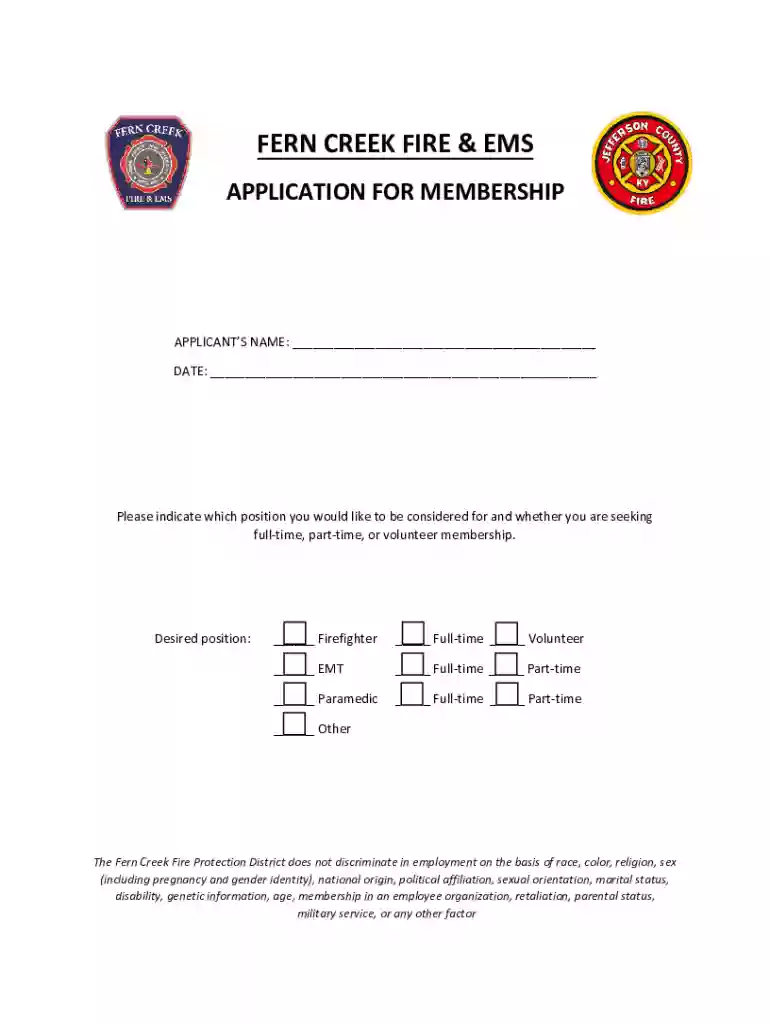
  3. Indicate your desired position by checking the appropriate box for Firefighter, EMT, Paramedic, or Other. Specify whether you are seeking full-time, part-time, or volunteer membership.
  4. Complete the education record section by listing your high school and any college or technical training. Include dates attended and whether you graduated.
  5. In the employment history section, provide details of your previous work experience. Start with the most recent job and include descriptions of duties and reasons for leaving.
  6. List three references who can vouch for your qualifications. Make sure they are not related to you and have knowledge of your professional background.
  7. Finally, review all entered information for accuracy before signing the application at the end. This ensures that all provided details are correct and complete.

Start filling out your Feedback Form today using our platform for free!

See more Feedback Form for EMS Services - City of Tacoma versions

We've got more versions of the Feedback Form for EMS Services - City of Tacoma form. Select the right Feedback Form for EMS Services - City of Tacoma version from the list and start editing it straight away!
Versions Form popularity Fillable & printable
2021 4.8 Satisfied (64 Votes)
be ready to get more

Complete this form in 5 minutes or less

Get form

Got questions?

We have answers to the most popular questions from our customers. If you can't find an answer to your question, please contact us.
Contact us

Many software solutions are available on the market for document editing and signing. DocHub is one of the most popular online solutions that comply with all data protection and compliance requirements and guarantees your eSigned paperwork is legally enforceable. All you need to try it out is to sign up for an account, add your Feedback Form for EMS Services - City of Tacoma, fill out the requested information, and click Sign. Generate your electronic signature by typing, drawing it, uploading its picture to your form, or scanning a unique QR code.

You can find and edit your Feedback Form for EMS Services - City of Tacoma online with the help of DocHub. Its simple but feature-rich design allows you to begin effective work right after you register your account. Create your profile and add your file, and then our interface will guide you through our stress-free form completion experience.

9 best practices for creating customer feedback emails Write a captivating feedback email subject line. Start with a personalized greeting. Explain the purpose of the email (be specific) Describe how it will benefit them. Offer an incentive. Send at the right time. Estimate how long it will take.
Tips for creating a feedback form You may gain more responses to your feedback form if you keep it concise. A few short questions may be more useful than many longer questions. If you want to ask more questions, consider focusing on quantitative questions that dont take as much time to answer as open-ended responses.
Essential elements What was the nature or type of dispatch? What was the initial scene assessment upon arrival? How did you transfer the patient to the ambulance? Which medications were administered, and at what dosages? What supplies were utilized during the call? Were there any safety concerns?

Security and compliance

At DocHub, your data security is our priority. We follow HIPAA, SOC2, GDPR, and other standards, so you can work on your documents with confidence.

Learn more
ccpa2
pci-dss
gdpr-compliance
hipaa
soc-compliance
be ready to get more

Complete this form in 5 minutes or less

Get form

People also ask

How to write a feedback form Think about what you want to ask. Use formatting and design thats consistent with the brand. Gather responders information. Break the form into relevant categories. Employ a mix of question types. Consider the future. Remain unbiased. Proofread and distribute.
Hi (Recipients name), I would like to request you review the attached document and provide any feedback. You can send me some notes in an email, markup the document, or arrange a meeting. Any help you can provide would be gratefully received.
You can send respondents a form with some fields already filled in. Open a form in Google Forms. At the top right, click More . Select Pre-fill form. Fill in any answer fields that you want to pre-populate. Click Get link. To send the pre-populated form to respondents, copy and send the link at the top.

Related links