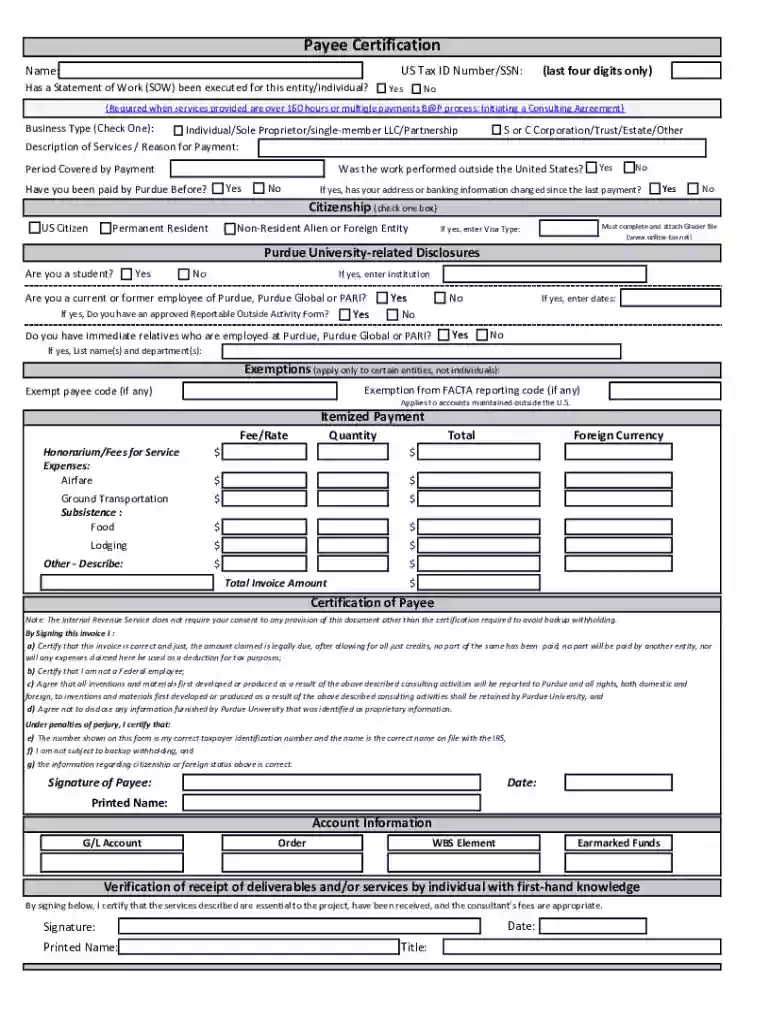
payee certification form Preview on Page 1

Payee Certification Form 2026

Here's how it works

  • 01. Edit your payee certification form online

    Type text, add images, blackout confidential details, add comments, highlights and more.

  • 02. Sign it in a few clicks

    Draw your signature, type it, upload its image, or use your mobile device as a signature pad.

  • 03. Share your form with others

    Send purdue payee certification via email, link, or fax. You can also download it, export it or print it out.

How to Use or Fill Out Payee Certification Form Online

Form edit decoration
9.5
Ease of Setup
DocHub User Ratings on G2
9.0
Ease of Use
DocHub User Ratings on G2
  1. Click 'Get Form' to open the Payee Certification form in our editor.
  2. Begin by entering your complete name and US Tax ID Number or the last four digits of your SSN.
  3. Select your business type by checking the appropriate box, and provide a brief description of services or reason for payment.
  4. Indicate the period covered by the payment and whether the work was performed outside the United States.
  5. Answer if you have been paid by Purdue before, and if so, confirm if your address or banking information has changed.
  6. Select your citizenship status and, if applicable, provide your Visa type. Ensure to attach any necessary Glacier documents for non-resident aliens.
  7. Complete additional questions regarding student status, employment at Purdue, and any immediate relatives employed there.
  8. Fill out the itemized payment section clearly detailing fees, expenses, and total invoice amount.
  9. Finally, certify the payee information by signing and dating the form. Ensure all required signatures are present before submission.

Start filling out your Payee Certification form online today for free with our platform!

See more payee certification form versions

We've got more versions of the payee certification form form. Select the right payee certification form version from the list and start editing it straight away!

VersionsForm popularityFillable & printable
20224.3 Satisfied (48 Votes)
20204.6 Satisfied (41 Votes)
20113.9 Satisfied (31 Votes)

be ready to get more

Complete this form in 5 minutes or less

Security and compliance

At DocHub, your data security is our priority. We follow HIPAA, SOC2, GDPR, and other standards, so you can work on your documents with confidence.

Related links

Section 194M: 2% TDS When Individuals Pay Over Rs 50 Lakh

Form 16D is the TDS certificate you issue to the payee within 15 days from the due date of filing Form 26QD. It lets the payee claim the deducted tax as credit

Learn more
Payee Certification

By signing below, I DocHub that the services described are essential to the project, have been received, and the consultants fees are appropriate. Note: TheRead more

Learn more
Request for Payee Information and TIN Certification

Vendors providing goods and services must use the AO 213 form. Payee TINs, obtained through this form, may be used by the government to collect and report

Learn more
If you believe that this page should be taken down, please follow our DMCA take down process here