




Here's how it works

01. Edit your vp202 online
Type text, add images, blackout confidential details, add comments, highlights and more.

02. Sign it in a few clicks
Draw your signature, type it, upload its image, or use your mobile device as a signature pad.

03. Share your form with others
Send vp 202 affidavit via email, link, or fax. You can also download it, export it or print it out.
How to use or fill out vp202 with our platform

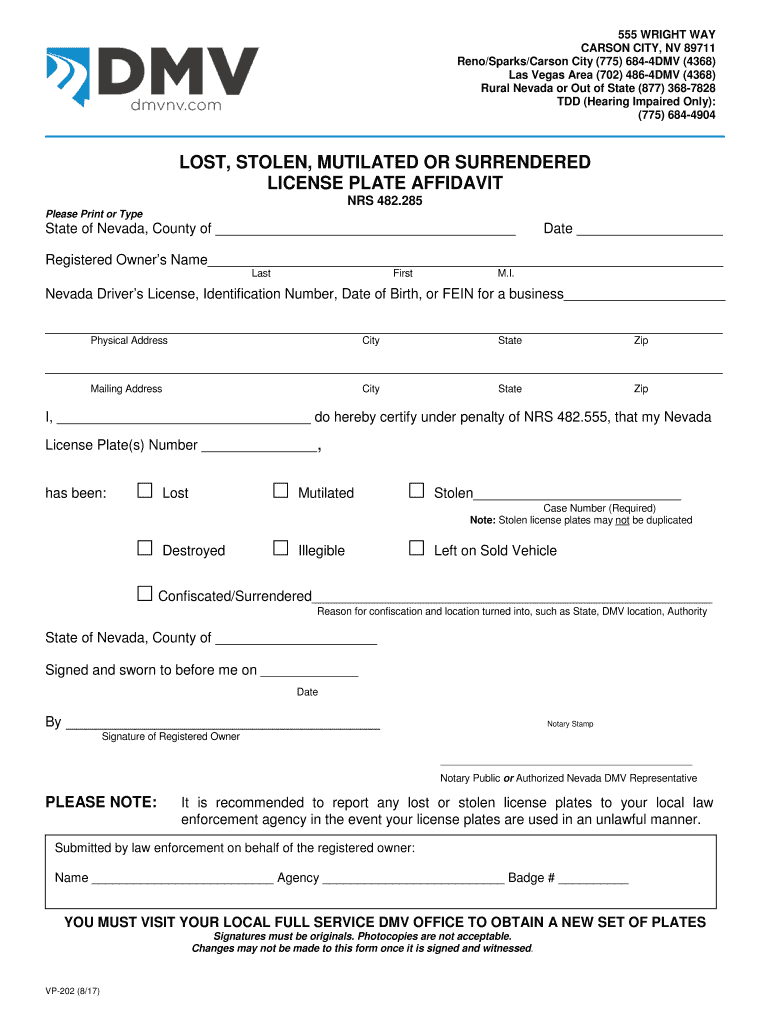
- Click ‘Get Form’ to open the vp202 in the editor.
- Begin by entering the State and County at the top of the form. This information is essential for proper documentation.
- Fill in the Date field with the current date to ensure your affidavit is timely.
- Provide the Registered Owner’s Name, including Last, First, and Middle Initial. Accuracy here is crucial for identification.
- Input either your Nevada Driver’s License number, Identification Number, Date of Birth, or FEIN for businesses in the designated area.
- Complete both Physical and Mailing Address sections with your current address details.
- In the certification section, indicate whether your license plate was Lost, Stolen, Mutilated, Destroyed, Illegible, Left on Sold Vehicle, or Confiscated/Surrendered by checking the appropriate box.
- If applicable, provide a Case Number for stolen plates and detail any reasons for confiscation along with location information.
- Sign and date where indicated. Ensure that signatures are original as photocopies are not acceptable.
Start filling out your vp202 form online for free today!
Fill out vp202 online
It's free
It's free
Security and compliance
At DocHub, your data security is our priority. We follow HIPAA, SOC2, GDPR, and other standards, so you can work on your documents with confidence.
Learn more


