




Here's how it works

01. Edit your form online
Type text, add images, blackout confidential details, add comments, highlights and more.

02. Sign it in a few clicks
Draw your signature, type it, upload its image, or use your mobile device as a signature pad.

03. Share your form with others
Send it via email, link, or fax. You can also download it, export it or print it out.
How to use or fill out redfield k12 sd uscmslibLegends for Kids Scholarship Application - redfield k12 sd us with our platform

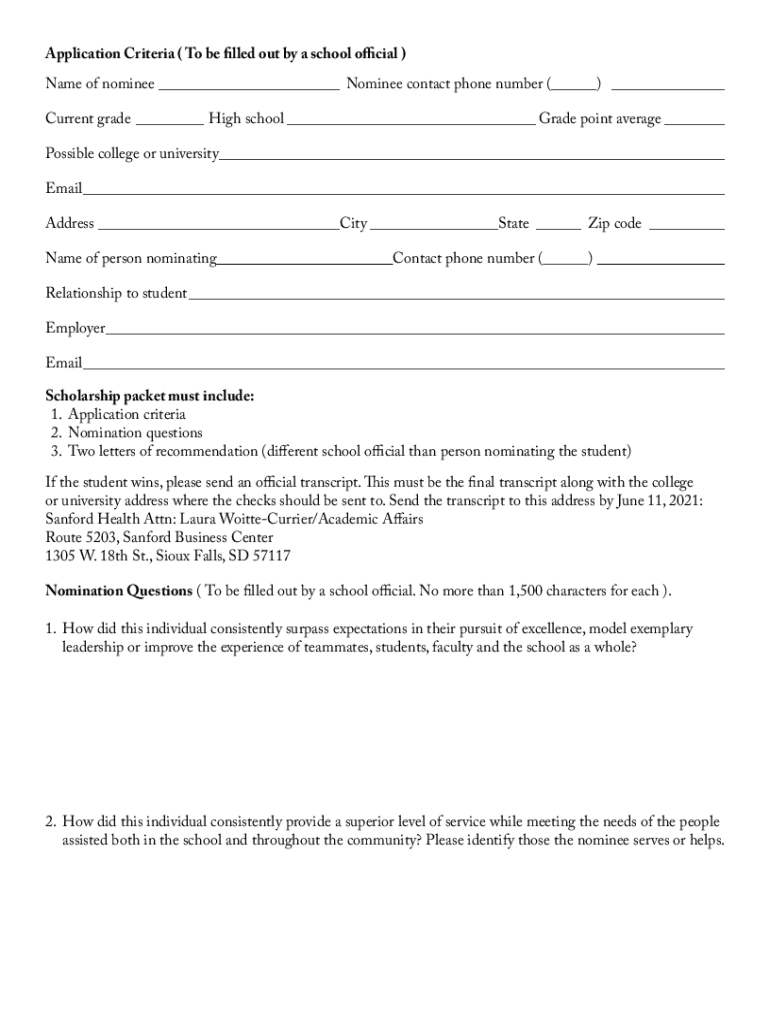
- Click ‘Get Form’ to open the Legends for Kids Scholarship Application in the editor.
- Begin by filling out the nominee's information, including their name, contact phone number, current grade, high school, and GPA. Ensure accuracy as this information is crucial for eligibility.
- Next, provide details about the person nominating the student. Include their name, contact number, relationship to the student, and employer. This section helps establish credibility for the nomination.
- Complete the nomination questions by providing thoughtful responses that highlight the nominee's achievements and character. Each answer should be concise yet descriptive, adhering to the character limit.
- Students should then fill out their section by answering questions about their future goals and community involvement. This is an opportunity to showcase personal aspirations and contributions.
- Finally, review all entries for completeness and accuracy before submitting your application packet via email or mail as specified in the document.
Start your application today using our platform for free and take a step towards securing your scholarship!
Fill out redfield k12 sd uscmslibLegends for Kids Scholarship Application - redfield k12 sd us online
It's free
It's free
See more redfield k12 sd uscmslibLegends for Kids Scholarship Application - redfield k12 sd us versions
We've got more versions of the redfield k12 sd uscmslibLegends for Kids Scholarship Application - redfield k12 sd us form. Select the right redfield k12 sd uscmslibLegends for Kids Scholarship Application - redfield k12 sd us version from the list and start editing it straight away!
Security and compliance
At DocHub, your data security is our priority. We follow HIPAA, SOC2, GDPR, and other standards, so you can work on your documents with confidence.
Learn more




