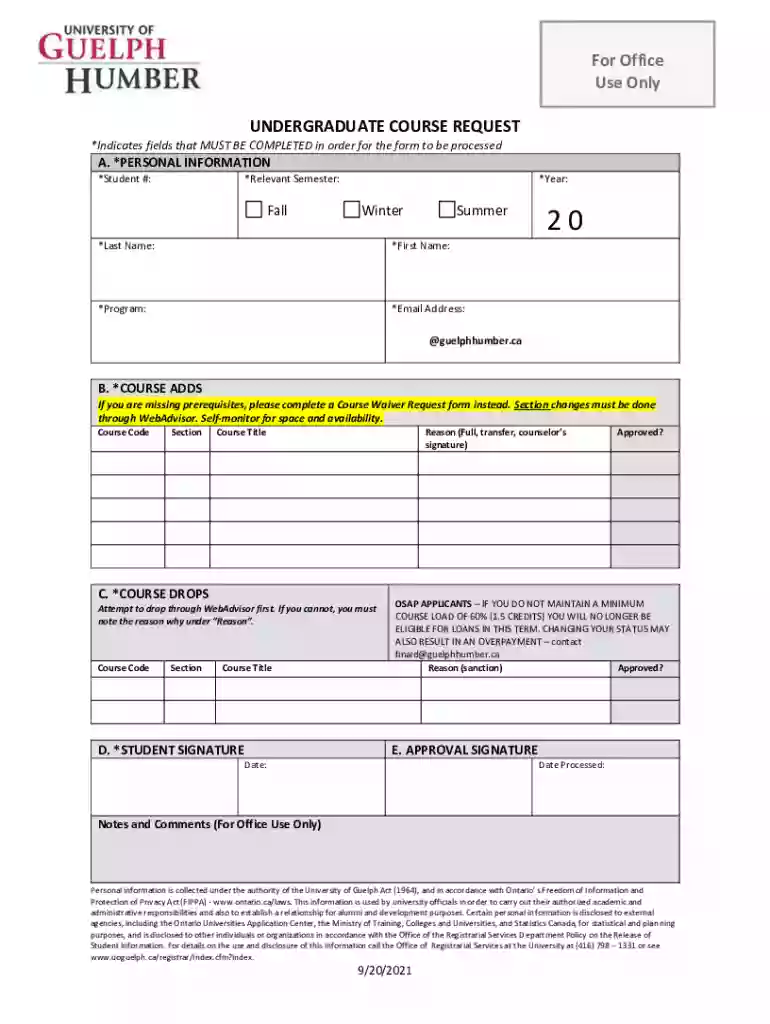
Undergraduate Course Request Form Preview on Page 1

Undergraduate Course Request Form 2026

Here's how it works

  • 01. Edit your form online

    Type text, add images, blackout confidential details, add comments, highlights and more.

  • 02. Sign it in a few clicks

    Draw your signature, type it, upload its image, or use your mobile device as a signature pad.

  • 03. Share your form with others

    Send it via email, link, or fax. You can also download it, export it or print it out.

How to use or fill out the Undergraduate Course Request form online

Form edit decoration
9.5
Ease of Setup
DocHub User Ratings on G2
9.0
Ease of Use
DocHub User Ratings on G2
  1. Click ‘Get Form’ to open it in the editor.
  2. Begin with Section A: Personal Information. Fill in your Student Number, select the Relevant Semester and Year, and provide your Last Name, First Name, Program, and Email Address. Ensure all fields marked with an asterisk are completed.
  3. Move to Section B: Course Adds. Enter the Course Code, Section, Course Title, and Reason for adding the course. If prerequisites are missing, remember to complete a Course Waiver Request form instead.
  4. Proceed to Section C: Course Drops. Attempt to drop courses via WebAdvisor first. If unsuccessful, note your reason for dropping in the designated field.
  5. In Section D: Student Signature, confirm your understanding of OSAP eligibility requirements and provide your signature.
  6. Finally, complete Section E: Approval Signature by entering the date and any additional notes required for office use.

Start filling out your form online today for free using our platform!

See more Undergraduate Course Request Form versions

We've got more versions of the Undergraduate Course Request Form form. Select the right Undergraduate Course Request Form version from the list and start editing it straight away!

VersionsForm popularityFillable & printable
20214.9 Satisfied (26 Votes)

be ready to get more

Complete this form in 5 minutes or less

Got questions?

We have answers to the most popular questions from our customers. If you can't find an answer to your question, please contact us.

Introducing Canvas free PDF editor The easiest online PDF editor youll ever use, import right into Canva and edit for free. Well work our magic and break your PDF into editable elements so you can convert and customize like any design asset.
More videos on YouTube Step 1: Access Google Docs. Step 2: Open a New Blank Document. Step 3: Insert Your Logo. Step 4: Create Text Fields for User Input. Step 5: Customize Dropdown Selections. Step 6: Add Checkboxes for Multiple Choices. Step 7: Include an Open-Ended Text Box. Step 8: Formatting and Customization.
Google Forms is free online software that allows you to create surveys, quizzes, and more. Google Forms is part of Googles web-based apps suite, which also includes Google Docs, Google Sheets, Google Slides, and more.
Its easy to create fillable PDF form in Adobe Acrobat. Open Acrobat. Select a file or scan a document. Add new form fields. To change existing text boxes or images, click Edit in the toolbar. Save your fillable PDF.
Best free online form builder for quickly creating powerful forms Google Forms pros: Google Forms cons: Google Forms price: 100% free. Jotform pros: Jotform cons: Jotform price: Free plan available; paid plans start at $39/month. Feathery pros: Feathery cons:

Security and compliance

At DocHub, your data security is our priority. We follow HIPAA, SOC2, GDPR, and other standards, so you can work on your documents with confidence.

People also ask

Use eSignature to fill out a PDF form and sign it Flat forms are non-interactive forms that require extra effort and extra steps to be completed. An interactive form contains fields that you can select or fill in, eliminating the need to print the form and complete it by hand.
LibreOffice is free and open source software that allows you to create forms and export as a PDF form. When you distribute your form, others can fill out your form easily. Once they complete your form, they can print or save their responses in PDF format.

Related links

Course Request Form - UF College of Journalism and

Please DO NOT submit multiple requests for the same course. This form will not work for classes outside the CJC. All fields are required.Read more

Learn more
Lower-Division Academic Courses

The request must be submitted at least four months prior to the date of student enrollment. Please review the forms and rules below prior to submitting courseRead more

Learn more
If you believe that this page should be taken down, please follow our DMCA take down process here