Type text, add images, blackout confidential details, add comments, highlights and more.
02. Sign it in a few clicks
Draw your signature, type it, upload its image, or use your mobile device as a signature pad.
03. Share your form with others
Send it via email, link, or fax. You can also download it, export it or print it out.
How to use or fill out the Overseas Visitors Health Cover Ambulance Claim form online
Ease of Setup
DocHub User Ratings on G2
Ease of Use
DocHub User Ratings on G2
Click ‘Get Form’ to open it in the editor.
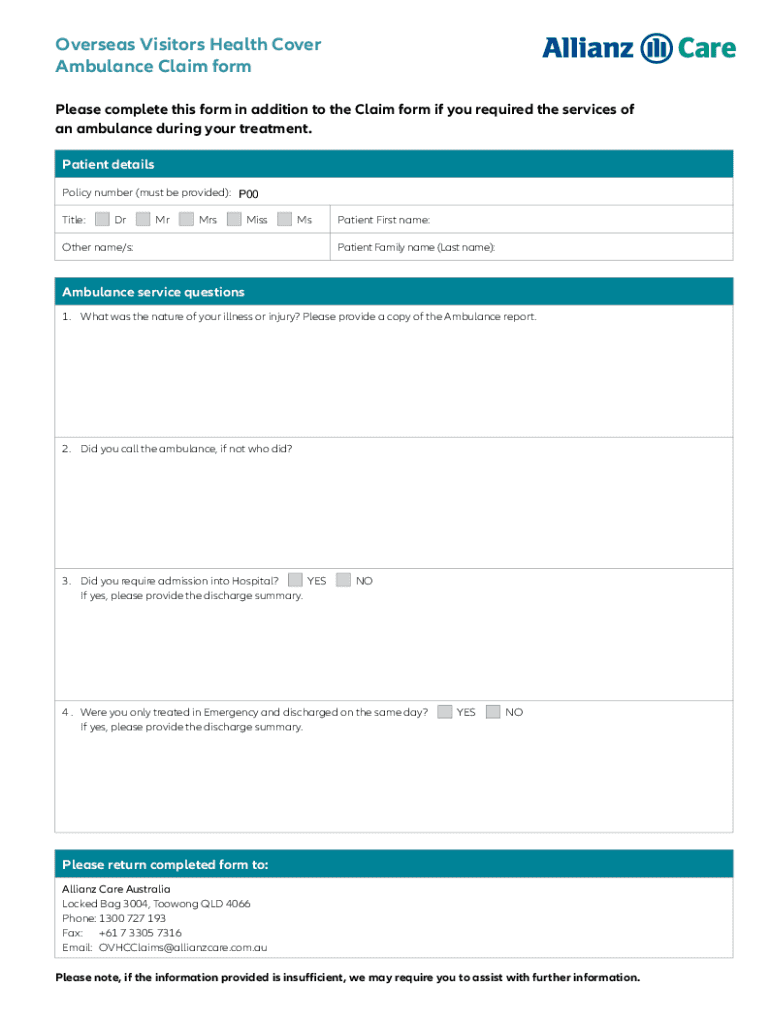
Begin by entering your policy number in the designated field. This is essential for processing your claim.
Select your title from the options provided (Dr, Mr, Mrs, Miss, Ms, Other) and fill in your first and last name.
In the ambulance service questions section, describe the nature of your illness or injury. Ensure you have a copy of the ambulance report ready to upload.
Indicate whether you called the ambulance or if someone else did by selecting 'YES' or 'NO'.
Answer whether you required admission into a hospital. If yes, be prepared to provide a discharge summary.
Lastly, confirm if you were treated in emergency and discharged on the same day. Again, if yes, include a discharge summary.
Start filling out your form online for free today and streamline your claims process!
We've got more versions of the Ambulance Claim Form form. Select the right Ambulance Claim Form version from the list and start editing it straight away!
by D BusinessCard Call 1-800-MC-ASSIST to request a claim form. You must report the claim within 30 days of the loss or the claim may not be honored. You may choose to assignRead more
(doctor, hospital, laboratory, ambulance service, etc.) ○ Name of patient. ○ Service provided. ○ Date of service. ○ Amount charged for each service. ○Read more
Cookie consent notice
This site uses cookies to enhance site navigation and personalize your experience.
By using this site you agree to our use of cookies as described in our Privacy Notice.
You can modify your selections by visiting our Cookie and Advertising Notice.