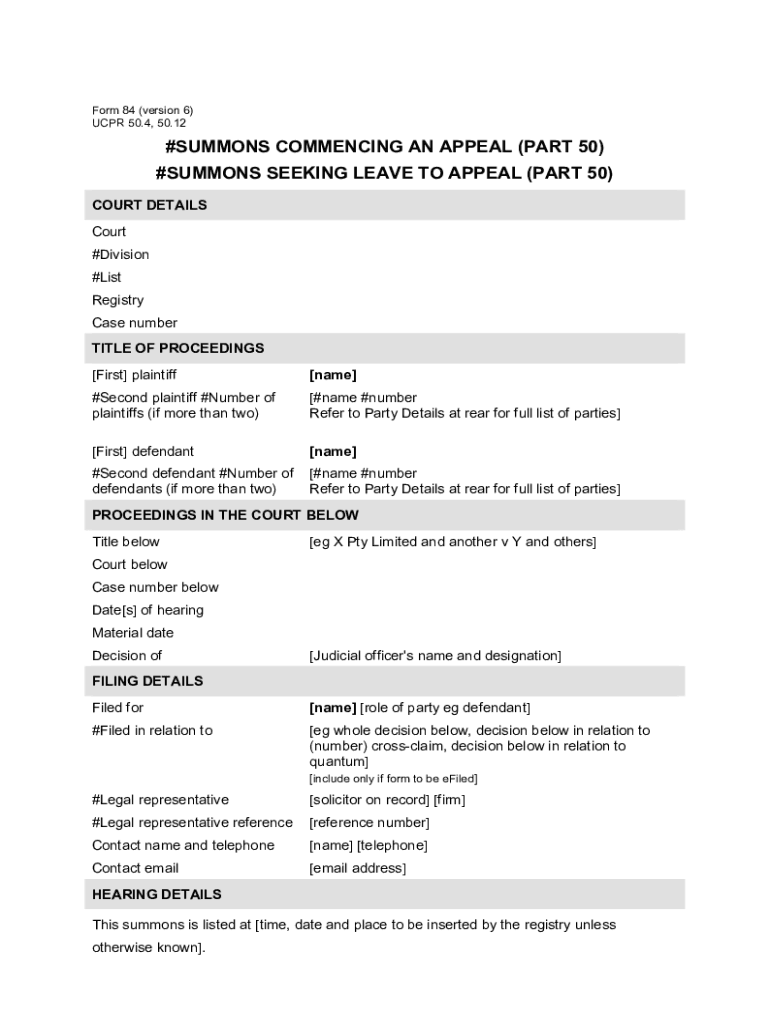
Lec nsw documentsucprNSW UCPR Form 84 - Summons commencing an appeal (Part 50 appeals) 2026

Get Form
lec nsw documentsucprNSW UCPR Form 84 - Summons commencing an appeal (Part 50 appeals) Preview on Page 1

Here's how it works

01. Edit your form online
Type text, add images, blackout confidential details, add comments, highlights and more.
02. Sign it in a few clicks
Draw your signature, type it, upload its image, or use your mobile device as a signature pad.
03. Share your form with others
Send it via email, link, or fax. You can also download it, export it or print it out.

How to use or fill out lec nsw documentsucprNSW UCPR Form 84 - Summons commencing an appeal (Part 50 appeals) with our platform

Form edit decoration
9.5
Ease of Setup
DocHub User Ratings on G2
9.0
Ease of Use
DocHub User Ratings on G2
  1. Click ‘Get Form’ to open it in the editor.
  2. Begin by filling in the 'Court Details' section, including the court name, division, list, registry, and case number.
  3. In the 'Title of Proceedings' section, enter the names of all plaintiffs and defendants. If there are more than two parties, refer to the Party Details at the rear.
  4. Complete the 'Proceedings in the Court Below' section by providing details such as title below, court below, case number below, dates of hearing, and decision details.
  5. Fill out the 'Filing Details' with your name and role. Include your legal representative's information if applicable.
  6. Select the type of appeal from the provided list in the 'Type of Appeal' section.
  7. Clearly state your appeal grounds in the 'Appeal Grounds' section. Be specific about any errors of law you believe occurred.
  8. Finally, ensure all signatures are completed where required before submitting your form.

Start using our platform today for free to streamline your document editing and signing process!

See more lec nsw documentsucprNSW UCPR Form 84 - Summons commencing an appeal (Part 50 appeals) versions

We've got more versions of the lec nsw documentsucprNSW UCPR Form 84 - Summons commencing an appeal (Part 50 appeals) form. Select the right lec nsw documentsucprNSW UCPR Form 84 - Summons commencing an appeal (Part 50 appeals) version from the list and start editing it straight away!
Versions Form popularity Fillable & printable
2020 4.8 Satisfied (266 Votes)
be ready to get more

Complete this form in 5 minutes or less

Get form

Got questions?

We have answers to the most popular questions from our customers. If you can't find an answer to your question, please contact us.
Contact us
A Notice to Produce allows one party to court proceedings, to serve on another party involved in the same court proceedings, a notice requiring the production of specified documents, or things, as a way of obtaining evidence for use in those proceedings.
A Notice to Produce is issued by one party to a proceeding, to another party in that proceeding, where the first party seeks production of any document in a pleading or affidavit filed by the second party. Leave of the Court is not required to issue a Notice to Produce.
A notice of proceedings is a formal document that notifies parties involved in a legal or administrative matter about upcoming actions, hearings, or proceedings. It ensures fairness by informing all affected parties, giving them the opportunity to respond, prepare, and participate in the process.
Purpose of a Subpoena: A subpeona is an order that is needed in most situations in which one party to a proceedings requests another person to appear in person to provide oral testimony or to provide documents that may be used as evidence in the proceeding.
How to appeal your case Figure out if you can appeal. Make sure youre allowed to appeal and that youve met the deadlines. File the notice of appeal. Designate the record and other filings. Prepare and file a brief. Oral argument. Get the appellate court decision. After the appellate courts decision.

Security and compliance

At DocHub, your data security is our priority. We follow HIPAA, SOC2, GDPR, and other standards, so you can work on your documents with confidence.

Learn more
ccpa2
pci-dss
gdpr-compliance
hipaa
soc-compliance